Surprising fact: more than one in three U.S. internet users now consider a VPN essential for privacy or streaming.
This brief introduction tells you what to expect. In this ipvanish review you’ll learn whether this vpn fits your daily needs in the United States for streaming, speed, privacy, and device coverage.
We focus on real-world performance, server availability, security tools, and ease of use rather than marketing claims. You’ll see the most important strengths: fast speeds, strong encryption, unlimited device connections, and broad app support.
We’ll also point out tradeoffs, such as U.S. jurisdiction, a historical logging incident, and inconsistent access in restrictive countries. That helps you decide if this vpn service is good enough for most households or if you need best-in-class protection.
Use the practical framework here to judge what matters most for streaming, torrenting, or privacy as you read further.
At-a-Glance Verdict for IPVanish VPN in the United States
Here’s a quick decision-first summary so you can tell at a glance whether this vpn fits your US browsing, streaming, and travel needs.
What it does best for everyday users
Fast connections on nearby servers make streaming and general browsing smooth. The apps are straightforward, so you can protect all your devices under one subscription without fuss.
Where it falls short compared with top competitors
It has solid security, but the US base and past privacy issues matter if you want maximal anonymity. There’s no crypto payment option, and it doesn’t work reliably in China for travel use.
Who should consider this VPN right now
Choose this service if you need high speed, dependable streaming on major platforms, and unlimited simultaneous connections for a family setup.
Be cautious if you prioritize non-US jurisdiction, anonymous crypto payments, or consistent access inside China.
| Criterion | Strength | Notes |
|---|---|---|
| Speed | High | Great on nearby US servers; good for HD streaming |
| Streaming | Solid | Works with Netflix, Hulu, Disney+, Max; mixed with Prime |
| Privacy & Security | Strong tools | No-logs claims audited; US jurisdiction remains a consideration |
| Devices & Connections | Unlimited | One subscription covers many devices at once |
| Support & Payments | Responsive support | No crypto option; 24/7 help available |
In the sections ahead we’ll map speed tests, streaming detail, server coverage, privacy policy, support, and pricing so you can compare this option against other top vpns.
How IPVanish Works to Protect Your Data Online
Turning a VPN on changes a few key things about how you use the internet. When active, your device shows the VPN server’s IP address instead of your real one. Your browsing data and requests are encrypted so outsiders see unreadable traffic.
What actually changes when you connect
Your visible address becomes the server’s IP, not your home or mobile IP. Your ISP can see you are connected to a vpn but not the sites or logins you use.
Why encryption matters on public Wi‑Fi
Encryption protects sensitive logins and forms at airports, hotels, and cafes. On unsecured networks, it stops attackers from reading your data in transit.
- Traffic is routed through a server; distance and server load affect speed and stability.
- Different protocols balance speed and security — you can switch if needed.
- Account email and payment details still exist, separate from the no-logs policy.
Real-world limits: a vpn reduces tracking risk but doesn’t make you invisible. Apps can still track you, and it won’t override targeted ads or device-level telemetry.
IPVanish Review: Speed Test Results and Real-World Performance
Real-world speed and latency tell the clearest story about daily VPN use. In our testing, the vpn showed minimal throughput loss on nearby US servers — roughly a ~4% drop in download and ~5% in upload in one representative run.
That small reduction usually means pages and HD streams load without trouble. 4K video held steady in our checks, and large file downloads stayed consistent over time.
Nearby US servers vs long-distance locations
Expect bigger speed and stability drops as distance increases. Long-distance locations introduce more hops and variability, so your speeds fall more noticeably than with nearby server choices.
Latency and ping for gaming and calls
Latency rose significantly in tests. For gaming and video calls, ping often matters more than raw download speed. Even with high download rates, higher latency can cause lag and poor call quality.
Why “Optimal Location” isn’t always the fastest option
The automatic location picker prioritizes balance and server load. Manually check ping and load for nearby cities to find a faster server for your ISP route.
Practical tip: run a quick testing of two or three nearby servers and pick the lowest ping for the best real-world performance.
Streaming With IPVanish: Netflix, Hulu, Disney+, Max, and More
What matters for most people is whether the vpn delivers quick starts and stable playback on the services you pay for. In our tests the service handled HD streaming with short load times and reliable playback on several major platforms.
Netflix access: you get US library access and also reached multiple international libraries (UK, DE, JP, IN and more). Library access means you can view region-specific catalogs, not just Netflix Originals, when you connect to the right servers.
US streaming performance
Hulu, Disney+, ESPN+, and Max generally worked well from US servers. Streams started quickly — Hulu often under 10 seconds — with minimal buffering on nearby servers.
Where the service struggles
Amazon Prime Video detected the vpn in our tests and blocked playback. That can happen even when other platforms work fine.
Video quality and expectations
HD playback was steady and 4K held up when you chose a fast nearby server. Netflix loads were usually about 3–5 seconds in our checks.
- Switch servers if a platform blocks you; try different city-level servers.
- Change protocol in the app or clear cookies and browser data before retrying.
- If you still see blocks, test another nearby server or contact support — results can change over time.
Bottom line: For US viewers this vpn is solid for most paid streaming services, with Amazon Prime as the main exception. Pick low-latency servers for the best speeds and least buffering.
Server Network: Locations, Countries, and What “Self-Owned” Really Means
A VPN’s server network shapes speed, reach, and the real privacy you get. The count and layout of servers affect whether you find a low-latency connection or a route that unblocks a foreign library.
Coverage and why it matters: This service operates 3,200+ servers across 109 countries. For you in the United States, that means plenty of nearby endpoints for fast connections and many international locations when you need region-specific access.
The app shows city-level servers and lets you sort by load. You can also pick from a map view to scan options visually. These UI choices help you quickly find a less crowded server for better performance.
Self-owned (collocated) vs rented infrastructure
Self-owned or collocated servers mean the provider controls more hardware and the software stack. That reduces dependence on third-party host operators and can lower some privacy risks tied to outside admins.
Virtual locations explained
The network also uses 39 virtual locations. A virtual location gives you an IP from a country without physically hosting hardware there. That helps avoid local legal exposure while still offering a regional IP address.
| Aspect | What it means for you | Practical tip |
|---|---|---|
| Server count | 3,200+ servers | Pick nearby servers for best speed |
| Countries | 109 countries covered | Use country endpoints to access regional catalogs |
| City-level selection | Sort by load and use map UI | Choose low-load city servers for stability |
| Self-owned servers | Collocated hardware under provider control | Prefer these for marginally stronger privacy |
| Virtual locations | 39 virtual locations | Use when physical servers would pose legal risk |
Choosing strategy: For the best performance, pick a nearby server or a low-load city option. If you need a specific country’s content, pick a server in that country — expect slightly higher latency but access to regional services.
Security Features: Encryption, Leak Protection, and Threat Protection
Strong security starts with the basics: encryption, authentication, and controls that keep your traffic private.
Encryption and authentication: The service uses AES‑256 to protect your data in transit. Modern auth components like SHA512 and DHE‑RSA 2048 provide authentication and perfect forward secrecy. That means session keys rotate and past sessions stay safe even if a key is exposed.
Leak protection and tests: Independent leak checks (ipleak.net style tests) found no DNS or IP leaks across multiple international servers. Enable leak protection in the app to stop traffic from escaping if a connection degrades.
Kill switch and device notes: A kill switch is available on desktop and Android/Fire TV apps. Reviewers note an iOS caveat, so don’t assume identical behavior on every device. Turn the kill switch on for high‑risk tasks like torrenting.
Threat Protection and Double Hop: Threat Protection blocks ads, trackers, and known malicious domains, which can speed browsing by cutting clutter. Double Hop routes traffic through two servers for extra anonymity, but expect noticeable speed loss — avoid it for streaming.
| Feature | What it protects | When to use |
|---|---|---|
| AES‑256 & PFS | Encrypts data and protects past sessions | Everyday browsing and sensitive logins |
| Leak protection | Prevents DNS/IP leaks | Enable always, test after connecting |
| Kill switch | Stops traffic on disconnect | Torrenting, frequent network changes |
| Threat Protection | Blocks ads, trackers, malware | Casual browsing and safer downloads |
| Double Hop | Extra routing anonymity | High‑privacy needs; not for streaming |
VPN Protocols and Connection Options You Can Customize
Not all connection options behave the same; pick a protocol that matches your activity and network conditions.
WireGuard is the go-to for most users. It balances speed and security, so use it for streaming, long-distance links, and gaming when low overhead matters.
OpenVPN offers TCP and UDP modes. Pick UDP for faster throughput and TCP when networks drop packets or block traffic. OpenVPN Scramble helps hide vpn traffic from simple firewalls, but it won’t reliably defeat highly restrictive regimes.
IKEv2/IPSec shines on mobile. It reconnects cleanly when you switch between Wi‑Fi and cellular, reducing dropped sessions during travel.
When to override automatic selection
The app’s automatic protocol selection works well for most networks. Manually choose a protocol when you face streaming blocks, corporate Wi‑Fi limits, or persistent throttling.
| Protocol | Best for | When to pick it |
|---|---|---|
| WireGuard | Speed & low latency | Streaming, gaming, long-distance |
| OpenVPN UDP | Fast & stable | General use on permissive networks |
| OpenVPN TCP (Scramble) | Obfuscation | Bypass simple firewalls; not for China-level blocks |
| IKEv2/IPSec | Mobile stability | Switching Wi‑Fi & cellular |
Privacy Policy, Audits, and the US Jurisdiction Question
Before you subscribe, read the privacy policy to know exactly what the provider logs and what it omits. That helps you judge whether the vpn meets your privacy needs.
Independent audits by Leviathan Security Group (2022/2023) validated the no‑logs claims at a high level. Third‑party reviews matter because they test what a company states in writing.
“Audits reduce uncertainty, but they don’t erase jurisdictional risk.”
What happened in 2016 — and why it matters
The 2016 incident involved historical logging under prior ownership. That event raised valid concerns. Ownership changes and new controls followed, but the episode still shapes trust for many users.
What is still collected today
- Account email and payment details for billing.
- Limited anonymous metrics: language, device model, session lengths, UI interactions.
- No browsing history or destination address in audited claims.
| Topic | Practical effect | What to check |
|---|---|---|
| No‑logs audit | Builds trust in claims | Read scope and date of the audit |
| Collected info | Billing & analytics data retained | Decide if email/payment storage is acceptable |
| US jurisdiction | Subject to 14 Eyes cooperation | Prefer non‑US provider if threat model is high |
Decision guidance: For everyday privacy and streaming, audited no‑logs plus strong encryption is usually enough. If your threat model demands maximal anonymity, consider a non‑US provider and minimal payment traces.
Torrenting and P2P: Unlimited Bandwidth, Kill Switch Use, and Safety Tips
If you download torrents regularly, you need a clear plan for safety and performance. This service supports P2P across the entire network, so you can switch servers when one endpoint is crowded.
P2P support across the entire network
“Works on the entire network” means every server allows torrenting without caps. That gives you flexibility to rotate through servers and avoid overloads when many peers swamp a single city.
How to reduce exposure risk during large downloads
Use strong encryption and enable the kill switch every time you start a large download. A kill switch stops traffic if your connection drops so your real IP does not leak.
- Pick a nearby low-load server to keep speeds high.
- Verify your IP before a long download and run a leak test.
- Avoid peak hours and choose a stable protocol for long sessions.
| Checklist | Why it matters | When to run |
|---|---|---|
| Kill switch on | Prevents IP leaks on disconnect | Before any large download |
| Pick low‑load servers | Higher sustained speed for long sessions | Start of session |
| Run leak test | Confirms your IP and DNS are hidden | After connect, before download |
Note: Unlimited bandwidth helps long downloads, but you remain responsible for legal use of data and content. Follow the checklist and you’ll minimize risks while torrenting as a regular user.
Devices, Apps, and Setup: How Easy IPVanish Is to Install and Use
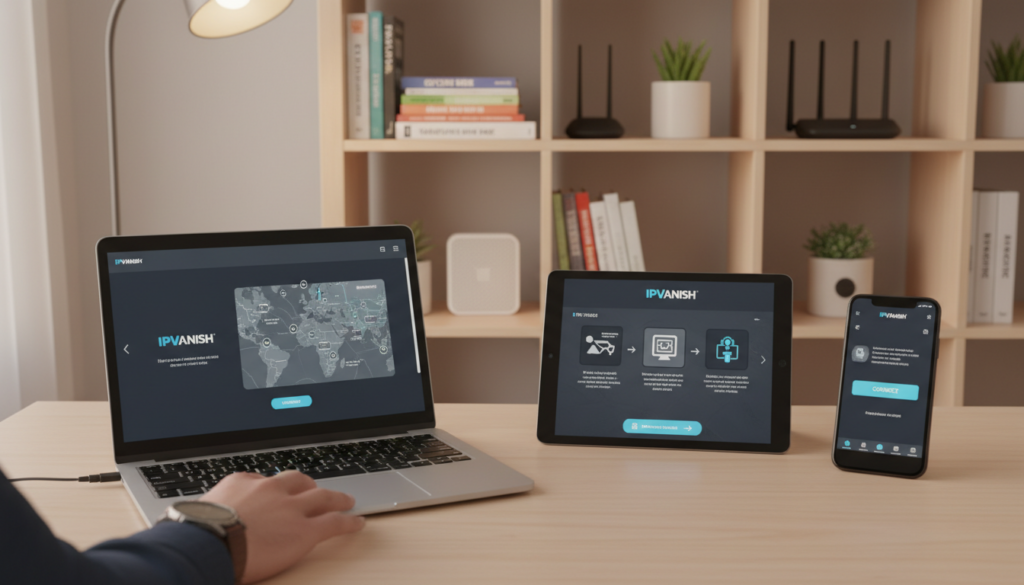
A smooth app experience makes it easier to use a vpn every day across laptops, phones, and streaming boxes. You get native apps for Windows, macOS, iOS, Android, and Amazon Fire TV/FireStick so installation is straightforward on the devices you actually use.
The desktop app is feature‑dense: lots of settings and protocol choices live on one screen. Mobile apps keep the basics simple — quick connect and server lists — so you can protect your phone in seconds.
Router, Linux, and manual options
You can set up the vpn on routers or Linux manually to protect every device on your network at once. Manual setup is worth it if you need whole‑home coverage or have nonstandard devices like smart TVs.
- Install on Windows/macOS for full feature access.
- Use mobile apps for fast on/off and travel use.
- Router/Linux setups protect multiple devices at once.
Practical tips: choose a country/city, check server load, switch protocol when needed, and enable the kill switch. Visit the provider’s website for step‑by‑step setup guides that match your device and firmware.
| Platform | Ease of setup | Best use |
|---|---|---|
| Windows / macOS | Easy to moderate | Full feature control, desktop users |
| iOS / Android | Very easy | Quick connect, travel, mobile privacy |
| Amazon Fire TV | Easy | Living‑room streaming and Smart TV apps |
| Router / Linux | Advanced (manual) | Protects all home devices at once |
Unlimited Simultaneous Connections: What That Means for Your Household
A single subscription that lets every family device connect at once changes how you manage home privacy and streaming. This policy removes the typical device counting you see with other providers.
In plain English: unlimited simultaneous connections means you can run the vpn on many devices at the same time without a hard cap. You do not need to sign out one device to sign in another.
Protecting every device at home with one subscription
Think of a household with two adults, three phones, two laptops, a tablet, and a smart TV. Each device can stay connected simultaneously. That keeps apps and streams protected without juggling accounts.
Typical real-life scenarios: phones, laptops, smart TVs, and tablets
- Two remote workers on laptops while kids stream on a smart TV.
- Multiple phones and a tablet all using cellular or Wi‑Fi with protection on.
- A guest device can connect without changing your active devices.
| Benefit | Practical effect | When it helps |
|---|---|---|
| Cost saving | No need for extra subscriptions | Large households or shared homes |
| Convenience | Always‑on protection per device | Daily users with many gadgets |
| Flexibility | Install on endpoint or router | Streaming boxes or guest access |
Install vs router: Installing the client on each device gives the best app controls and per‑device features. Configuring the router protects every device on the network and simplifies streaming boxes, but you lose some device-level settings.
“Unlimited connections remove the need to log devices in and out, but your home bandwidth is still the shared limit.”
Performance note: the more active connections you run, the more your internet bandwidth is shared, even if the provider imposes no cap. If many users stream 4K at once, consider a wired router or higher home plan.
Bottom line: unlimited connections are a strong budget and convenience advantage if your household uses many devices daily. If you have only one or two gadgets, it’s a nice option but not essential.
Customer Support and Live Chat: What You Can Expect When You Need Help
Getting timely help can turn a frustrating connection problem into a quick fix. You’ll find 24/7 live chat, phone, and email channels plus a searchable help center. Reviewers report live chat replies usually arrive within a few minutes and start with standard troubleshooting steps.
How live chat typically flows: you open the chat, describe the issue, and the agent asks for basic checks. Expect server-switch suggestions, protocol changes, and app restarts as first steps. If the problem is persistent, agents may request logs or screenshots.
When to use phone vs email: call for urgent account or billing problems that need immediate resolution. Use email to send logs, screenshots, and detailed device information for deeper technical work.
Use the help center to find setup guides, protocol-switching steps, and kill‑switch instructions before contacting support. That saves time and gives you targeted information to share with the agent.
Before you contact support, try this checklist:
- Switch servers and retry the connection.
- Change protocol (WireGuard/OpenVPN/IKEv2) and test again.
- Restart the app and update your device OS.
- Clear relevant app/browser cache and try streaming again.
What good support looks like
Fast access, accurate answers, and clear step-by-step instructions you can follow without deep technical skills. That’s the level of service you should expect when issues arise.
| Channel | Best for | Typical response |
|---|---|---|
| Live chat | Quick troubleshooting, connection fixes | Minutes to reply |
| Phone | Urgent billing or account issues | Immediate when available |
| Logs, screenshots, detailed problem reports | Hours to a day |
Pricing, Plans, and Payment Options in 2026
Price matters as much as features when you pick a vpn service. Plan length strongly affects what you pay each month, so compare terms before you commit. Reviewers call this provider budget-friendly, but rates vary by promotion and time, so always confirm the checkout price.
Monthly vs annual vs multi-year:
Monthly vs annual vs multi-year value breakdown
Monthly plans give flexibility but cost more per month — examples often show around $12.99 on a month-to-month plan. Annual and multi-year subscriptions drop the effective monthly rate substantially.
To evaluate value, compute the effective monthly cost: divide the total term price by months covered. If you plan to use the vpn long term, a longer subscription usually lowers your average monthly outlay.
30-day money-back guarantee and refund experience
The service offers a 30-day money-back guarantee. Use that window to test streaming, speed, app stability, and device coverage. Reviewers report refunds are generally straightforward if you contact support within the period.
Refund-prep checklist:
- Keep your confirmation email and order ID.
- Note the billing date/time so you know the refund cutoff.
- Test streaming, speeds, and multiple devices early.
- Contact live chat for the fastest refund path if needed.
Payment methods and the lack of cryptocurrency option
Common payment options include card and PayPal. There is no cryptocurrency payment option, so anonymous payment choices are limited.
Privacy tradeoff: using standard card or PayPal ties subscription data to your account and payment records. If you need more anonymity, consider this when choosing a plan.
| Plan term | Typical cost example | Who benefits |
|---|---|---|
| Monthly | ~$12.99/month | Short-term users or trialers |
| Annual | Lower effective monthly rate | Regular users who want savings |
| Multi-year | Lowest effective monthly cost | Long-term commitments seeking best value |
| Refund window | 30 days | Test streaming, apps, and speeds |
Final tip: because vpn pricing and promotions change often, treat advertised rates as a snapshot. Confirm the current subscription cost, then use the effective monthly method to compare plans and pick the best option for your budget and data needs.
IPVanish vs Other VPNs: Where It Fits Among Top Alternatives
Choosing a vpn often comes down to tradeoffs between speed, streaming success, privacy, and ease of use. Below is a concise, practical comparison to help you decide which provider best matches your needs in the United States.
Key comparisons at a glance:
- NordVPN — Better streaming reliability and a non‑US base appeal to privacy‑minded users. You’ll notice fewer streaming blocks and stronger jurisdictional advantages if anonymity matters most.
- ExpressVPN — More polished apps and consistent performance make it easier for beginners. Expect a very user‑friendly interface and steady speeds across locations.
- Private Internet Access (PIA) — Usually a better value on long terms and more customization for power users. It overlaps on core features but can be cheaper if you want advanced settings and long contracts.

| Criteria | Where this service shines | Top alternative strength |
|---|---|---|
| Streaming | Solid for major US libraries | NordVPN: higher unblock success; ExpressVPN: very consistent |
| Privacy & jurisdiction | Audited no‑logs but US‑based | NordVPN: non‑US base; PIA: strong audit history and policies |
| Speeds | Fast on nearby servers; unlimited devices | ExpressVPN: consistently stable global speeds |
| Ease of use | Feature-rich apps with many controls | ExpressVPN: cleaner defaults; NordVPN: balance of features and simplicity |
Actionable shortlist: pick NordVPN if Prime Video or non‑US jurisdiction is essential. Choose ExpressVPN if you want the simplest setup with steady global speeds. Consider PIA for customization and long‑term value.
“The best vpn is the one that matches your use case — match features to needs, not brand alone.”
Who IPVanish Is Best For and Who Should Choose a Different VPN Service
Choose a vpn that matches your daily habits and risk tolerance. The right pick depends on whether you value raw speed, broad streaming access, or the tightest privacy and censorship resistance.
Best fit profiles
Speed-focused users: If you want fast everyday browsing and downloads, this provider excels on nearby servers and keeps latency low for common tasks.
Streamers: You’ll get reliable playback on Netflix, Hulu, Disney+ and Max from many US endpoints. That reduces buffering and makes library switching smoother.
Families and households with many devices: Unlimited simultaneous connections remove the hassle of juggling logins. Many smart TVs, phones, and laptops can stay protected under one subscription.
When you should consider alternatives
If you need reliable China access or full censorship circumvention, look elsewhere — this service does not consistently work in highly restrictive environments.
If maximal anonymity matters — for example you want crypto payments or a non‑US jurisdiction — choose a provider that offers those privacy options and stronger jurisdictional separation.
Customer outcomes and quick decision checklist
What you’ll likely gain: fewer buffering issues, simplified household setup, and less device‑limit hassle for daily users and families.
- Must-have streaming platforms: confirm Netflix/Hulu/Disney+/Max support before you buy.
- Required countries/access: test target country endpoints and ping for speed.
- Privacy constraints: if crypto payments or non‑US jurisdiction are required, pick an alternative.
| Need | Recommended? | Why it fits or not |
|---|---|---|
| Fast local speed | Yes | Low latency and high throughput on nearby servers |
| Many home devices | Yes | Unlimited simultaneous connections simplify setup |
| China access or heavy censorship | No | Not consistently reliable in restrictive regions |
| Maximal anonymity (crypto payments) | No | No crypto payment option; US jurisdiction |
“Pick this service for speed, streaming convenience, and household device coverage. Choose an alternative if censorship resistance or anonymous payments are must-haves.”
Conclusion
If you want fast connections and broad server reach without complex setup, this option is worth considering.
What you get: strong speed on nearby servers, AES‑256 security, leak protection, and a large network spanning many countries. Unlimited simultaneous connections make it easy to cover your household devices.
When to pause: choose a different provider if non‑US jurisdiction, crypto payments, or reliable China access are critical to your privacy model. Prime Video may block some addresses in testing.
Try the 30‑day money‑back window: install the app, pick a nearby server, run a quick leak test, try WireGuard, and test your key downloads and streaming sites. That will confirm the service fits your internet habits and data needs.
Bottom line: for fast, practical protection and broad server access across the world, this vpn is a sensible choice; for maximal anonymity or strict censorship resistance, consider alternatives.
FAQ
How do I install the app on my device?
Download the app from the official website or your device’s app store. On Windows or macOS, run the installer and follow the prompts. On iOS and Android, tap install and sign in with your subscription credentials. Router and Linux setups require manual configuration files available on the support pages. If you need extra help, use the 24/7 live chat for step-by-step guidance.
Will this service slow down my internet?
Any VPN can add some overhead, but connection speed depends on server distance, chosen protocol, and local network conditions. For best results pick nearby servers or WireGuard for faster throughput. You should expect small speed drops for long-distance or heavily loaded servers, but performance is typically good for streaming, gaming, and video calls when you choose the optimal location.
The quick, brown fox jumps over a lazy dog
Lorem ipsum dolor sit amet, consectetuer adipiscing elit. Aenean commodo ligula eget dolor. Aenean massa. Cum sociis natoque penatibus et magnis dis parturient montes, nascetur ridiculus mus. Donec quam felis, ultricies nec, pellentesque eu, pretium quis, sem. Nulla consequat massa quis enim. Donec pede justo, fringilla vel, aliquet nec, vulputate eget, arcu
How many simultaneous connections can I use?
You can protect all your household devices with the unlimited simultaneous connections policy. That means phones, laptops, tablets, smart TVs, and more can connect at once under a single subscription. For router setups, one router connection can cover every device on that network.
Is my data really private with the no-logs policy?
The provider states a no-logs policy, backed by independent audits in the past. In practice this means the VPN does not record browsing traffic or connection contents. It may still collect minimal account details like email and payment data. If you need maximum anonymity, weigh the US jurisdiction and potential data retention laws.
What encryption and security features are included?
You get AES-256 encryption, DNS/IP leak protection, a kill switch on most desktop and Android apps, and threat protection for ad and malware blocking. Advanced features include Double Hop for layered routing. Test for leaks after setup to confirm DNS and IP protection are active on your device.
Do you support torrenting and P2P traffic?
Yes, P2P is supported across the server network and the service provides unlimited bandwidth for downloads. Use servers with lower load and the kill switch to reduce exposure. For large transfers, prefer nearby servers to keep speeds high and latency low.
What customer support options are available if something breaks?
You can access 24/7 live chat for fast troubleshooting, plus email support and an extensive help center with setup guides and FAQs. Live chat is typically the quickest route for connection issues, speed testing, and account questions.
What payment options and refund policy exist?
Plans include monthly, annual, and multi-year subscriptions, with prices and value varying by term. A 30-day money-back guarantee covers new subscriptions. Common payment methods include credit card and PayPal; cryptocurrency options may be limited or unavailable, so check current payment choices before subscribing.