
Surprising fact: more than 40% of U.S. streamers use a vpn to access shows and protect their privacy, and that number keeps rising.
Before you decide, set your priorities. Are you after privacy, fast streaming, torrenting, or a simple app? Your needs shape which features matter most.
This ovpn review looks at how a Sweden-based, security-first service fits in 2026. It runs a smaller, self-owned network of bare-metal, diskless (RAM-only) servers. The company also publishes detailed technical information on its website, which stands out versus many providers.
In this evaluation you will find testing on price and value, app support, server reach, streaming checks (Netflix, Hulu), speed tests, leak protection, privacy policy, and support quality. For U.S. users, we note Netflix/Hulu access, US server options, and refund terms.
Jump to the sections you need: pricing, streaming, speed, privacy/security, or alternatives. This short guide helps you decide if this smaller, transparency-focused vpn fits your goals.
Quick verdict for US users
If you live in the United States and value privacy above flashy extras, this provider deserves a close look.
Yes, if your top priorities are privacy and simple, fast connections. The service uses a no-logs model and diskless servers, which boosts privacy and reduces risk if hardware is compromised.
What it does best right now
Security and transparency lead the list. You get clear technical details, strong encryption options, and WireGuard speeds that suit HD streaming and daily browsing.
Where it falls short versus other providers
Expect a smaller network and more basic apps. Mobile features—especially on iOS—can be limited. That means less global reach and occasional streaming inconsistencies.
Who should consider this in the United States
Choose it if you prioritize privacy and security, want reliable P2P support, and don’t need a huge server fleet or every bonus feature.
“Test your must-have streaming apps early; major platforms like Netflix and Prime Video often work, but consistency varies.”
- Best for privacy-minded users who still want solid speeds.
- Not ideal if you need the largest network or flawless streaming in every region.
OVPN Review: pricing, plans, and overall value
Before you sign up, understand the subscription tiers and what they cost per month in real dollars.
What you pay: a one-month subscription runs about $11–$12. A six-month plan costs $6.99 per month and includes the Multi-hop feature. The annual option is $59.88 per year, which equals $4.99 per month.
Refunds and risk-free testing
There is no free trial. Sources disagree on the refund window—some list 10 days, others 30. Confirm the current policy on the site before buying.
Risk-free in practice means you should test the service heavily in the first days and request a refund quickly if it doesn’t meet your needs.
Payment options and privacy
Payment choices include cards (VISA/MC/Discover/JCB), PayPal, Swish, crypto (Bitcoin, Ethereum, Monero), and cash by mail. Cash and crypto let you create a more anonymous account than card or PayPal.
Multi-hop add-on
The Multi-hop extra costs $5 per month on the one-month plan. Given routing limits seen in testing, that add-on often isn’t worth the price for monthly subscribers. If you want Multi-hop, pick the six-month plan that includes it for better value.
“Check payment and refund terms before subscribing to avoid surprises.”
Pros and cons you should know before you buy
Before you commit, scan the main advantages and tradeoffs in plain terms. This short list helps you decide quickly whether to read the full review or move on.
Biggest advantages for privacy and security
Diskless, RAM-only servers mean no data is stored on drives. That lowers risk if hardware is seized or compromised.
No-logs policy and anonymous signup make it easier to keep your identity and activity private. Fewer third parties run the infrastructure since servers are self-owned.
Modern protocols and leak protection (WireGuard and OpenVPN) support fast, secure connections. Independent leak tests show strong results for IP, DNS, and WebRTC protection.
Most important drawbacks for streaming and apps
Smaller network footprint can limit the regions and capacity available for reliable streaming across services. It may work for major platforms, but you shouldn’t assume universal access.
Basic apps and uneven feature support: the user experience is functional rather than polished. Some features are Windows-only and iOS lacks a custom app in at least one source.
“This provider is compelling if privacy and security are your top priorities; choose something larger if you need flawless streaming and extra app features.”
- Pros: strong privacy, self-owned RAM servers, modern protocols, port forwarding, anonymous signup.
- Cons: smaller server network, basic apps, streaming inconsistency, limited iOS/custom app options.
Features overview: what you get with the service
Here’s a practical look at the features you’ll use most often. The focus is on safety, device sharing, and P2P tools that change your day-to-day experience.
Simultaneous connections and device sharing
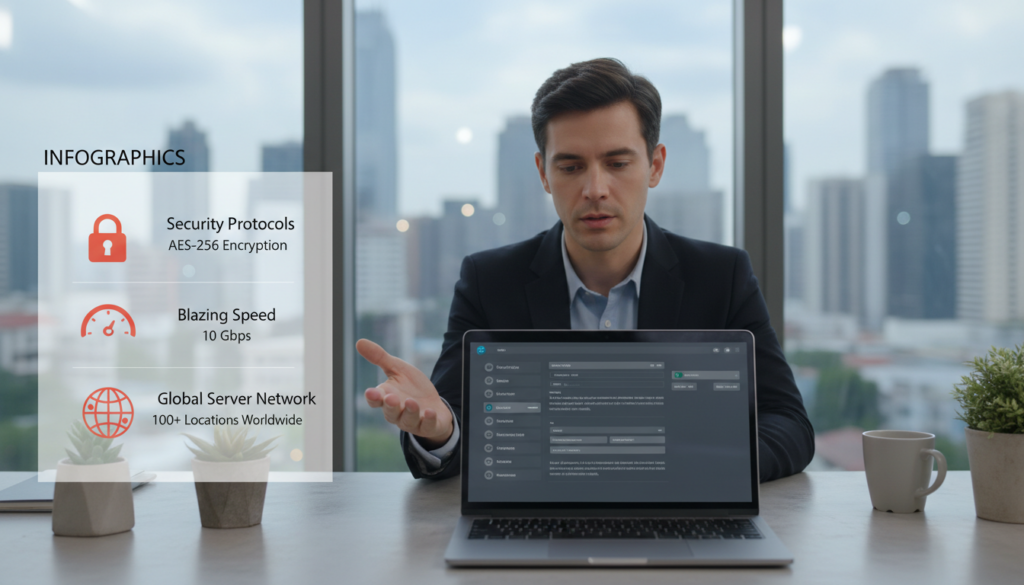
You typically get 4 simultaneous connections, though annual plans can scale up to 5. Sources differ, so verify the exact number on your plan before subscribing.
This matters for households: plan which devices keep the client active to avoid hitting the limit during streaming or downloads.
Kill switch availability by platform
System-level kill switch exists on Windows and macOS and is also present on Android and Ubuntu. That switch stops traffic if the VPN drops, protecting your IP during P2P or on public Wi‑Fi.
Port forwarding for P2P and torrenting
The service supports port forwarding and lets you assign up to seven ports in the high range (49152–65535). Multiple ports can improve torrent swarm connectivity and speeds.
Split tunneling on Windows
Split tunneling is available on Windows only. Use it to exclude specific apps from the VPN tunnel for convenience, but note it’s not supported across other platforms or clients yet.
Dedicated static IP addresses and router compatibility
Static IPs are offered as a $4/month add-on. They help with business allowlists and fewer verification prompts. You can also run the service on a compatible router to extend protection beyond single devices.
Server network and US locations
Server placement matters more than raw totals when you care about latency, streaming, and which address you can use for services. The provider runs a compact, self-owned network across roughly 18–32+ cities and about 100+ servers, depending on the source.
How many servers and where you can connect
Counts vary by report: some list 18–20 countries, others 26 or 32+ cities and 100+ servers. What stays consistent is a smaller footprint than big names like NordVPN or Surfshark.
Why bare-metal, RAM-only servers matter
Self-owned, bare-metal servers and diskless (RAM-only) setups mean fewer third parties and no persistent data on drives. That improves security if hardware is seized and lowers long-term risk for your traffic.
What a smaller network means for speed and access
Multiple US locations (eight cities in some sources) let you pick an address close to home for lower ping and better speeds.
Tradeoff: fewer global choices can cause congestion or limit niche regional access. If your needs are US+EU heavy, the network is often enough. If you need broad worldwide reach, expect limits.
“Smaller can be secure and fast—just less forgiving for rare regional needs.”
Streaming services: Netflix, Hulu, and Prime Video results
Practical streaming results show which server choices work best for U.S. viewers.
Netflix US access on East Coast and West Coast servers
We tested Netflix US on New York and Los Angeles servers and both locations played the U.S. catalog in our checks. That means you can pick an East Coast or West Coast IP and still reach Netflix US.
If you live closer to one coast, choose the nearer servers for lower lag and better streaming performance.
How it performs with Hulu, Disney+, and Amazon Prime Video
Hulu, Disney+, and Prime Video worked in our tests. Expect decent playback for HD shows, but run your own checks during the refund window to confirm the exact services you use.
Where streaming access is inconsistent
Smaller networks face shifting blocks. UK streaming results vary: some sources report BBC iPlayer success while others see ITVX fail. This variability shows why you should validate must-have streaming services early.
“Switch server locations, change protocol, or check DNS handling if a service flags your connection.”
- Quick tips: try nearby servers first, test during the refund period, and switch protocol or DNS if a site blocks you.
Speed tests and real-world performance
Actual speeds differ from lab numbers. You need to know what to expect on your home connection. This helps you decide if the service fits your streaming, gaming, or work needs.
WireGuard vs OpenVPN: practical expectations
WireGuard usually delivers the highest speed in tests. One set reported a global average of about 220 Mbps with WireGuard, which is impressive for many users.
OpenVPN can be slower, but UDP is faster than TCP. Choose OpenVPN TCP on port 443 only when networks block VPN traffic or you need extra stability.
How server distance changes results
Distance matters. Connecting to a nearby US server keeps more of your base internet speed and lowers ping for gaming.
Long-haul routes—like to Singapore—show bigger drops. Expect moderate loss for UK hops and small drops for nearby servers.
What the numbers mean for daily use
At 100–200 Mbps you can stream multiple HD videos, run several video calls, and share bandwidth across devices.
For competitive play, focus on ping: pick closer servers and use UDP where possible.
“Pick WireGuard for raw speed; use OpenVPN TCP when you must get through restrictive networks.”
Leak protection tests: IP, DNS, and WebRTC
A VPN can claim privacy, but leak tests show if that promise holds. You want a service that keeps your address and browsing hidden, not one that leaks them through small errors. Leak protection is non-negotiable if your goal is true online privacy.

IPv4 and IPv6 leak test outcomes
Independent tests on Windows and macOS clients found no IPv4 or IPv6 leaks. That includes IP, DNS, and WebRTC checks.
The clean results mean your visible address and related data stayed masked in our connection tests. This lowers the chance that sites or peers learn your real IP.
Why DNS handling matters for privacy
DNS leaks are a major privacy failure point. If DNS queries escape the tunnel, your ISP or other observers can see which sites you visit even when your IP is hidden.
The provider resolves dns requests itself by default, which reduces third-party exposure of your browsing data. That setup helps keep queried names from leaking to external resolvers.
- Practical uses: torrenting, public Wi‑Fi, and any situation where you don’t want browsing metadata exposed.
- Leak resistance pairs with kill-switch behavior and correct protocol configuration to form a secure chain.
“Leak tests are one part of a broader security picture; use them to confirm your client and connection are configured correctly.”
Privacy in Sweden and the no-logs policy
Your privacy depends on both local law and the provider’s operational choices in Sweden.
How Swedish jurisdiction affects your data
Sweden’s retention rules apply to ISPs, not VPN providers. That means legal pressure to keep traffic is different for a VPN than for your internet carrier.
What “zero logs” means in practice
Zero logs here is concrete: no traffic records, no timestamps, no DNS queries, no IP or MAC address logs, and no per-user bandwidth totals.
Diskless servers and real-world outcomes
Diskless, RAM-only infrastructure wipes on reboot. If hardware is seized, less persistent data remains on the machine, reducing long-term exposure of your data.
Anonymous signup and payment options
You can create an account without an email and pay with crypto (Monero/Bitcoin/Ethereum) or cash. That combination reduces payment linkage and identity exposure for users seeking stronger anonymity.
What to verify before you buy
- Read the current privacy policy on the website.
- Confirm refund rules when using cash or crypto.
- Check platform privacy features and account limits.
| Feature | What it means for you | Action to verify |
|---|---|---|
| Swedish jurisdiction | Different rules vs ISPs; lower forced retention risk | Read legal notes on the website |
| Zero-logs | No traffic, timestamps, DNS, IP/MAC, or per-user bandwidth | Check policy wording and audit notes |
| Diskless servers | Less persistent data if hardware seized | Look for infrastructure details on site |
| Anonymous signup | No email + crypto/cash lowers linkage | Confirm payment options and refund method |
Security and encryption you’re actually using
What matters most is the concrete encryption and protocol setup that runs on your device. Below is a clear look at the choices that protect your traffic and connection.
OpenVPN implementation and cipher choices
The OpenVPN client runs over UDP or TCP on ports 1194, 1195, and 443. Data channels use AES-256-GCM on modern OpenVPN 2.4+ builds, which gives fast authenticated encryption with low overhead.
Older ciphers only apply to legacy routers or outdated clients. If you use current software, AES-256-GCM plus TLS 1.3 suites gives strong protection for browser and app traffic.
WireGuard on mobile and what changes
On Android the app uses WireGuard by default. WireGuard is UDP-based, lean, and often feels faster because it has lower protocol overhead.
That means quicker handshakes and less battery drain, but keep in mind it handles keys differently than OpenVPN.
Perfect Forward Secrecy, re-keying, and TLS
Perfect Forward Secrecy uses DHE with RSA-4096. Keys rotate every 45–75 minutes, so a compromised key has limited value. TLS 1.3 suites speed secure handshakes and reduce exposure to legacy flaws.
TCP over 443 for restrictive networks
Use TCP port 443 when networks block VPNs. It blends with HTTPS traffic, helping connections pass basic filters. It is not full obfuscation against deep packet inspection, though.
| Feature | Why it matters | Practical tip |
|---|---|---|
| AES-256-GCM | Authenticated encryption with integrity | Prefer modern clients (OpenVPN 2.4+) |
| WireGuard (UDP) | Low overhead, faster handshakes | Use on mobile for speed and battery life |
| Re-keying & PFS | Limits damage if keys leak | Keep clients updated to honor rotation |
Bottom line: if you buy for transparency and solid technical security, the published implementation details give you useful information to judge the setup before you commit.
Windows app review: settings, kill switch, and usability
On Windows, the app aims to be a straightforward tool that stays out of your way once set up.
Installation, interface, and day-to-day experience
The client installs quickly and shows a single settings page. Controls are consolidated, so you won’t hunt through menus.
Interface philosophy: basic but functional. Tooltips explain toggles and the stats panel shows data sent and received so you can track usage.
Use TCP over 443 and auto-connect if you want a reliable connection on restrictive networks.
Kill switch behavior and crash testing
The kill switch and IPv6 protection are on by default. The system-level kill switch keeps traffic blocked even if the client crashes.
“System-level kill switches that survive app failures are what you want to prevent accidental IP exposure.”
Multi-hop behavior and the routing limitation
Multi-hop connects to your chosen hop first, then a random secondary hop. That second hop can change the final exit location.
Why it matters: location-sensitive services like banking or some streaming can fail when the exit IP differs from what you selected.
| Aspect | What you see | Practical tip |
|---|---|---|
| Settings | Single page, tooltips, stats | Set auto-connect and save defaults |
| Kill switch | System-level, IPv6 protected | Trust but test with a crash |
| Multi-hop | First chosen, second random | Validate during refund time |
If Multi-hop is the main reason you’re here, validate routing behavior during your refund window to avoid surprises. The in-app ticket support makes it easy to ask questions fast.
macOS app review: what’s the same and what’s different
The macOS app mirrors the Windows client in layout and core controls, so switching platforms feels familiar.
You get the same single-page settings, the same toggles, and a functional-first design. That means short learning time and fewer surprises when you move between machines.
Security settings carry over too. You can force TCP over port 443 when networks block VPN traffic. You also have the option to pick AES-128-GCM if you prefer a slight speed/overhead tradeoff while remaining secure.
Leak testing on macOS showed no IP or DNS leaks in cited checks. That matches the Windows results and supports the provider’s claims about leak resistance.
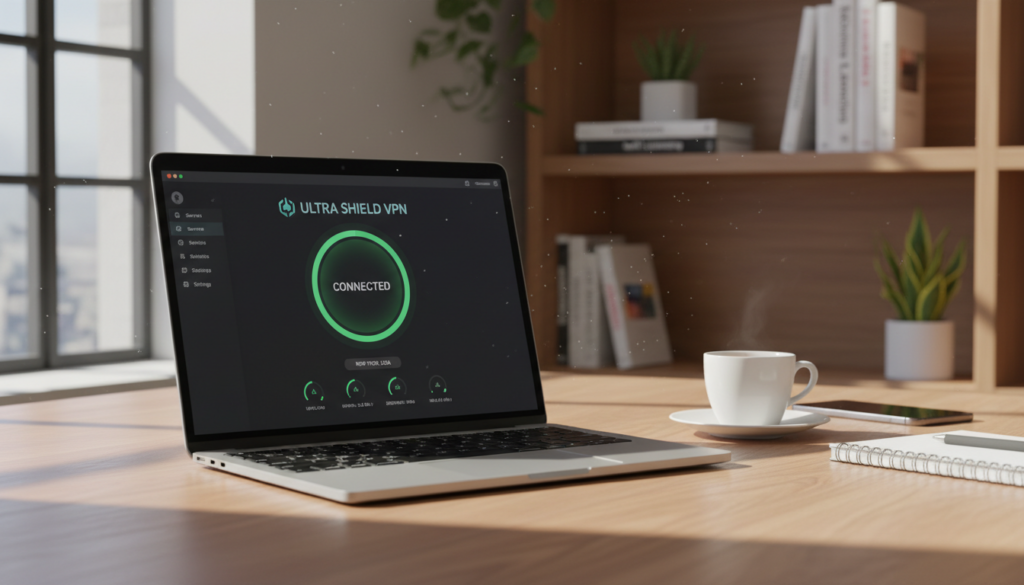
To verify your connection, check the visible connection status in the client. Then confirm session details in your member area on the website to see active times and server choice.
Expectation note: macOS users get a dependable, workmanlike app. It is not polished like some premium competitors, but it does what you need for secure, steady connections.
| Aspect | macOS behavior | Practical tip |
|---|---|---|
| Layout | Matches Windows: single page, same toggles | Minimal learning if you used Windows |
| Security options | TCP 443 and AES-128-GCM available | Use TCP 443 on restrictive networks |
| Leak tests | No IP/DNS leaks reported | Run your own checks in the member area |
“If you want consistency across platforms, the macOS client keeps settings and protections aligned with the Windows app.”
Mobile and Linux experience: Android, iOS, and Linux clients
If you spend most of your time on mobile or Linux, app parity and client features should guide your choice. This section explains how the phones and desktop clients differ in practice so you know what to expect.
Android: WireGuard-first, fast, but limited
The Android app is streamlined and uses WireGuard by default. That protocol gives fast, low-overhead connections and good battery life.
If you need OpenVPN, you’ll install a third-party app. Multi-hop is not available in the Android custom app in some builds. Check kill switch behavior in your current Android release and OS settings before relying on it.
iOS setup: third-party apps and manual steps
There is no native iOS client in some sources. You configure the service using OpenVPN Connect or the WireGuard app with provider guides. That makes setup less one-tap convenient but secure when done right.
Linux: a desktop-grade client that stands out
Linux is a strength: a full GUI client exists for Ubuntu/Debian and broader distro support is noted. The GUI includes kill switch and Multi-hop options that match desktop control.
“Linux users get a rare, polished GUI client—useful if you want desktop-like control on an open platform.”
Buyer cue: if most of your connections come from phones, test the mobile apps first. If you run Linux, the GUI client could be a deciding advantage for your workflow.
Torrenting and P2P: is OVPN good for downloads?
If you torrent, policy, ports, and raw throughput matter more than branding. This section explains whether the vpn fits real-world P2P use and what to test during the refund window.

P2P policy across the network
P2P traffic is permitted across the entire network. You aren’t locked to a few “torrent servers,” so you can pick locations that give lower ping and better connection quality.
This openness helps when you switch servers to chase better peers or avoid local congestion.
Port forwarding and why it helps speeds
The service supports port forwarding for up to seven ports in the 49152–65535 range. Opening ports improves your peer connectivity and keeps more active swarm connections.
Practically: forwarded ports let other peers reach your client directly, which can boost download speed and improve seeding ratios.
Performance and privacy notes: WireGuard performance is notably fast in tests and there’s no reported throttling, so large downloads and long seeding sessions stay consistent.
Still, keep leak protection and the system kill switch enabled. If your real IP leaks to peers, privacy protections fail even when the vpn is on.
“Use P2P responsibly and follow local law and your ISP terms, especially for copyrighted content.”
| Feature | Why it matters | Tip for you |
|---|---|---|
| Network-wide P2P | Flexibility to choose nearby servers | Pick close servers for best speed |
| Port forwarding | Better peer reachability and swarm performance | Assign 1–3 forwarded ports for torrent clients |
| No throttling | Consistent throughput for big files | Use WireGuard for best speed |
Customer support and documentation quality
Customer support quality can make or break your experience, so know what to expect before you buy.
Live chat agents are knowledgeable, but wait times can vary. You may wait up to about 20 minutes during busy periods. When chat is slow, email follow-up is reliable and detailed.
Live chat responsiveness and ticket support
If chat misses you, open a ticket. The desktop client lets you file a ticket without leaving the app, which speeds troubleshooting.
Ticket replies arrive by email and often include step-by-step guidance or links to deeper information on the website.
In-app support tools and knowledge base resources
The website hosts FAQs, setup guides, and a blog focused on privacy topics. These resources are practical and technical enough for power users.
Tip: search the knowledge base first for quick fixes, then use chat or tickets for complex issues.
“You may not always get instant chat, but when an agent joins you get knowledgeable answers.”
| Area | What to expect | Action |
|---|---|---|
| Live chat | Knowledgeable agents; variable wait time | Use for quick account or connection questions |
| Ticket support | Email follow-up with detailed steps | File from desktop client if chat is slow |
| Documentation | Guides, FAQs, and privacy blog | Search website for setup and advanced information |
Who benefits most: power users and those who value clear technical documentation. If you need instant 24/7 chat like some premium competitors provide, note that support response time may be a deciding factor for your purchase.
Alternatives to consider if you want more features or lower pricing
You may prefer a different provider if price, app polish, or streaming success matter more than infrastructure transparency.
When you may prefer a bigger server network
More servers and more locations reduce congestion and give you extra regional IP choices.
For example, NordVPN lists 7,200+ servers, Surfshark 3,200+, ExpressVPN 3,000+, and CyberGhost about 11,500+. Those numbers matter when you need redundancy and low load.
When you may want more streaming reliability
If unblocking Netflix, Hulu, or other platforms is the main goal, choose providers that optimize endpoints for streaming and rotate IPs often.
A larger network gives you more endpoints to try when a site blocks an address.
When you need better mobile features
If you rely on iPhone/iPad or want richer Android controls, pick a provider with mature apps across platforms.
Some vpns bundle app extras, split tunneling, and polished iOS clients that make day-to-day use easier.
| Need | What to look for | Benchmarks |
|---|---|---|
| Low cost per month | Long-term subscription deals | Surfshark/CyberGhost often undercut on multi-year plans |
| Massive server count | Many servers & locations for redundancy | CyberGhost 11,500+; NordVPN 7,200+ |
| Streaming success | Streaming-optimized endpoints | ExpressVPN & NordVPN have strong track records |
“Choose a provider that matches your priorities: privacy and transparency, or more servers, better apps, and lower per month pricing.”
Conclusion
Bottom line: if infrastructure and leak resistance are your priorities, this service is worth a look. ,
You’re paying for self-owned, bare-metal, diskless servers, strong leak protection (including DNS handling), and modern protocol support that yields solid WireGuard speeds.
Best for: privacy-minded users, torrenters who need port forwarding, and U.S. users who want reliable US/EU coverage and fast connections.
Not ideal for: anyone who needs guaranteed streaming access to every platform or the slickest mobile apps.
Buy checklist: confirm the current money-back window, check kill switch on your platforms, test your streaming apps right away, and verify allowed connections and payment/refund terms for your account.
Next step: compare subscription pricing, pick the term that fits your budget, and run a real-world test on your home internet during the refund period.
FAQ
What payment methods are available and can you pay anonymously?
You can pay with credit/debit cards, PayPal, and privacy-focused options like Bitcoin. Some providers also accept cash or gift cards for anonymous signup. Always check the exact options on the account page because available payment methods can change by region.
How does the kill switch work and which platforms support it?
The kill switch blocks internet traffic if the VPN connection drops so your real IP and traffic don’t leak. Most desktop clients (Windows, macOS, Linux) include a system-wide kill switch; mobile apps may offer an app-level or OS-level option. Verify the client’s settings to enable it and test by disabling the VPN to confirm behavior.
Will the service unblock streaming platforms like Netflix and Prime Video?
Some US and international servers can access Netflix US, Hulu, Disney+, and Amazon Prime Video, but streaming access varies by server and changes over time. If streaming is critical, use servers noted for streaming on the provider’s website or try the free trial before buying a long-term plan.
What protocols are available and which should you use for best speeds?
Most services offer WireGuard for faster, modern performance and OpenVPN for compatibility and older systems. Use WireGuard for day-to-day speed and lower latency; switch to OpenVPN (TCP/UDP) only for compatibility or when you need TCP-over-443 to bypass restrictive networks.
How many simultaneous connections can you use with one account?
The standard plan usually allows multiple simultaneous connections (commonly 5–10). Some providers let you increase that limit or run the VPN on a router to cover more devices. Check your account details to confirm the exact number included with your subscription.
Does the provider keep logs and how private is your account data?
Many reputable providers operate under a strict no-logs policy and use diskless, RAM-only servers to reduce data persistence. Look for independent audits or transparency reports and review the privacy policy to confirm what “no logs” covers in practice.
What is multi-hop and is it worth the extra cost?
Multi-hop routes your traffic through two servers for extra anonymity. It increases privacy but reduces speed and often costs extra. It’s useful if you need stronger protection, but not necessary for everyday streaming or gaming.
Can you torrent safely and does port forwarding help?
Many services permit P2P on specific servers and offer port forwarding to improve peer connections and speeds. Use P2P-enabled servers, enable port forwarding if available, and always run the kill switch and leak tests while torrenting to protect your IP.
How do speeds compare between nearby and distant servers?
Speed and ping worsen with greater distance from the server. Expect faster, more stable performance on nearby US servers; long-haul connections to Europe or Asia will increase latency and lower throughput, affecting gaming and HD streaming.
Are there dedicated IPs or static addresses and what are the benefits?
Many providers sell dedicated static IP addresses as an add-on. They reduce CAPTCHA triggers and fewer blacklisting issues for streaming or remote work, but they cost extra and offer less anonymity than dynamic shared IPs.
How do I test for IP, DNS, and WebRTC leaks?
Use reputable online leak-test tools while connected to the VPN and with the kill switch disabled to confirm no leaks. Test IPv4, IPv6, DNS resolution, and WebRTC to ensure the client properly routes all traffic through the VPN.
What encryption and cipher choices protect my data?
Look for AES-256-GCM or ChaCha20-Poly1305 ciphers and TLS 1.2/1.3 for control channels. Providers typically document the exact cipher suites; these choices determine how well your traffic resists interception and tampering.
Is there a money-back guarantee and how does the refund process work?
Most services offer a 7–30 day money-back guarantee. To get a refund, request cancellation through account settings or customer support within the window. Read the refund policy for any usage limits that could void the guarantee.
How responsive is customer support and what channels are available?
Support options usually include live chat, email/ticketing, and a knowledge base. Live chat offers the fastest response for setup or troubleshooting; tickets handle complex issues. Check support hours and test response times if prompt help matters to you.
Will the VPN work on routers and how does that affect simultaneous devices?
Installing the VPN on a compatible router protects all connected devices and effectively counts as one connection toward your device limit. Router setup can be more technical but is ideal if you need to secure many devices or smart TVs.
Can you use split tunneling and which platforms support it?
Split tunneling lets you route some traffic through the VPN and leave the rest on your regular connection. It’s commonly available on Windows and Android; macOS and iOS support is more limited. Use it to combine local printing or banking with VPN-secured browsing.
How often do server lists and locations change?
Providers add and remove servers to optimize performance and security. Location availability can shift due to maintenance or legal reasons. Check the server list on the website or in the app for the most current options.