
Surprising fact: some tests show that providers built for heavy censorship succeed over 90% of the time in China, yet they often cost two to three times more than general-use services.
You’re deciding between everyday privacy and a service meant to beat strict blocks. If you live in the United States, you probably want streaming, fast browsing, and simple setup.
This review focuses on practical outcomes: can you stay connected, how fast pages feel, and how much troubleshooting you should expect. The core tradeoff is clear — you pay a premium mainly for obfuscation and reliable censorship bypass, not the best overall value.
Fast preview: expect a high monthly cost, limited simultaneous connections, mixed streaming results, and weaker gaming and torrenting performance. Testing also flagged risk factors: no refund period, occasional “on” state confusion, and mobile feature gaps.
Read on if you’re a U.S.-based user weighing whether those niche strengths justify the extra cost for everyday protection and access on restricted networks.
Quick Verdict: Who Astrill VPN Is Really For in the United States
Deciding whether to pay a premium hinges on whether you actually need advanced obfuscation tools. If your work or travel forces you onto restrictive networks, the extra cost can be justified. For many U.S. users, mainstream choices give better value for streaming, simple setup, and broad device support.
When it's worth paying more
Choose this path if you must bypass strong filters at hotels, schools, or restrictive ISPs. Tools like StealthVPN/OpenWeb favor reliability over a low price.
- Best-fit: frequent travel to restrictive regions (China is a common example) where connection success matters more than cost.
- Prioritize obfuscation and consistent unblock over large server lists or one-click streaming.
When you should pick a different provider
Pick another service if you want lower price, faster speeds across many locations, smoother apps, or more simultaneous connections. Many mainstream vpns outperform niche providers for everyday streaming and gaming.
“Pay extra only if obfuscation is a must-have; otherwise, choose mainstream options built for streaming and daily privacy.”
In the sections ahead, you’ll see speed, leak, streaming, gaming, and torrenting tests that show where this option shines—and where it falls short for typical U.S. users.
Astrill VPN Pros, Cons, and Needed Improvements
For users who face strict network blocks, the service delivers useful tools but asks a high price.
What you feel day to day: reliable censorship bypass, Stealth-style obfuscation, and robust desktop feature coverage make secure access possible on restrictive networks.
Practical downsides: high pricing and no money-back guarantee limit value for typical U.S. users. The modest server network (~300/58) and dated apps reduce appeal for broad household use.
- Performance flags: larger speed drops on full-device protocols and inconsistent results across protocol choices.
- Usability needs: clearer server labels, easier switching, and fewer connection-state errors to build trust.
- Feature gaps: limited simultaneous connections and missing mobile kill switch protections matter for many devices.
Privacy preview: the company logs recent session metadata and lacks an independent audit. You’ll see those trust signals examined in detail later.
How This Astrill VPN Review Was Tested
We ran repeatable tests so you can see real results, not one-off numbers.
Speed, latency, and real browsing
All tests used the same baseline connection and device. We repeated downloads and measured average speed and throughput across multiple servers to avoid spikes.
Why it matters: download throughput affects video quality, while ping stability shapes gaming and calls.
Leaks, encryption, and protocol checks
We ran DNS, WebRTC, and IPv6 checks and compared built-in leak tools with third-party testers. We confirmed which protocol was active and whether encryption covered full-device traffic or only the browser.
Kill switch and scenario testing
We forced disconnects to see if the kill switch blocked traffic and if the app got stuck in a disconnecting state. We also tested streaming (Netflix, Hulu, Disney+, Prime Video, BBC iPlayer), torrenting with and without port forwarding, and gaming for stability and app issues.
“Repeatable averages and real platform trials give the clearest picture of daily performance.”
| Test Area | Method | Key Metric |
|---|---|---|
| Speed | Repeated downloads across protocols | Average Mbps, speeds variance |
| Latency | Pinging game servers and VoIP | Ping stability (ms) |
| Leaks & Encryption | DNS/WebRTC/IPv6 + protocol confirmation | Leak present/absent, encryption type |
| Scenarios | Streaming, torrenting, gaming trials | Content access, download time, app crashes |
Performance for China and Censorship: Where Astrill Stands Out
In high-censorship places, the way traffic looks on the wire often determines whether a connection will work.

Stealth obfuscation and deep packet inspection avoidance
Stealth-style obfuscation disguises protocol signatures so deep packet inspection struggles to spot VPN tunnels. That means encrypted traffic appears less like a tunnel and more like ordinary web data.
Reliability and troubleshooting expectations
This service is often more reliable than most for breaking aggressive blocks, but it is not foolproof. Expect to test a few servers and protocol modes before finding a stable connection.
- Switch servers if a connection fails.
- Try alternate protocols and give longer connection attempts time to complete.
- Plan for occasional trial-and-error when censorship intensifies.
Legal and safety context
Restrictions and enforcement can change quickly. Read current local rules before relying on any traffic-hiding tool while traveling.
“Users should weigh the security and access gains against legal and operational risks in restrictive regions.”
For U.S. users: the main reason to pay more is the stronger censorship bypass. If your work or travel depends on consistent access, this obfuscation advantage is the key consideration.
Speed and Connection Stability in Daily Use
Real-world speed and stability depend less on headline Mbps and more on which protocol handles your traffic. Full-device encryption routes all apps through the tunnel and adds overhead. That extra work can cut throughput and change routing, so your browsing and streaming feel slower.
Why full-device encryption affects speeds
Full-device protection means every packet travels through the encrypted tunnel. That increases CPU and routing load. Tests show major drops with some full-device protocols — roughly a 46–50% decline in one set using OpenVPN.
OpenVPN, WireGuard, and OpenWeb in plain terms
OpenVPN is reliable but can be slower and take longer to connect. WireGuard tends to be lean and fast, yet it didn’t always top speeds in all tests. OpenWeb can give smaller slowdowns (about 20% in a UK test) but may protect only browser traffic.
| Protocol | Typical effect | Real-world note |
|---|---|---|
| OpenVPN | ~46–50% speed drop reported | Longer connection times; must disconnect to change server |
| WireGuard | Smaller drop, often fastest | Performance varies by location |
| OpenWeb | ~20% drop in some tests | Fast but may be browser-only |
Connection times, switching, and the “ON but not connected” risk
Switching servers can be clunky. The server list sometimes hides while connected, and OpenVPN often forces a disconnect to change locations. If the app shows “ON” but isn’t tunneling, disconnect and reconnect before doing anything sensitive.
VIP priority servers: gains vs cost
Paying for VIP servers can boost speeds (example: ~68 Mbps) and give priority routing. But it adds a monthly fee and may include data caps like 100GB per priority server—so weigh value, not just raw performance.
Streaming and Unblocking: Netflix, Hulu, Disney+, Max, Prime Video, and BBC iPlayer
Access to major U.S. streaming sites showed clear patterns in our testing. That matters if you want reliable playback with minimal fuss. Below we break down what worked, what required effort, and what often failed.
What worked consistently
US Netflix was the most reliable platform. In multiple tests you can reach Netflix U.S. with minimal changes to settings. That makes it practical for everyday watching if Netflix is your main content source.
What worked inconsistently and why it costs time
Hulu, Max, and Disney+ sometimes stream, but they often need work. You may need to switch servers, change protocols, or try a different browser before playback starts.
This troubleshooting takes extra time and reduces convenience compared with mainstream services built for easy unblocking.
What failed in testing
Prime Video libraries frequently blocked access in our runs. BBC iPlayer results were mixed and often failed depending on the chosen server and protocol.
Video quality, buffering, and load times
When a connection works, video quality typically reaches HD or 4K with little buffering. Still, initial load times on the base tier can be longer than you’d like.
“If streaming is your main reason to buy, expect some trial-and-error before a reliable session.”
- Set your standard: if you need consistent access without tweaking, this may not be the best value.
- Good news: consistent US Netflix access suits many U.S. users.
- Trade-off: occasional higher load times and manual switching for other streaming sites.
Gaming Experience: Ping, Lag, and Compatibility Issues
Online gaming exposes latency faster than any speed test, so you need low ping more than raw Mbps.
What ping means for your play
Ping measures the round-trip time between your device and a game server. Even with high download speed, high ping causes rubber-banding, delayed hit registration, and poor voice chat.
Practical benchmark and test results
Competitive play usually feels acceptable under ~85ms. Above that, fast-paced shooters and fighting games degrade quickly.
In our testing, reported ping sometimes stayed above 200ms even on nearby servers. That level is not gaming-friendly and will harm real-time play.
Steam compatibility and crashes
Testers reported Steam warnings that the service was “incompatible” and saw crashes in titles like Counter Strike 2. Some cases required uninstalling the app to stop crashes.
“If you game nightly, this provider is a risky choice unless you verify low ping on your nearest server.”
Decide based on your habits: if you play casually now and then, you may tolerate occasional lag. If you game nightly or compete, insist on confirming acceptable ping and Steam compatibility before buying.
| Issue | Observed effect | Action |
|---|---|---|
| High ping (>200ms) | Rubber-banding, delayed inputs | Test servers at your time of play; switch locations |
| Steam incompatibility | Warnings and game crashes (example: CS2) | Disable or remove the app for gaming sessions; verify with support |
| Throughput vs latency | High Mbps but poor responsiveness | Prioritize low-latency servers for gaming |
- Tip: Run a ping test to your game server at the time you usually play.
- Consider alternatives: a gaming-optimized provider gives better routing and lower ping for most U.S. players.
Torrenting and P2P: Server Support, Port Forwarding, and Download Speeds
Before you start a big download, confirm the server supports P2P and whether port forwarding is enabled.
How P2P is handled: Not every server allows torrenting. You must connect to P2P-marked servers to avoid blocked traffic and improve consistency. Look for the star or P2P indicator in the server list so you don’t waste time on a location that disallows peer traffic.
What “marked” servers mean
Marked servers are explicitly configured for peer traffic and often run open ports or optimized routing for swarms. Choosing them increases the chance peers can find you and speeds stay steady.
Port forwarding and real-world speeds
Port forwarding can help peers connect to your client and improve swarm performance. It does not, however, magically fix congestion or poor routing.
In tests, a 700MB file took about one hour with port forwarding enabled and roughly two hours without. That shows port forwarding helps, but overall speeds still lag behind top alternatives for torrenting large files.
Risk management and platform limits
Kill switch matters most for P2P. A desktop kill switch blocks all traffic if the tunnel drops, preventing your real IP from leaking to the swarm. Mobile apps lack a reliable system-level kill switch here, so torrenting from a phone carries higher exposure risk.
“Use only marked servers, enable port forwarding when available, and rely on the desktop kill switch to protect your data.”
| Aspect | Effect | Practical tip |
|---|---|---|
| Marked P2P servers | Allows torrent traffic; fewer blocks | Connect to star-marked servers only |
| Port forwarding | Improves peer reachability, better swarm speeds | Enable when available; expect ~50% faster download in tests |
| Download reality | 700MB ≈ 1 hr (with forwarding), ≈ 2 hrs (without) | Test nearby servers before large downloads |
| Kill switch | Prevents IP leaks on disconnect | Use desktop client for torrenting; avoid mobile without system kill switch |
Server Network and Coverage: Servers, Countries, and Location Quality
Server reach and location quality directly shape how fast and reliable your daily connections feel. The provider reports roughly 300 servers across 58 countries, with 50+ servers in the United States. That gives you solid US routing and lower latency for many domestic tasks.
Network size snapshot
The overall server network is smaller than top-tier rivals. That means fewer country options and less flexibility if you need an uncommon endpoint.
Where coverage helps — and where it falls short
Strong US coverage reduces ping and improves stability for streaming and everyday use. But coverage in Africa, parts of Asia, and South America is thin. Fewer servers in those regions can lead to slower throughput and fewer working streaming endpoints.
Physical servers, Russia, and usability notes
The operator uses physical servers rather than virtual locations, which reduces fake-location concerns but limits rapid expansion. You should also weigh the presence of servers in Russia as a trust consideration for some users.
- Practical downside: inconsistent server labels (city names vs numbers) slow selection.
- Protocol friction: some protocols force a disconnect before switching, making troubleshooting slower.
“A focused server network gives strong US coverage but less global flexibility — choose based on where you need reliable access.”
Security Features: Encryption, Protocols, and Leak Protection
Encryption headlines grab attention, but real protection depends on how features work together. You get strong standards: AES-256 for broad compatibility and ChaCha20 with WireGuard for modern performance.

What the encryption means for you
AES-256 is a trusted cipher for general use. ChaCha20 performs well on mobile and slower CPUs. In practice, misconfiguration or connection drops pose a bigger risk than the cipher itself.
Protocols and real-world options
WireGuard offers speed and lean code. OpenVPN favors compatibility and conservative security. StealthVPN hides traffic shapes for censorship bypass. OpenWeb can be fastest but may protect only browser traffic in some setups.
Kill switch, App Guard, and leaks
The desktop App Guard-style kill switch can block specific apps if a tunnel drops. That helps protect torrent clients but feels different from a system-wide switch.
Built-in leak checks usually pass, but some third-party websites block tunneled tests. Rely on the app’s tools if external websites fail.
“Strong ciphers are vital, but leak protection and reliable app controls make them usable in daily life.”
| Feature | What it does | Practical note |
|---|---|---|
| Encryption standards | AES-256, ChaCha20 | Strong; risk is misconfig or disconnects |
| Protocols | OpenVPN, WireGuard, StealthVPN, OpenWeb | Choose by speed, compatibility, or obfuscation |
| Leak protection | DNS/WebRTC checks, built-in tester | Third-party test sites may be blocked; use app tools |
| Ad filtering | Basic blocker via OpenWeb | Reduces some ads but not a full replacement for dedicated tools |
Kill Switch and Split Tunneling: Practical Privacy Controls You’ll Actually Use
Good privacy tools must fail safely when connections drop; that’s where a kill switch proves its value. On desktop, you get a true system-level kill switch and an App Guard-style option that blocks selected programs when the tunnel drops.
Desktop protections vs mobile limits
On a computer, enable the kill switch to stop all traffic or protect specific apps. That keeps torrent clients and browsers from leaking your real IP if the connection dies.
On iOS and Android, the apps lack a proper kill switch in testing. That raises the risk on mobile devices, so avoid sensitive tasks on phones unless you verify connection behavior.
How split tunneling works here
You can include or exclude apps, which is handy for work tools, banking, and torrent clients. A site filter exists, but it often requires numeric addresses instead of URLs. That makes setup slower and brittle when services change IPs.
“Enable leak protection, set a stable protocol, turn on the desktop kill switch, then add only the apps that must bypass the tunnel.”
These options reduce accidental exposure, but they depend on the app behaving predictably and on your confirming the settings against the provider’s policy. Use the controls proactively to keep your privacy intact across devices.
Privacy Policy Deep Dive: Logging, Data Retention, and What’s Stored
Understanding the written policy matters more than marketing claims. A no-logs statement usually means no browsing records, but many providers keep limited session metadata to run the service.

No-logs claims versus connection metadata
The provider says it does not keep traffic logs, yet its privacy policy records the last 20 sessions. Those entries can include time, duration, country, device type, app version, and transferred data.
What "IP address" wording can mean
Support notes indicate “IP address” may refer to the assigned VPN address during a session, not your home address. That item may be removed when the session ends, or after a retention window some sources list as ~30 days or after 20 sessions.
Why policy age and deletion timing matter
An older privacy policy date (reported May 2018) is a caution flag. Laws and threats change fast, so outdated wording reduces transparency about current data practices.
“Limited metadata storage reduces operational risk but is not equivalent to an audited, strict no-logs posture.”
How to interpret this: for many users this is acceptable, but if you need minimal retained metadata, choose a provider with recent policy updates and independent audits.
Company Jurisdiction and Trust Signals: Headquarters, Audits, and Track Record
Corporate location and legal structure change the risks you accept when subscribing. Jurisdiction affects local laws, data retention rules, and whether courts can compel a company to hand over records. That directly shapes your privacy and security expectations.
Liechtenstein vs Seychelles: why it matters
Sources conflict on the registered seat: some list Liechtenstein, others name Seychelles. You should confirm the current legal entity and address before you subscribe. Country of incorporation affects which government requests may apply and how easy enforcement is.
No independent audit: a confidence gap
No public third-party audit exists, so you must rely on the provider’s statements instead of verified proof. That reduces confidence in claims about no-logs, secure systems, and operational controls.
Longevity and low-incident history
The company has operated since 2009 and shows few public incidents. Longevity suggests competence, but it does not replace audits, transparency reports, or modern security hygiene.
- Trust checklist: confirm policy freshness and jurisdiction.
- Look for independent audits and clear support transparency.
- Compare with top providers that publish third-party verification.
“A quiet track record helps, but verification through audits and fresh policy language is what proves trust.”
Apps, Devices, and Ease of Use: Desktop vs Mobile Experience
Desktop apps keep the most controls, but mobile feels like a trimmed-down experience.
The Windows app is the most feature-complete and includes OpenVPN and App Guard-style controls. The interface can feel dated and cramped, yet once you learn where settings live, core controls are accessible.
macOS and Linux builds work well, though some filtering features vary by build. Linux stands out with a rare GUI that gives click-to-connect simplicity many competitors lack.
Mobile limits and protocol gaps
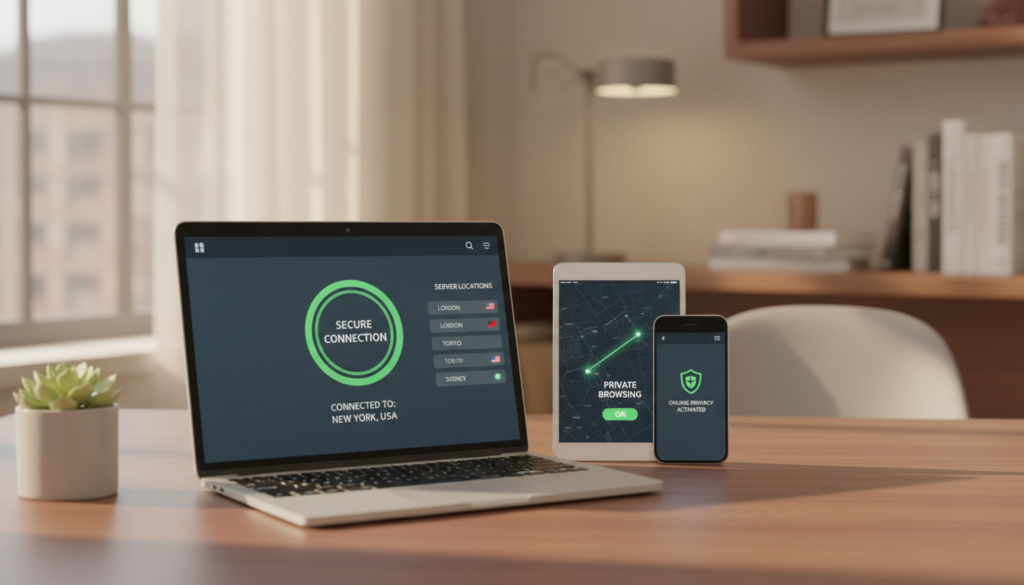
Android and iOS apps look modern but omit key protections. On phones you may not get a system kill switch, and some builds lack OpenVPN or Stealth support.
That reduces protection for sensitive tasks on mobile. Test devices before relying on them for torrenting or work.
No browser extensions and OpenWeb trade-offs
There are no browser extensions. OpenWeb acts like a browser-only shield, but it cannot replace full-device protection or the convenience of an extension.
Built-in speed test vs real downloads
The bundled speed test often reports optimistic numbers. Verify with real downloads and streaming checks to measure true speeds and download behavior over time.
“Use desktop for full controls; treat mobile as a simpler, limited option.”
| Platform | Main strength | Main limitation |
|---|---|---|
| Windows | Full feature set (OpenVPN, App Guard) | Dated UI; crowded settings |
| Linux | Rare GUI, easy connect | Feature parity varies by build |
| Android/iOS | Sleek interface, easy setup | No system kill switch; protocol gaps |
Router Support, VPN Sharing, and Simultaneous Connections
If you want whole-home coverage, router support changes how many gadgets you can protect at once.
Router compatibility
ASUS Merlin, Tomato, and DD-WRT are supported. That matters because many smart TVs, consoles, and IoT devices can’t run an app directly. A router setup protects those devices without per-device installs.
VPN Sharing and practical use
VPN Sharing lets one computer act as a hub and share its tunnel to the local network. It’s a handy option when router flash is not possible or you need a temporary protected gateway for a guest device.
Five-device limit and real impact
The standard plan limits you to five simultaneous connections. If you also use a router as a single connection, some reports show only one router slot is allowed. That makes the five-count feel tight for a modern household with phones, laptops, tablets, and a smart TV.
“A router or sharing setup extends protection, but connection limits force trade-offs in daily use.”
| Feature | Supported | Practical note |
|---|---|---|
| Router firmware | ASUS Merlin, Tomato, DD-WRT | Protects TVs, consoles, IoT without an app |
| VPN Sharing | Yes | Use when router flash is not possible |
| Simultaneous connections | 5 devices | May require disconnecting to add a new device |
Value note: competitors often offer more connections or unlimited device support, so weigh the five-device limit against your household needs before you commit.
Pricing, Plans, and Add-Ons: What You’ll Pay Over a Month or Years
Pricing choices shape whether this service feels like a bargain or a costly experiment for your daily needs.
Base cost: a month-to-month plan runs very high—reports put the starting price near $30 per month. Commitments lower the monthly equivalent: one-year plans land around $15 per month, while a two-year option drops to about $12.50 per month when billed upfront.
Risk and refund policy
No money-back guarantee changes the risk calculus. If the service fails on your devices, servers, or streaming apps, you absorb the full upfront cost. That makes testing compatibility before long-term payment crucial.
VIP, dedicated IP, and payment options
- VIP add-on: roughly +$10/month for priority servers, multi-hop, and performance boosts. Note: priority servers may include a 100GB-per-priority-server cap.
- Dedicated IP: starts near $5/month and helps when shared IPs are blocked or trigger CAPTCHAs.
- Payments: credit card, PayPal or bank transfer (varies), and crypto options (Bitcoin, Monero) for extra purchase privacy.
“The two-year headline of $12.50/month looks attractive, but the large upfront payment and lack of refunds raise the stakes.”
| Plan | Typical cost | Practical note |
|---|---|---|
| Monthly | $~30 / month | Highest flexibility; highest price |
| 1 year | $~15 / month (billed yearly) | Lower monthly cost; moderate upfront |
| 2 years | $12.50 / month (billed upfront) | Best long-term rate; large upfront payment |
Bottom line: factor in add-ons, the no-refund policy, and how often you’ll use advanced features before you commit for months or years.
Value Comparison: Astrill VPN vs Top Alternatives for Most US Users
Choosing the right provider comes down to what you use it for and how much trouble you’ll accept to get access.
If your priority is fast speeds, broad server coverage, and plug-and-play streaming, cheaper mainstream vpns often deliver better everyday value. They give larger server lists, smoother apps, and easy unblocking for major services without repeated server-hunting.
When a cheaper provider beats Astrill on speeds, servers, and streaming
Better value looks like this: more servers across more countries, higher concurrent-device limits, and consistent streaming support backed by money-back guarantees. Examples from sources include Surfshark for budget pricing and unlimited devices, and ExpressVPN for polished apps and broad location coverage.
When Astrill’s obfuscation still wins
If you face strict blocks — at work, school, or while traveling in high-censorship regions — the specialized obfuscation in this service can succeed where mainstream vpns fail. That narrow use case is the main reason to pay the premium price.
Quick decision checklist
| Need | Best pick | Why |
|---|---|---|
| Daily streaming & ease | ExpressVPN / Surfshark | Smoother apps, larger server lists, money-back guarantees |
| Household with many devices | Surfshark | Unlimited connections at a low price |
| Censorship bypass (China, strict networks) | Astrill | Specialized obfuscation and higher success in restrictive contexts |
“For most US users, mainstream providers give more speed, servers, and streaming for the price. Pay extra only if censorship bypass is a must.”
Bottom line: pick mainstream vpns for speed, servers, and streaming convenience. Choose the specialized service only if you need proven obfuscation to stay connected under heavy blocks.
Conclusion
If bypassing tight censorship is your priority, this astrill vpn review finds the service worth the premium. It delivers specialized obfuscation and reliable access in restrictive regions, so pay more only if that reliability matters to you.
strong, for most U.S. users the high monthly cost, limited simultaneous connections, and extra troubleshooting for streaming make this a poor everyday value. Speeds can be fine on faster protocols, but full-device protection often cuts throughput and server switching can feel clunky.
Security and encryption are solid on paper, yet the lack of a public audit and retained session metadata reduce confidence for privacy purists. If you do not need obfuscation, mainstream providers usually give better apps, lower month-to-month costs, and refunds.
Before you sign up, compare current plan pricing, confirm desktop vs mobile feature needs, and test your must-have services during a short trial or era of use to avoid a costly long-term commitment.
FAQ
What devices can you use with this service?
You can connect Windows, macOS, Linux (including a GUI app), iOS, and Android devices. There are no browser extensions, but router setups using ASUS Merlin, Tomato, or DD-WRT let you protect consoles and smart TVs. A typical plan limits simultaneous connections to five unless you purchase add-ons.
How does the kill switch work and on which platforms is it available?
The desktop kill switch (often called App Guard) cuts internet access if the secure tunnel drops, protecting your traffic during outages. Mobile apps, particularly iOS and some Android builds, lack a full system-level kill switch, so you should enable app-level filters or use router routing for stronger protection.
Is split tunneling supported and how does it work?
Yes. Split tunneling lets you route selected apps or sites outside the encrypted tunnel. Some implementations require you to enter target IP addresses instead of domain names, which adds setup complexity but gives granular control for gaming or local services.
What encryption and protocols does the service use?
You get modern encryption standards such as AES-256 and ChaCha20. Protocol options typically include OpenVPN, WireGuard, and a proprietary obfuscation mode (Stealth/OpenWeb variants) designed to bypass deep packet inspection on restricted networks.
Does the provider keep logs or connection metadata?
The company advertises a no-logs stance but retains limited connection metadata for troubleshooting, such as records of recent sessions (around the last 20). IP-related entries may be stored temporarily; deletion timing and policy dates are important to check before subscribing.
How large is the server network and which regions are best covered?
The network spans roughly 300 servers across about 58 countries, with strong coverage in the US and many European locations. Coverage is weaker in parts of Africa, some Asian regions, and South America. Server labels can be inconsistent, which may slow location switching.
Can you stream services like Netflix, Hulu, and Disney+ reliably?
US Netflix generally works consistently. Hulu, Max, and Disney+ can be hit-or-miss and may require switching servers or protocols. Prime Video libraries and BBC iPlayer occasionally fail to unblock, so expect variable results depending on the title and server.
Is this service suitable for gaming and low-latency play?
Gaming is possible, but you'll see higher ping on many servers. Competitive play requires servers with low latency; VIP priority servers reduce lag but cost extra. Some users reported Steam compatibility warnings during testing, so check a trial if you play competitively.
How does torrenting perform and are P2P servers available?
Certain servers are marked for P2P and allow port forwarding, but download speeds vary. Use the desktop kill switch when torrenting to prevent leaks. Port forwarding helps some downloads but doesn’t guarantee top speeds if the remote seeders are slow.
Does the service protect against DNS or WebRTC leaks?
Built-in DNS and WebRTC leak protection is included, though third-party leak-test sites are sometimes blocked during checks. Run multiple tests from different locations to confirm leak protection works for your setup.
Will this work in high-censorship countries like China?
The obfuscation protocol improves access in restricted environments and can bypass deep packet inspection. Reliability varies by region and ISP; expect occasional troubleshooting and the need to switch protocols or servers for stable connections.
What is the company’s jurisdiction and has it been audited?
The provider operates under a small European jurisdiction, which influences legal obligations. There is no known independent security audit, so you should weigh trust signals and the long-term track record before committing.
How do speeds compare between OpenVPN, WireGuard, and the provider’s proprietary options?
WireGuard generally offers the fastest and most consistent throughput. OpenVPN is slower but reliable. Proprietary obfuscation modes may reduce raw speed to improve connectivity on restricted networks, trading throughput for access.
What are the pricing and refund policies you should expect?
Pricing tiers include monthly, annual, and multi-year plans; a common figure cited is .50/month on some mid-length plans. There is no universal money-back guarantee, which increases your risk if you can’t test performance first. VIP packages, dedicated IPs, and multi-hop chains cost extra.
What payment methods are accepted?
You can pay with major credit cards and select plans accept cryptocurrencies for greater anonymity. Available options vary by region and may change over time.
Are there additional privacy or usability caveats you should know?
Outdated privacy policy timestamps and limited transparency about stored metadata are red flags. App differences between desktop and mobile create feature gaps, and some users find server labeling and switching awkward. Consider these factors if privacy and ease of use are top priorities.