

Surprising fact: over 60% of frequent travelers use a VPN to keep streaming and banking secure on the go, and that matters if you travel often.
This quick guide explains what this ExpressVPN Review covers in 2026 so you can decide if the service fits your needs before you pay.
You’re reading this if you are a US user who wants privacy, safe public Wi‑Fi, streaming access while traveling, or fast everyday performance.
Bottom line: it’s usually one of the fastest vpn options we test, easy to use, and reliable for streaming and travel. The main hesitation is price versus competitors, and we’ll show what you get for that premium.
We test speed, streaming stability, security features, privacy policy, apps, and support so you can judge value beyond headline discounts.
Jump ahead to pricing, server coverage, speed tests, streaming, torrenting, security, privacy, device support, and the conclusion on this website to find exact details.
ExpressVPN Review: Quick Take for US Users in 2026
Need a clear, fast answer about whether this VPN fits your daily needs? Read this snapshot.
Quick decision: You get excellent speed, top-tier security, and reliable streaming access with minimal setup. That makes it one of the best vpns for users who want a simple, dependable solution.
Who benefits most
Travelers and remote workers on public Wi‑Fi get strong protection without fiddling with settings.
Households that want broad device coverage and steady speed for video calls, gaming, and streaming will see real gains.
When it may not be worth the price
If you want deep customization, multi-hop chains, or the cheapest long-term plan, you may prefer alternatives that bundle extra features for less.
Value depends on your needs: streaming libraries, gaming ping, P2P use, router coverage, or privacy posture should guide your choice.
- Set-and-forget: strong security and easy apps.
- Tradeoffs: higher cost and fewer advanced add-ons.
| Aspect | Strength | Typical Tradeoff |
|---|---|---|
| Speed | Consistently fast for US servers | Premium cost |
| Security | Robust encryption and leak protection | Limited advanced tools (no built-in MultiHop) |
| Streaming | Reliable access to major services | Fewer bundled extras in basic plan |
| Features | Easy apps across devices | Less customization than some rivals |
Later sections will test speed, protocols, server coverage, and plan gating to verify these claims so you can decide based on data, not ads.
Pricing, Plans, and Value in the United States
Before you commit, know exactly which plan features you’ll actually use and which add-ons you can skip.
Tier breakdown: Basic covers core VPN protection and common speeds with typical connection limits near 10. Advanced adds deeper protection and ExpressVPN Keys (a built-in password manager), plus modestly higher limits. Pro targets power users with higher device limits, extra eSIM days, and a dedicated IP.
| Tier | Common monthly price | Key extras |
|---|---|---|
| Basic | $12.99–$19.99 per month | Standard encryption, 10 connections |
| Advanced | Lower annual/2‑yr effective month | ExpressVPN Keys, deeper protection, ~12 connections |
| Pro | 2‑yr as low as $7.49 per month | Dedicated IP, more connections, eSIM days |
Monthly vs annual vs 2‑year: Monthly gives flexibility but costs the most per month. Annual balances savings and commitment. The 2‑year plan often delivers the lowest effective month rate (examples: $3.49–$7.49 per month before tax) if you know you’ll keep the service.
“Check renewal pricing and which plan a promotion applies to before buying — the headline deal may change your true cost.”
- Pick monthly for short-term needs.
- Pick annual for moderate savings without long lock-in.
- Pick 2‑year for the best long-term value if you’re certain.
How to read expressvpn offers: Confirm renewal rates, verify the exact plan included, and watch for added months or bundles. The Pro plan is worth it only if you need a dedicated IP or extra connections; otherwise, Advanced usually covers most features you’ll use.
Free Trial and the 30-day Money-back Guarantee
You can test the full service for a month and decide if it matches your streaming, speed, and privacy needs. The company backs plans with a 30-day money-back guarantee, so you pay up front and get a refund if it’s not a fit.
How the guarantee works in practice
In practice, “30 days” means you have a full month of access to test everything. Use the apps on all devices, stream, run speed checks, and try video calls.
To get a refund, contact live chat or email support, confirm cancellation, and wait for confirmation. Refunds usually take a few business days depending on your payment method.
Mobile free trial availability
iOS and Android often offer a mobile free trial through the app stores. That trial can vary by platform or region and is a low-friction way to evaluate the service before a paid plan.
- Checklist for US users: test multiple US server locations, try peak evening hours, confirm kill switch and split tunneling, and stream from your key services.
- Keep receipts and note the purchase start date so you can claim the money-back guarantee in time.
“You get a full month to test; keep track of the start date and contact support if you decide to cancel.”
Server Network and Locations: ExpressVPN Servers in 105 Countries
A wide server footprint can directly affect how fast and reliable your connections feel day to day.
The network: The provider reports about 3,000 servers across 105 countries. That spread means you often get a closer endpoint, lower latency, and less congestion when you connect.
What 3,000 servers and 105 countries means for everyday speed
More servers usually translate to shorter routes and steadier performance during peak hours. You’ll see fewer slowdowns for streaming, video calls, and large downloads.
US coverage and state-level options
There are extensive US locations—reported as 62 city/state options—so you can pick a nearby server to cut ping and improve stability while traveling or working remotely.
Virtual servers and labeling
A virtual server hosts an advertised location from a different physical address. For example, India is available as a virtual location routed through Singapore or the UK. The provider labels these clearly so you know the true routing before you connect.
Dedicated IP availability
Dedicated IPs are offered in higher tiers and help reduce verification prompts for banking, business apps, and school portals. If you need fewer login flags, a dedicated address can be worth the upgrade.
Speed Tests: How Fast Is ExpressVPN Right Now?
This section shows how fast the service runs in real US conditions and what those numbers mean for your daily web use.
Local vs long-distance results
Your base ISP speed and physical distance to the server shape results. Local US servers usually keep most of your bandwidth, while long-distance links to the UK, Japan, or Australia add latency and often reduce throughput.
Protocol choices and performance
Lightway UDP typically gives the best everyday speeds, and Lightway Turbo can boost Windows performance. OpenVPN is slower but useful for compatibility in some networks.
What a speed drop means for real tasks
Speed drops under ~40% on long hops still let you stream HD, join Zoom calls, and download large files. Severe drops make 4K streaming and big cloud backups slower or more buffered.
- Test at your usual evening time to check real stability.
- Run multiple tests on different servers and log download and ping.
- Compare protocols to pick the best balance of speed and compatibility.
“Consistent high performance often explains a higher price — you’re buying stable speeds, not just a low sticker rate.”
Streaming Performance: Netflix, Hulu, Disney+, Prime Video, and More
Traveling shouldn’t mean losing access to the shows and sports you pay for back home. With the right app and server choice, you can get reliable streaming access while abroad.
How it works in practice: reviewers report consistent unblocking of major streaming sites, including more than 20 Netflix libraries (US, UK, Japan noted). That means you can watch local catalogs without constant server switching.
Netflix: “20+ libraries” means multiple country endpoints reliably deliver different catalogs. Long binge sessions are stable in HD/UHD when you pick a nearby server and keep the protocol on Automatic or Lightway.
Hulu and US services
Hulu is strict about VPNs. When a service works on the first try from a US server, you avoid frustration. Tests show Hulu, Max, Peacock, and ESPN+ stream in HD with minimal buffering on good US endpoints.
BBC iPlayer and UK locations
BBC iPlayer works across several UK locations. If one UK server is blocked or slow, switch to another nearby UK endpoint to restore access quickly.
DAZN and other travel favorites also stream in high quality on many servers, though occasional switching may be needed for UHD sports.
- Pick the closest server that offers the library you need.
- Test a second location if buffering starts.
- Keep protocol on Automatic/Lightway for best stability.
“Follow platform terms and local rules — you’re responsible for complying with each service’s policies.”

| Service | Typical Result | Best Server Choice | Tip |
|---|---|---|---|
| Netflix | 20+ libraries unblocked, stable HD/UHD | Closest country endpoint for desired catalog | Avoid frequent switching during binges |
| Hulu | Works on US servers; detection can be strict | US city/state server near you | Connect to a second US server if blocked |
| BBC iPlayer | Accessible from multiple UK locations | Try several UK endpoints if one fails | Switch to another UK location for speed |
| Max/Peacock/ESPN+/DAZN | Generally HD; UHD possible on stable links | Local region server for best latency | Use Lightway/Automatic protocol |
Gaming Performance: Ping, Stability, and Best Server Selection
When every millisecond counts, the right server and protocol matter more than peak download numbers.
What ping means: ping is the round-trip time for a packet between you and the game server. It affects input responsiveness and hit registration far more than raw speed does.
Target for competitive play: aim for under ~85ms. Use in-game ping meters or web speed tests to check latency before you queue ranked matches.
Choosing the best server and location
Pick a server near your game region and close to your physical location. That reduces routing complexity and often lowers ping, so you get steadier speeds and fewer spikes.
When distance limits you
Long hops across oceans add unavoidable latency. Even the best vpn and fastest routes can’t beat the physics of distance.
Stability and what to expect
Stable connections mean fewer lag spikes, smoother movement, and more consistent hit detection in matches. If you notice jitter, swap servers or try another protocol.
“If latency climbs during peak hours, swap to a closer location, change protocol, and run new tests to confirm improvement.”
- Check ping with in-game tools or speed tests before playing.
- Prefer nearby servers for ranked play; avoid cross-ocean links.
- Troubleshoot: change protocol, try a different server, and retest at different times.
Torrenting and P2P: What You Can and Can’t Do
For users who download or seed files, understanding P2P support and limits helps you pick the right server and settings.
P2P support across locations
The service allows P2P across all servers, so you don’t need to hunt for special torrent endpoints. Pick a nearby server to reduce latency and usually get better speeds and steadier peer lists.
Typical torrenting experience
When speeds are strong you’ll see fast metadata fetches, stable peer connections, and fewer mid-download drops. That makes large downloads and seeding smoother on home or mobile networks.
No port forwarding: what it means
There is no port forwarding. That limits inbound connections and can hurt seeding efficiency for some torrent clients. Advanced users who rely on high seeding ratios may notice fewer peers can reach them directly.
Workarounds: choose torrents with many seeders, switch to a nearby server, and test different client ports and settings to improve connectivity.
You’re still protected on public Wi‑Fi, but a VPN doesn’t make illegal file sharing lawful — follow US rules and copyright laws.
- Can: use P2P across servers, get private data protection on public networks, and enjoy strong download performance.
- Can’t: expect port forwarding or guaranteed inbound connections for advanced seeders.
Security Features That Protect Your Data
Strong security should be easy to understand and verify. These features work together to keep your data safe on home and public networks.
AES-256 and Perfect Forward Secrecy, simply
AES-256 encryption scrambles your traffic with a key size used by banks and governments. It makes intercepted packets unreadable without the key, so your internet activity stays private.
Perfect Forward Secrecy rotates session keys regularly. If one session key is exposed, prior sessions remain protected. That limits long-term exposure of your data.
Network Lock (kill switch) and leak protection
Network Lock blocks internet access if the VPN connection fails. This reduces the chance your real address or IP leaks during a drop.
Leak protection covers IP and DNS leaks. In normal tests you should see no leaks, which means DNS queries and your address stay on the private network rather than leaking to third-party resolvers.
Split tunneling: when and how to use it
Split tunneling lets you route selected apps through the VPN while others use your regular internet. Use it to keep a banking app on your normal connection while browsing through the VPN, or to let local devices like printers stay visible on your LAN.
On some platforms the split tunneling feature may vary. Check the app settings and run a quick DNS/IP test after configuration.
Private DNS on public Wi‑Fi
Private DNS reduces exposure to DNS snooping and manipulation common in airports, hotels, and cafes. It helps ensure the sites you request resolve correctly and privately while on shared networks.
| Feature | What it protects | Practical benefit |
|---|---|---|
| AES-256 | Data in transit | Strong, bank-grade encryption for browsing and streaming |
| Perfect Forward Secrecy | Past session keys | Limits damage if a key is compromised |
| Network Lock (kill switch) | IP/address leaks | Stops internet if VPN drops |
| Split tunneling | App-level routing | Use VPN only where needed (banking off, browser on) |
| Private DNS | DNS queries | Reduces DNS snooping on public Wi‑Fi |
Tip: verify settings after install—run an IP/DNS leak test and test the kill switch by briefly disconnecting the VPN.
Lightway Protocol and Lightway Turbo: What’s Different and Why You Should Care
Picking the right protocol changes how fast, stable, and battery-friendly your VPN feels in daily use. Protocol choice affects speed, stability, battery drain, and how quickly apps reconnect when you switch networks.

Lightway is built in Rust, which keeps the codebase lean and focused on efficiency. That means fewer background tasks, faster connect times, and a smaller attack surface for better security.
Lightway supports UDP and TCP modes. Choose UDP for lower latency and higher speeds in streaming or gaming. Pick TCP when you need reliability on flaky networks or restrictive Wi‑Fi.
There is also a post-quantum protection option. In plain terms, it helps guard today’s traffic against future powerful computers that might try to break encrypted data.
Platform notes matter: Lightway Turbo is reported to boost Windows speeds in some tests. On macOS, iOS, Android, and Linux you get standard Lightway performance, which is usually fast but can vary by device.
Daily tip: start with Automatic (Lightway), then test UDP and TCP if you spot slowdowns. The best protocol is the one that gives you the fastest, most stable experience on your device and network.
Privacy: British Virgin Islands Jurisdiction and the No-Logs Policy
Where a VPN is legally based affects how your data can be requested and stored. The company is headquartered in the british virgin islands, a jurisdiction that does not impose mandatory data retention for VPNs. That legal setting gives you stronger baseline privacy protections than many onshore alternatives.
What jurisdiction means for you
Being in the virgin islands limits routine government seizure orders and makes cross-border legal pressure harder. In short, the british virgin setup is generally seen as privacy-friendly for consumer VPN services.
What "no-logs" covers
No activity logs means the provider says it does not store IP addresses, DNS queries, browsing history, traffic destinations, connection timestamps, or session duration. That reduces what can be handed over if servers are queried.
Independent checks and real-world tests
Independent audits review server tech, apps, and policy alignment. Audits and a reported server seizure that yielded no usable user records increase trust that the stated privacy and data claims match reality.
- Operational data: you may still give an account email and limited diagnostics; that is different from activity logs.
- Privacy fit: for max anonymity use alternative payments and minimal account details; for strong everyday privacy, no-logs plus RAM-only servers usually suffices.
“A seized server reportedly produced no user activity logs, a practical test that supports privacy claims.”
TrustedServer Technology: RAM-only Servers and Why That’s a Big Deal
TrustedServer moves the guts of infrastructure into volatile memory so your connections leave nothing behind on disk. This design changes how the service stores and clears session information.

How diskless hardware reduces long-term data risk
RAM-only servers run from memory instead of hard drives. That means any session details vanish when power cycles the machine.
Why it matters: if a server is seized or inspected, there is far less persistent data to recover compared with traditional disk-based setups.
Reboots, fresh images, and routine updates
The operator emphasizes loading a known-good image on restart. Frequent restarts and updated images give each server a clean baseline in a short time.
This approach limits how long any transient data can persist and supports faster remediation after a vulnerability is found.
Ongoing testing and incentives for researchers
A public bug bounty and continuous security tests encourage independent researchers to report flaws. A large bounty pool—reported at about $100,000—signals serious investment in finding issues before attackers do.
Note: no architecture guarantees absolute privacy, but RAM-only design plus audits and bug bounties materially lower risk and strengthen policy claims.
- RAM-only clears volatile memory on reboot, reducing stored traces.
- Fresh server images create a consistent, auditable baseline over time.
- Bug bounty programs drive independent testing and faster fixes.
Advanced Protection and Extra Tools (Ad Blocking, Trackers, Malicious Sites)
Advanced protection layers simple filters on top of your VPN to reduce ads, stop trackers, and block known malicious sites. You get fewer interruptions and safer browsing on public Wi‑Fi without extra setup.
What the feature blocks on supported apps
Ad blocking: removes many banner and pop-up ads to speed page loads and save mobile data.
Tracker blocking: limits cross-site tracking that builds ad profiles and follows you around the web.
Malicious-site filtering: prevents connections to domains flagged for malware, phishing, or other threats.
Plan limitations: Lite versus full access
On the Basic plan you often get a Lite version that covers ads and basic malicious-site blocking.
Higher tiers unlock full features including tracker blocking and adult-site filters. Choose the plan that matches how much control you want over sites and tracking.
Protocol dependency and practical notes
Some advanced tools require the Lightway protocol to function. If you switch to OpenVPN those protections may pause or degrade.
Confirm your protocol in the app settings. If a block seems absent, toggle back to Lightway and retest.
“Quick test: load an ad-heavy news page with the feature off, then on, to judge real-world effect.”
| Tool | Blocked content | Available on | Plan tier |
|---|---|---|---|
| Ad blocker | Banners, pop-ups | Windows, macOS, iOS, Android, Linux | Basic (Lite) / Full on higher tiers |
| Tracker filter | Cross-site trackers, analytics | Windows, macOS, iOS, Android, Linux | Advanced/Pro only |
| Malicious-site filter | Phishing, malware domains | Windows, macOS, iOS, Android, Linux | Basic (Lite) / Full on higher tiers |
| Adult-site blocking | Adult and explicit sites | Windows, macOS, iOS, Android, Linux | Advanced/Pro only |
- Use it for safer browsing on public Wi‑Fi and to cut mobile data used by ads.
- Expect less transparency in block logs than some competitors; judge by browsing changes.
- Test quickly by comparing pages with the tool on and off to confirm effectiveness.
ExpressVPN Keys Password Manager: Helpful Bonus or Replacement Tool?
If you want a simple way to manage logins without adding another paid subscription, this built-in password tool might fit the bill.
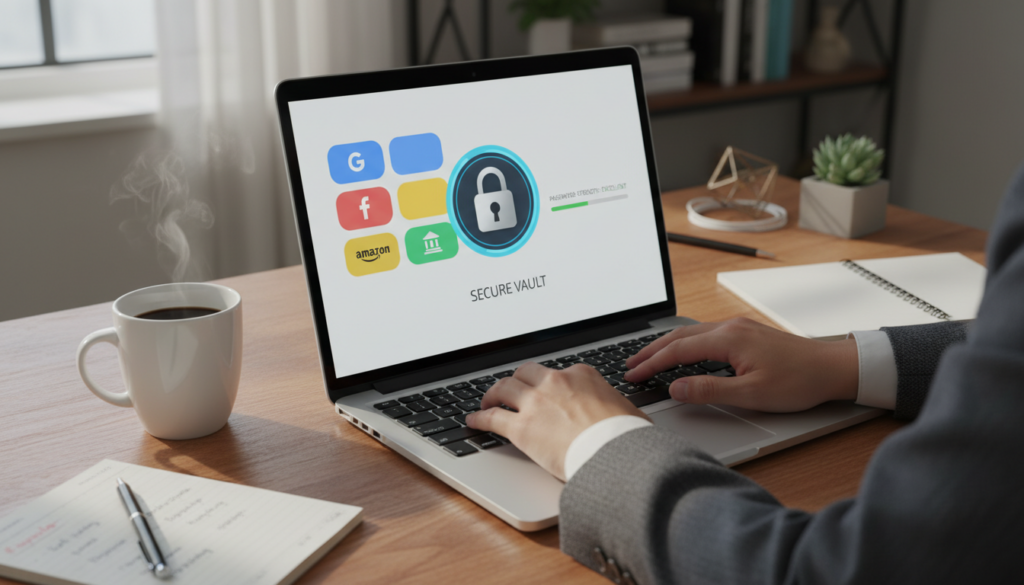
Core functions: the password manager can generate strong passwords, store credentials, sync them across devices, and offer autofill on mobile and desktop. These features cover the everyday tasks you do when creating accounts or logging in.
What you’ll actually use
The tool generates unique passwords during sign-up, saves them to a vault, and syncs to your other devices. Password health checks flag weak or reused passwords so you can fix risky accounts fast.
Known limits to expect
There’s no passkeys support and no secure sharing for teams. Some users report autofill glitches, notably on Safari. Those gaps make the manager less fit as a full replacement for advanced vaults.
Trust and audit
“A 2022 Cure53 audit reviewed the code and security posture, which raises confidence compared with unaudited add-ons.”
| Use case | Who benefits | Who should skip |
|---|---|---|
| Bundled convenience | Beginners, households | Power users needing passkeys/secure sharing |
| Basic vault needs | Users wanting fewer subscriptions | Enterprises or advanced managers |
| Everyday security | Those wanting simpler password hygiene | People needing cross-browser advanced autofill |
Bottom line: use it for straightforward password care inside the same app, but keep a dedicated password product if you need advanced vault controls, enterprise features, or reliable cross-browser sharing.
Apps, Devices, and Simultaneous Connections
A single router setup can protect devices that don’t run a native app, saving you connection slots. Use apps on phones, laptops, and desktops for direct control, and put always-on devices behind a router to cover TVs and consoles.
Supported platforms
The service provides apps for Windows, macOS, iOS, Android, and Linux. You also get support for many routers and select mesh products.
That range matters if your household mixes PCs, iPhones, Android tablets, and streaming boxes. Each device can run an app or be covered by your router.
Browser extensions and what they control
Browser extensions act as a remote control for the main app. They let you switch locations and toggle protection from the browser, but they don’t replace the full app for system-wide protection.
Tip: use the extension for quick site tests, and the full app when you need DNS, kill switch, or split tunneling to apply across the device.
How many simultaneous connections and plan choices
Connection limits commonly range from about 10 to 14 simultaneous connections depending on your plan. Basic tiers cover a small household; higher tiers raise that cap.
| Plan tier | Typical connections | Best for |
|---|---|---|
| Basic | ~10 | Individual or small family |
| Advanced | ~12 | Medium households with multiple phones |
| Pro | ~14 | Large families or many smart devices |
Household coverage strategy
Prioritize router or Aircove for always-on devices like smart TVs and streaming boxes. That frees app slots for phones and laptops.
Reserve a few direct app connections for travel devices and one for a work laptop. If you hit limits, use the router as a fallback for static home gear.
Why router support matters: one setup protects devices without native VPN apps, reduces manual installs, and keeps media players and game consoles on a protected network.
Customer Support and Setup Experience
When an app won’t connect, fast, clear support can make the difference between a quick fix and hours of frustration.
Live chat, email help, and what to expect
24/7 live chat is available for instant answers — use it for quick refunds, simple connection problems, or account questions. Email support is better for detailed troubleshooting or when you need logs attached.
Tip: open live chat for immediate help; send email when you can include screenshots or diagnostic files.
What to tell support for faster fixes
When you contact support, give device, operating system, protocol in use, and the server location you tried. Add error messages or short screenshots if possible.
That info speeds diagnosis and reduces back-and-forth time with agents.
Simple setup steps for US users
Install the app on Windows or macOS from the official site, sign in on mobile, and let the app pick Automatic protocol. Then connect to a nearby US server for best speed and lowest latency.
Most users will be online in under five minutes with default settings.
Self-help before you contact support
- Swap to a different server.
- Switch protocol (Automatic, Lightway/UDP, or TCP).
- Restart the app and, if needed, your device.
- Test on a second network (Wi‑Fi vs cellular).
Ease of use and tradeoffs
The app interface is designed for beginners, so you can usually “connect and go” without reading a manual. That simplicity reduces setup mistakes for most users.
However, a pared-down UI means fewer advanced toggles for power users who want deep customization.
“Evaluate support by response time, clarity of steps, and whether agents can handle technical questions when needed.”
ExpressVPN Pros, Cons, and Notable Missing Features
Deciding on a premium vpn often comes down to whether daily speeds, reliable streaming, and strong security justify the price.
Standout strengths: you get consistently fast speeds, reliable streaming unblocking across major services, and a security architecture built around RAM-only servers and modern protocols. The apps connect quickly, and router support means whole-home protection without eating connection slots.
Usability wins: the interface is simple, connections are near-instant, and device coverage is broad. That makes the service easy to adopt for families and frequent travelers who just want protection that works.
Common drawbacks
Price is the main tradeoff — you pay a premium for the polished experience. Advanced users will notice fewer customization options than some rivals.
Smart Location sometimes favors general proximity over lowest ping. If you see slower server choices, pick a nearby city or a different US state to regain top speeds.
Missing or limited features
Reviewers commonly call out the lack of MultiHop (no built-in double-hop routing) and no port forwarding. That matters if you need layered routing or inbound peers for advanced torrenting.
Context: many users never need MultiHop, but torrent power users often prefer port forwarding. Lightway Turbo also shows Windows-only speed gains in some tests.
“If you want a polished, mainstream premium vpn experience, the pros can outweigh the price; if you want maximum features per dollar, compare alternatives.”
| Aspect | Pros | Cons | Who benefits |
|---|---|---|---|
| Speed | Top-tier speeds on many servers | Higher price for that performance | Streamers, gamers, remote workers |
| Streaming | Reliable unblocking of major services | Occasional server switching needed | Travelers and media fans |
| Security & Privacy | RAM-only servers, strong encryption | Fewer advanced user controls | Privacy-minded consumers |
| Advanced features | Easy router support and simple apps | No MultiHop, no port forwarding | Casual users vs power torrenters |
Conclusion
In short, this service aims to balance speed, simple apps, and strong privacy protections for everyday users.
You get fast connections, reliable streaming, RAM-only servers, and solid security and privacy posture backed by responsive support and a 30-day money-back guarantee.
Tradeoffs include a higher price, fewer advanced features like MultiHop, and no port forwarding. Those limits matter if you need deep customization or maximum torrenting control.
Buyer’s guide: choose this vpn if you travel, stream, or work on public Wi‑Fi. Pick a higher tier only if you need more simultaneous connections or a dedicated IP.
Next step: use the mobile trial if available, select the plan that matches your device count, and test your top 3 servers and top 2 streaming services within the refund window.
FAQ
What is the 30-day money-back guarantee and how do you use it?
The 30-day money-back guarantee lets you try the service risk-free for 30 days after purchase. If you’re unsatisfied, contact support via live chat or email within that window to request a refund. Support agents typically process refunds quickly, and you don’t need to give a reason. Keep in mind promotional free trials on mobile platforms may have different rules.
Where is the company based and why does that matter for your privacy?
The provider is based in the British Virgin Islands, a jurisdiction with no mandatory data retention laws. That location supports a strong no-logs stance because local courts can’t compel long-term user data storage the way some other countries can. This reduces legal risk for your connection metadata.
How many servers and countries are included, and what does that mean for speeds?
The network spans thousands of physical and virtual servers across more than 100 countries. That scale gives you broad location options and helps keep latency low by letting you choose nearby exits. More servers generally mean less crowding and better speeds for streaming, gaming, and downloads.
Can you use the VPN on multiple devices at once?
Yes — you can run the app on several devices simultaneously. Exact connection limits depend on the plan, but router installations count as a single connection while covering every device on your home network. This is useful if you want to protect phones, laptops, and smart TVs together.
Is there a password manager included, and how good is it?
A built-in password manager is available as an added tool. It offers password generation, secure storage, autofill, and cross-device sync. It’s helpful as a bundled convenience, though power users may still prefer dedicated password managers for advanced features like secure sharing and detailed audit reports.
Does the service support streaming US libraries like Netflix and Hulu reliably?
Yes — it consistently accesses major streaming libraries including Netflix, Hulu, Disney+, and Prime Video from many locations. Streaming reliability varies by server and region, so you may need to try a few US or UK servers to find the best option for binge-watching without buffering.
What protocols are available and which should you choose for speed vs security?
Lightway (the vendor’s custom protocol) and standard options like OpenVPN are available. Use Lightway UDP for faster connections and lower latency, and choose TCP or OpenVPN if you need extra stability on unreliable networks. All main protocols use modern encryption like AES-256 for security.
Are there any limitations for torrenting or P2P use?
P2P traffic is allowed on many servers and generally performs well for downloads. There’s no port forwarding support, which can limit some advanced torrent setups and reduce certain direct-connection speeds. For most users, the combination of fast servers and strong privacy is sufficient.
How does the kill switch (Network Lock) work to protect your data?
The kill switch blocks network traffic if the VPN connection drops, preventing data leaks. It engages automatically when the app detects a lost tunnel and resumes normal traffic only after the secure connection is restored. This protects IP privacy during unstable connections.
What is TrustedServer (RAM-only) technology and why does it matter?
TrustedServer uses RAM-only, diskless servers that wipe data on every reboot. Because RAM doesn’t retain stored data after power loss, this reduces the risk of stored logs or data being recovered. It’s a practical measure to lower long-term data retention risk.
Are there any special features for advanced users, like split tunneling or private DNS?
Yes — split tunneling lets you route selected apps or sites outside the VPN, which is handy for local services or banking. The apps also use private DNS on the provider’s servers to avoid third-party DNS leaks while on public Wi‑Fi. These features improve both flexibility and security.
How does customer support work if you have setup or connection issues?
Support is available via 24/7 live chat and email. Live chat is usually the fastest way to get step-by-step help for installation, protocol switching, or troubleshooting connection problems. The knowledge base on the website also includes setup guides for routers and streaming devices.
What about router support and protecting devices that don’t run apps natively?
You can install the VPN on many compatible routers or buy preconfigured options like the vendor’s Wi‑Fi device. Router setup protects consoles, smart TVs, and IoT devices that lack native apps, and it counts as a single simultaneous connection while covering an entire network.
Does the service offer dedicated IPs or virtual locations?
Dedicated IPs are available in some regions for users who need a consistent address for remote access or whitelisting. Virtual locations are used where physical servers aren’t feasible; these are labeled clearly and can help you access region-specific services while maintaining performance.
How do speed tests typically compare for local versus long-distance connections?
Local connections usually show minimal speed loss, giving near-native performance for browsing and HD streaming. Long-distance links to far-off countries introduce higher latency and greater speed drops, which can affect gaming and real-time calls but still handle streaming at reduced quality settings.
Are there any notable drawbacks to consider before subscribing?
Common trade-offs include a higher price compared with budget competitors and limited advanced configuration for power users. Some reviewers note features like port forwarding or built-in multi-hop options are missing. Balance these against strong security, speed, and streaming reliability when deciding.
What happens to your personal data and activity logs?
The service maintains a no-logs policy and publishes transparency reports and audit results to support those claims. Operational data like payment records are retained as needed for billing, but browsing activity and connection logs aren’t stored according to the provider’s policy and jurisdictional protections.