Surprising fact: more than 40% of American internet users worry that their online activity is tracked by apps and sites every day.
You need a clear way to pick a service that protects your data without slowing your home connection. This introduction shows what to expect from the free plan versus paid tiers, how well it handles US streaming, and real speeds on common broadband.
Quick preview: we look at no-logs claims, independent audits, Swiss jurisdiction, and past IP-logging questions so you can judge trust. Testing details like leak checks, streaming attempts, and speed runs are explained plainly.
What you’ll learn: whether the service’s value, features, and pricing fit your household. We also flag watch-outs: crowded free servers, ad-block conflicts with some streams, and performance differences by protocol. Read on to decide fast and confidently.
Proton VPN Review: What You Get in 2026
Picking the right online privacy tool means balancing security, speed, and cost.
Who this service suits in the United States: If you often use public Wi‑Fi, stream from major platforms, or torrent safely, this provider fits well. Privacy-focused browsing, P2P-friendly servers, and port forwarding make it handy for those needs.
Quick verdict on privacy, streaming, speeds, and value
Privacy: Strong privacy features and a Swiss jurisdiction combine for solid protection.
Streaming: Paid tiers reliably unlock major US platforms; the free plan is limited and inconsistent for streaming.
Speeds: WireGuard and the VPN Accelerator deliver competitive throughput across most US tests.
Value: The paid plans are where advanced features and NetShield pay off for households that stream and torrent.
What changed recently
In 2026 the network grew to 18,000+ servers across 129 countries. That scale helps reduce congestion and lower latency in many locations.
Apps now include Profiles, smarter protocol switching, and Stealth obfuscation on major OSes. Android gained “Exclude locations” and a Discreet Icon option, which simplifies daily use.
Expect the free plan to remain useful for secure browsing, while paid plans unlock reliable streaming, advanced routing, and faster overall performance.
Proton VPN Pros, Cons, and Deal-Breakers
Decide by matching real use to real limits. If you mostly stream or torrent from the US, this service brings strong privacy tools and polished apps that make daily use simple.
Top reasons you might choose it
- Strong privacy posture with audited no-logs claims and modern encryption.
- Excellent paid-tier streaming performance across major US platforms.
- Robust torrenting support and port forwarding on P2P-friendly servers.
- Mature apps and sensible features that you can use every day.
Where it still falls short
Feature parity varies by OS. Split tunneling is limited on macOS and iOS, and the kill switch can misbehave for some setups.
OpenVPN is slower than WireGuard, and NetShield can block ads in ways that break ad-supported streaming. Long-term plans can cost more than budget rivals, and refunds are prorated, not full.
| Decision point | Why it matters | Quick take |
|---|---|---|
| Streaming reliability | Unblocks major US services on paid tiers | Buy if you stream often |
| Device feature needs | Split tunneling and app parity differ by OS | Check your device before you commit |
| Price sensitivity | Long-term plans can be pricier; refunds prorated | Choose a cheaper plan if cost is key |
Fit check: choose the full-featured option if you want maximum protection and performance. Pick the free or basic plan if price and simple browsing matter. For use in restrictive countries, look for obfuscation and support for stealth modes.
Note: performance is only half the story — audits, policies, and transparency decide whether you should route your traffic here.
Trust and Company Background: Can You Rely on Proton?
Understanding the parent company helps you judge real risk. Look at who builds the tools, why they bundle them, and how they answer tough questions about data and policy.
Who they are and what the bundle buys you
The company is a privacy-focused group that offers Mail, Drive, Pass, Calendar, and the VPN as part of a single ecosystem. Choosing the bundled plan gives you unified features and less reliance on ad-driven platforms.
Proton Unlimited bundles email, cloud storage, password management, and the VPN into one subscription so you pay once for integrated privacy tools.
The 2021 IP-logging incident in context
That 2021 case involved legal compliance around an email account, not admission of broad logging across services. It shows legal limits can force action, so interpret it as a reminder to check legal jurisdiction and documented practices when judging any service.
Trust signals you should check
Look for independent audits, open-source apps, and regular transparency reporting. These items turn promises into verifiable facts and help you assess security and trust beyond marketing.
Next, we separate company history from specific no-logs claims and examine exactly what the provider records and what it does not.
No-Logs Policy and Privacy Data Handling
Knowing what a provider records is the first step to judging real online privacy.
What the service says it does not log
Core promise: the no-logs policy states that browsing traffic, DNS queries, and your source IP address are not stored in a way that can be tied back to you.
This claim has been independently audited, which helps verify that traffic and session IPs are not kept on servers.
What is retained and why
Like most privacy-focused providers, the company keeps limited account-related data: your email, billing records, and basic timestamps for operational reasons.
These items support anti-abuse systems and billing. They are not the same as detailed activity logs of your browsing or connections.
Switzerland jurisdiction: practical effect for US users
Being based in Switzerland reduces exposure to 5/9/14 Eyes data-sharing regimes and adds legal protections for user privacy.
Still, lawful requests under Swiss law can occur, so extreme threat models may need extra operational steps.
“Independent audits turn policy language into verifiable facts.”
- Buyer guidance: For avoiding ISP tracking and securing public Wi‑Fi, the approach is generally sufficient.
- For very high-risk needs, combine the service with extra operational security and layered tools.
- Remember: policy is a promise; encryption, protocol choice, and leak protection enforce it technically.
Security Features That Protect Your Traffic
Strong cryptography and tested leak protection form the practical shield for your daily browsing and streaming.
Encryption choices matter in real use. AES‑256 pairs commonly with OpenVPN for wide compatibility and robust protection. ChaCha20 is used with WireGuard for faster, battery‑friendly connections. Both keep your traffic private, but WireGuard plus ChaCha20 often feels snappier on modern devices.
Leak protection you can verify
Independent tests report passed DNS, IP, and WebRTC checks. That means standard browser leaks are blocked and your real address does not show up during normal use.
Run a DNS leak test, an IP lookup, and a WebRTC check after connecting. If all show the provider’s endpoints, your browser and apps are not exposing traffic.
Open-source apps and audits
Open-source apps let researchers inspect the client code so you do not have to take claims at face value. Independent audits add a second layer of verification and back up the no-logs stance.
Perfect Forward Secrecy explained
Perfect Forward Secrecy means session keys rotate so a single key compromise cannot decrypt past sessions. That protects you on public Wi‑Fi and over long-term device use.
Practical tips: keep apps updated, prefer modern protocols, and verify kill-switch behavior so these security features actually protect your traffic.
VPN Protocols and Obfuscation Performance
Choosing the right transport affects daily speed, battery life, and whether a network will let your traffic through.

WireGuard, OpenVPN, and IKEv2: pick by scenario
WireGuard is the best pick for everyday speed, streaming, gaming, and large downloads. Tests often show about a 10–15% speed edge over OpenVPN in real-world runs.
OpenVPN is slower but valued for maturity and auditability. Use it when compatibility and conservative security matter most.
IKEv2 can be fast and resilient on certain devices. Choose it when you need quick reconnections on mobile networks, but note it is not open source.
Smart switching for unstable or restricted networks
Smart protocol mode auto-selects and switches so your connection stays up if a protocol is blocked. It helps maintain a steady connection on flaky hotel or public Wi‑Fi without manual changes.
Obfuscation and DPI: what Stealth does
Obfuscation hides VPN-like signatures so traffic looks like normal HTTPS. Deep packet inspection (DPI) is what some networks use to spot and block encrypted tunnels.
Stealth masks traffic to bypass DPI and strict firewalls. Expect lower speed because obfuscation adds overhead, but it can be the difference between a working connection and no connection at all.
“Lightweight protocols often feel smoother on phones and reduce battery drain during long sessions.”
- WireGuard: best for top speeds and low latency.
- OpenVPN: choose for wide compatibility and audited code.
- IKEv2: useful for mobile reconnections and stable switching.
- Stealth: use when networks actively block tunnels; accept a performance trade-off.
| Need | Recommended protocol | Expected trade-off |
|---|---|---|
| Everyday streaming & gaming | WireGuard | Best speeds, low latency |
| Maximum compatibility / audits | OpenVPN | Wider support, modest speed hit |
| Mobile roaming & quick reconnects | IKEv2 | Fast reconnects, platform limits |
| Blocked networks / DPI | Stealth (obfuscation) | Works where others fail, reduced speed |
VPN Accelerator aims to stabilize throughput on long-distance routes. Results vary, but it can help recover some lost speed when routing is inefficient.
Kill Switch and Connection Safety Controls
A solid kill switch is the safety net that stops accidental leaks when a secure tunnel drops. It blocks your internet so your real IP and traffic never escape during sensitive tasks.
Standard mode vs. advanced (permanent) mode
The standard kill switch closes selected apps or system traffic when the connection fails. It is fine for day-to-day browsing.
Advanced (permanent) mode blocks all internet access until the tunnel is fully restored. Use it when you never want a single packet to leave the tunnel, such as during torrenting or when using untrusted Wi‑Fi.
Compatibility quirks and how to avoid accidental drops
Some users report odd incompatibilities on certain devices and apps. That means you should not assume the feature works the same everywhere.
- Enable the mode that fits your risk.
- Set auto-connect and confirm reconnection behavior.
- Avoid aggressive power or sleep settings that kill network processes.
“A kill switch only protects you if it’s enabled and tested on your device.”
Quick DIY test: connect, start a download or stream, force a disconnect, and verify traffic halts until the connection returns.
| Scenario | Recommended mode | Why it matters |
|---|---|---|
| Browsing on public Wi‑Fi | Standard | Blocks leaks while allowing normal use when stable |
| Torrenting or continuous P2P | Advanced (permanent) | No packets escape outside the tunnel |
| Mobile roaming | Standard + auto-connect | Balances reconnection speed and safety on cellular networks |
Buyer value: the kill switch adds real security only if you enable it, confirm its behavior on your apps and devices, and include it in regular checks before travel or torrenting.
Secure Core Servers: Extra Protection Through Multi-Hop Routing
Multi-hop routing adds a protective layer when simple tunneling might leave you exposed. Secure Core sends your traffic through two hops so the entry point is in a strong privacy jurisdiction before it reaches an exit server.
How it works and when to enable it
Secure core routes traffic first through a protected entry, then through a regular exit. That lowers correlation risk if an exit node is monitored.
Enable it for high-risk browsing, investigative work, activism, or when you use hostile networks and need extra protection beyond a single hop.
Where the entry hops run
Entry locations include Switzerland, Sweden, and Iceland. These countries are chosen for strong legal privacy posture and robust infrastructure control.
Speed tradeoffs and practical advice
Expect a noticeable slowdown. Tests often show about a 35% hit versus a single-hop route. Use standard servers for streaming and gaming.
Switch to secure core servers when privacy needs outweigh raw speeds. Compared to generic Double VPN setups, this core approach focuses on privacy-friendly entry routing rather than arbitrary hop choice.
“Use multi-hop sparingly: it buys privacy at the cost of performance.”
Server Network and Locations (US + Global)
A broad server network matters in everyday use. A wide footprint gives you more nearby endpoints, which lowers latency and cuts the chance of crowded servers during peak times.
Scale and free plan footprint
Scale: The service runs over 18,000 servers across 129 countries, so you can usually find a fast hop near you.
Free plan: About 340 servers in 5 locations are available, but location choice is limited and streaming or torrenting access is often restricted on those free endpoints.
Virtual servers and routing
Some addresses are virtual: your IP may show one country while the hardware sits elsewhere. That can change latency and how “close” a server feels.
Smart Routing aims to balance load, but if you need the lowest ping, pick a physical server in a nearby location when possible.
Specialty servers and infrastructure security
Specialty servers support streaming, P2P, and Tor over VPN so you get tuned access for those tasks.
Security: Servers use full-disk encryption, and rented machines are vetted by third-party checks before joining the network.
“Choose a nearby US location with low load for the best chance at consistent access to US services.”
Speed Tests: Download Speed, Latency, and Consistency
Real-world speed checks show how a secure connection feels in daily use. The goal is simple: measure download speed, latency, and steady performance so you know what to expect for streaming, calls, and gaming.

US test results and what “fast” feels like
Paid nearby servers often exceeded ~130 Mbps in our US tests. That throughput handles HD and 4K streaming, large downloads, and multiple devices in a household.
Note: your baseline internet speed sets the ceiling — a slower home plan will limit peak results even on fast servers.
WireGuard vs OpenVPN in practical use
WireGuard usually delivers better speeds and snappier responsiveness. OpenVPN can be noticeably slower but remains a fallback for compatibility or audit-driven setups.
Why free servers can feel slow
Free endpoints often suffer from overcrowding and fewer locations. That raises load and cuts download speed despite unlimited data, so heavy downloads and streaming will struggle.
VPN Accelerator: realistic gains
The vpn accelerator helped stabilize distant links in testing, but gains were modest — typically low single-digit percent boosts in one data set (~1.2%–3%).
Other tests reported average download reductions around 8% and occasional latency increases, so treat it as an optimization, not a miracle cure.
Gaming performance and ping targets
Nearby, low-load servers kept ping under ~100 ms in tests, which feels smooth for Call of Duty and Fortnite. For competitive play, choose the closest, least busy host.
“Run baseline tests and compare protocols — that reveals whether a provider meets your household’s real needs.”
| Need | Typical result | What to expect |
|---|---|---|
| Everyday 4K streaming | 130+ Mbps on paid nearby servers | Stable playback for multiple devices |
| Long downloads | Varies by baseline internet | Ceiling set by your ISP speed |
| Blocked or distant routes | VPN Accelerator: +1–3% | Modest recovery, not guaranteed |
| Free plan use | Lower speeds, higher load | Not ideal for gaming or 4K |
Quick testing checklist
- Run a baseline speed test without a secure client.
- Repeat on WireGuard and OpenVPN to compare speeds and ping.
- Test a paid nearby server vs a free endpoint to see load effects.
- Measure in-game ping to confirm sub-100 ms targets for smooth play.
Streaming Platforms: How Well Proton VPN Unblocks Content
Streaming quality often comes down to which servers and routes a service uses, not just raw speed.
Streaming-optimized servers vs standard servers
Streaming-optimized endpoints use clean IP ranges and routing tuned for playback. That reduces the chance a platform will block your access. Standard servers are fine for browsing but often lack the reputation needed for consistent unblocking.
Results on major US platforms
Paid, optimized servers worked reliably with Netflix, Hulu, Disney+, Max, Peacock, Prime Video, YouTube TV, and BBC iPlayer in tests. Playback started quickly and stayed stable on paid tiers.
The free plan rarely matched that performance. Only a few tests showed Netflix or Max loading, and those sessions had long start times and occasional buffering.
Practical limits and ad-block conflicts
Treat the free tier as a privacy tool for browsing, not a dependable streaming unlocker.
NetShield and ads: ad-blocking can break ad-supported players (Peacock, Channel 4 style). If a stream fails, toggle the ad-blocking feature off in a streaming profile.
- Switch from a standard to a streaming-optimized server.
- Change regions if a platform blocks one IP range.
- Disable NetShield for ad-supported services.
- Use WireGuard for the best playback quality.
“If a platform keeps blocking you, optimized endpoints plus protocol change usually fix the problem.”
Torrenting and P2P: Safety, Speed, and Port Forwarding
Good torrenting starts with picking nearby P2P-optimized servers that keep your downloads steady and private.
P2P server availability matters: use dedicated P2P servers to avoid blocks and get better peer connectivity. Closer locations lower latency and often improve swarm performance, which raises overall download speeds.

P2P-friendly ports and port forwarding
Port forwarding opens a port so more peers can connect to you. That can boost download throughput; one test showed about a ~15% gain when a forwarded port allowed extra incoming connections.
Expect it to help most when you seed, face strict swarms, or have a strict NAT that blocks incoming traffic.
Leak safety and kill switch setup
Run DNS, IP, and WebRTC checks before long sessions to confirm there are no leaks. Enable the advanced kill switch mode so transfers stop if the tunnel drops.
Bind your torrent client to the secure interface when possible and test with a short file first to verify the configuration.
“Pick a nearby P2P server, enable port forwarding when needed, and use an advanced kill switch to keep downloads private and reliable.”
Apps, Devices, and Ease of Use
Good device support means you can protect every screen in your house without juggling tools.
The service offers apps for Windows, macOS, iOS, Android, Linux, and popular TV devices like Fire TV. That broad device coverage helps you plan household use and keeps core functions consistent across platforms.
Daily use and feel
The app UI is clean and clear. You get quick server selection, plain-language explainers, and one-tap connect so non-technical users can stay protected.
Feature parity and limits
Be honest: some features differ by OS. Split tunneling is limited on macOS and iOS, so you cannot route selected apps outside the tunnel on those systems.
Profiles and presets
Profiles are a real win: create one-tap presets for US streaming, torrenting, or travel. For example, a streaming profile can pick WireGuard and disable NetShield. A torrenting profile can force the advanced kill switch and enable port forwarding.
Setup and testing
- Install the app for each device and sign in.
- Pick a profile, connect, and run a quick leak test.
- If a connection fails, check the app’s built-in help or support pages for device-specific steps.
“Profiles make switching use cases fast and reduce configuration mistakes.”
NetShield Ad Blocker and Extra Privacy Tools
Blocking trackers at the tunnel level gives you system-wide protection without extra extensions.
Blocking ads, trackers, and malware at the VPN level
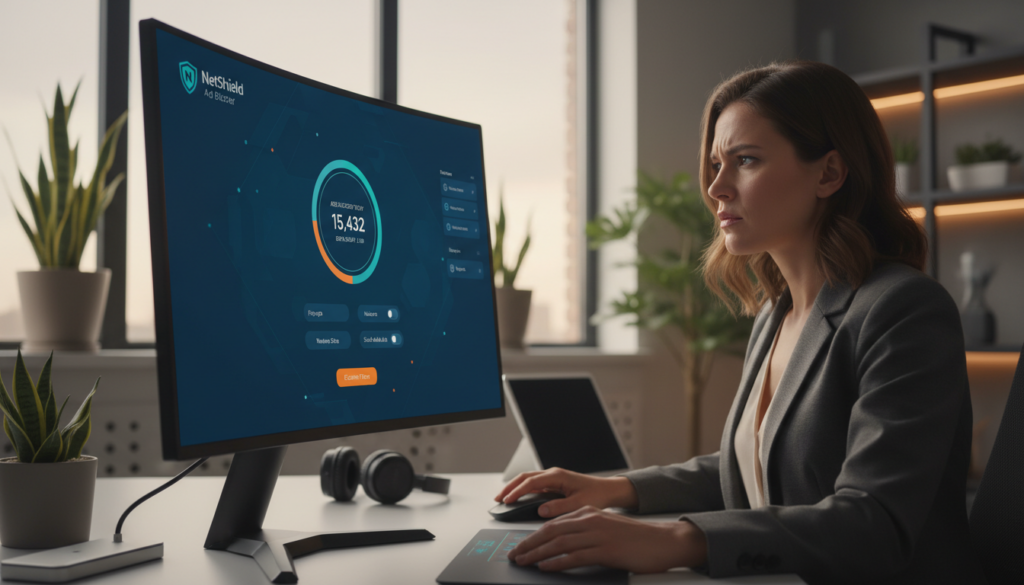
NetShield runs at the network layer to block known ad and tracker domains before they reach your browser or app. That means you get reduced page clutter and fewer external calls on every app without installing plugins.
Tests show it can stop over 90% of ads on ad-heavy sites. The blocker also removes connections to phishing and malware domains, which helps overall security for casual browsing on public Wi‑Fi.
What NetShield does not block (including YouTube ads)
Be clear about limits: YouTube ads typically bypass NetShield, and some ad-supported streaming services may fail when the blocker is active. If a stream or player misbehaves, disable NetShield or switch to a streaming profile.
“Keep NetShield on for general browsing and public networks, then turn it off when streaming ad-supported services.”
- System-wide blocking: protects all apps and browsers without extensions.
- Stops ads, trackers, phishing, and malware domains to aid privacy and safety.
- May break some ad-supported players; toggle per use.
| Benefit | What it blocks | When to disable |
|---|---|---|
| Cleaner pages | Display and tracking domains | When a site misloads or needs ads |
| Fewer trackers | Third-party analytics and pixels | When testing targeted content |
| Malware protection | Known phishing/malware domains | Rarely; keep enabled for public Wi‑Fi |
Practical tip: use a browsing profile with NetShield on for daily use and public networks. Toggle it off for ad-supported streams. Blocking trackers reduces third-party data collection and complements the tunnel’s role in hiding traffic from your ISP, boosting your online privacy.
Plans, Pricing, Free Plan Value, and Money-Back Guarantee
Choosing the right subscription hinges on how many devices you need and what features you actually use.
Free plan: who it fits
The free plan gives unlimited data but limits you to one device and five locations. For many users in the United States, it is best as a secure browsing tool or a trial before upgrading.
Shortfall: streaming and torrenting are restricted on free endpoints, so expect inconsistent playback and slower peer connections.
Paid tiers and household coverage
Paid plans unlock NetShield, port forwarding, streaming-optimized servers, and up to ten simultaneous devices. VPN Plus is the full-featured vpn option. The Unlimited bundle adds Mail, Drive, Pass, and Calendar for integrated value.
30-day guarantee and pricing notes
There is a 30-day money-back guarantee, but refunds are prorated — you get back the unused portion, not a full month in all cases. Monthly pricing starts near $9.99; long-term deals can drop to the ~$2.99–$7.99/month range depending on the plan and term.
“Use the free plan to test basics; upgrade if you need streaming, P2P, or multi-device coverage.”
- Decision rule: choose free for single-device privacy. Pick paid for household streaming and advanced controls.
- Compare long-term cost vs budget vpns if price is your top priority.
Customer Support and Setup Help
A strong help center turns a confusing app install into a five-minute task for most users. Clear guidance and reachable help reduce friction when you set up apps on new devices.
Live chat, email, and real response quality
Live chat handles quick setup questions, basic connectivity checks, and simple troubleshooting during staffed hours.
Email tickets cover billing, refunds, and deep technical diagnostics that need logs or longer traces. Response speed and depth can vary, so expect faster answers for simple issues and longer waits for complex cases.
Support library depth and self-serve guides
The online help center has step-by-step articles with screenshots that walk you through setup by OS, router configs, and protocol troubleshooting.
Good support means clear setup guides, actionable streaming and P2P tips, and router/manual config files you can follow without contacting an agent.
“Begin with the help articles — they solve most setup questions and spare you a support ticket.”
- US-user checklist: install the app on primary devices, test WireGuard, enable the kill switch, validate DNS/leak status, and create Profiles for streaming or torrenting.
- When to escalate: persistent disconnects, account or refund issues, or paid-server unblocking failures. Include platform, app version, logs, and timestamps for faster resolution.
| Channel | Best for | Expect |
|---|---|---|
| Live chat | Quick setup & simple fixes | Fast replies for common issues |
| Email ticket | Billing & deep diagnostics | Slower, detailed responses |
| Help center | Guides and screenshots | Self-serve how-tos |
Restricted Countries and Censorship: How Proton VPN Holds Up
When you travel to places with strict internet controls, your usual tools may stop working.
Does it work in China? Support guidance and independent tests show it is not a dependable choice for China. Expect roughly a 50% chance of success in heavily censored regions, so plan alternatives if consistent access matters.
How restricted networks behave
“Restricted networks” includes not just national firewalls but also school, hotel, and workplace policies. These networks use DPI and active blocking to deny access to encrypted tunnels and common remote services.
Tools that help—and their limits
Stealth obfuscates traffic to resemble standard HTTPS. That often restores access when standard protocols fail, but it slows your connection and is not foolproof.
Secure Core and alternative routing can add resilience and stronger privacy by routing through trusted entry points. They reduce correlation risk but cannot guarantee connectivity under aggressive censorship.
“Test Stealth and multiple routes before travel; assume slower speeds and have backups ready.”
- Test Stealth on your devices before leaving.
- Keep multiple connection options and a secondary provider for high-risk travel.
- Use Secure Core when privacy outweighs speed needs.
| Issue | What helps | Expectation |
|---|---|---|
| National firewall (e.g., China) | Stealth + alternative routing | Partial success; not reliable |
| School or hotel blocks | Stealth or different port | Often works; may be slower |
| High-privacy need | Secure Core multi-hop | Better privacy; noticeable slowdown |
Bottom line: if you absolutely must have uninterrupted access in restrictive countries, use a provider with a proven track record there. For typical travel where privacy and moderate access matter, this tool remains a solid, privacy-first option—just test and prepare backups.
Conclusion
,Deciding comes down to what you value: audited privacy, clear security, and real-world performance. This Proton VPN Review finds the service strong for everyday protection and tested speeds on WireGuard.
If you stream or torrent often in the United States, paid servers and port-forwarding give reliable playback and good peer speeds. The free plan is useful to test basics before upgrading.
If you need guaranteed access in China, require split tunneling on macOS/iOS, or must pick the cheapest long-term option, look elsewhere.
Next step: start with the free plan, validate kill-switch behavior, then upgrade for optimized servers, NetShield, and Secure Core when risk is higher. For fast daily use, pick WireGuard, use streaming-optimized hosts, and disable NetShield only if an ad-supported app breaks.
FAQ
What is Secure Core and when should you use it?
Secure Core is a multi-hop routing option that sends your traffic through privacy-friendly countries like Switzerland, Sweden, or Iceland before it leaves the network. You should enable it when you need extra protection from network-level threats or when you want an added layer between your device and the internet. Expect a modest speed reduction compared with single-hop connections because traffic travels through multiple servers.
Does the service keep logs of your activity or IP address?
The provider states a strict no-logs policy for traffic and browsing activity, meaning it does not record the sites you visit or the content you send. It does retain minimal account metadata for billing and anti-abuse purposes, such as account email and subscription status. For users in the United States, Switzerland’s privacy-friendly jurisdiction helps limit third-party data access.
The quick, brown fox jumps over a lazy dog
Lorem ipsum dolor sit amet, consectetuer adipiscing elit. Aenean commodo ligula eget dolor. Aenean massa. Cum sociis natoque penatibus et magnis dis parturient montes, nascetur ridiculus mus. Donec quam felis, ultricies nec, pellentesque eu, pretium quis, sem. Nulla consequat massa quis enim. Donec pede justo, fringilla vel, aliquet nec, vulputate eget, arcu
Can you torrent safely and how does port forwarding help?
Yes, torrenting is supported on P2P-designated servers. Port forwarding can improve peer discovery and speeds for certain torrent clients, but it’s available only on specific plans and servers. Always enable the kill switch and test for leaks to avoid exposing your real IP during transfers.
How fast are download speeds and does the VPN Accelerator make a difference?
Download speeds vary by server, protocol, and proximity. WireGuard generally delivers the fastest and most consistent results in tests, while OpenVPN shows higher slowdowns. The VPN Accelerator can boost throughput and reduce latency in many cases, especially on long-distance or congested routes, but gains depend on your baseline connection and server load.
Is the free plan usable for streaming and everyday browsing?
The free plan provides access to a limited set of servers and one device. It’s fine for basic browsing, secure email, and occasional streaming of low-resolution content. However, free servers can become crowded, so speeds and access to major streaming platforms may be inconsistent compared with paid tiers.
Which protocols should you choose: WireGuard, OpenVPN, or IKEv2?
Use WireGuard for the best combination of speed and battery efficiency on most devices. Choose IKEv2 for mobile devices when roaming or switching networks. OpenVPN is the most compatible option and useful if you need to bypass restrictive networks or use manual configuration, though it tends to be slower.
Does the kill switch work reliably across platforms?
The kill switch provides a dependable connection block if the VPN drops, protecting your real IP and traffic. There are standard and advanced modes; the latter offers stricter protection but may require troubleshooting on some devices. Test the feature after installation and enable it by default for safe torrenting and streaming.
How well does this service unblock US streaming platforms?
Streaming-optimized servers are available and can access many major US services like Netflix, Hulu, Disney+, Max, and Peacock. Results vary over time as platforms update detection methods. Paid servers generally provide more consistent access than the free plan, and NetShield ad-blocking can sometimes interfere with ad-supported streams.
What security features protect against leaks and tracking?
Apps use strong encryption standards (AES-256 or ChaCha20) and support perfect forward secrecy to limit long-term risk from key compromise. Built-in leak protection addresses DNS, IP, and WebRTC leaks; independent tests and open-source app code help validate those safeguards. NetShield blocks ads, trackers, and malware at the DNS level for added privacy.
Are servers virtual and how transparent is the infrastructure?
The network uses a mix of physical and virtual servers. Virtual servers are clearly labeled and used to optimize routing and latency. The provider encrypts server disks where possible and performs third-party vetting of infrastructure partners. This transparency helps you understand where your traffic appears to originate.
How many devices can you connect and what are the app options?
Device limits depend on your plan; paid tiers commonly allow up to 10 simultaneous connections. Native apps support Windows, macOS, iOS, Android, Linux, and several TV platforms. Feature parity varies by OS: for example, split tunneling may be more limited on macOS and iOS than on Windows and Android.
What happens if you need help with setup or troubleshooting?
Customer support includes knowledge base articles, setup guides, and email assistance. Paid customers may also access live chat during specific hours. The support library contains step-by-step tutorials with screenshots to help with common tasks like configuring port forwarding, enabling Secure Core, and testing for leaks.
Does the service work in countries with heavy censorship like China?
Working in highly restricted countries is possible but not guaranteed. Use stealth/obfuscation modes, Secure Core, and alternative routing to improve chances of connecting under deep packet inspection. Support guidance and user experience vary, so test before you travel and have backup communication methods.
How does the provider handle privacy audits and transparency?
The company shares independent audit results and transparency reports to demonstrate compliance with its no-logs claims and operational security. Regular audits of apps and infrastructure, plus clear reporting on government requests, help you evaluate trustworthiness and long-term commitment to user privacy.