

A breach notice lands in your inbox. An unfamiliar hard inquiry shows up a week later. At that point, “I’ll keep an eye on it” stops being a plan.
Identity theft protection services can help, but the category is messy. Some products are credit monitoring with a restoration team attached. Others bundle identity alerts with VPNs, password managers, antivirus, and family coverage. I have set up and tested services in both camps, and the gap is bigger than the marketing suggests. The hard part is not finding a service with a long feature list. It is figuring out which one sends useful alerts fast, which one is easy to configure without false alarms, and which one turns expensive after the first billing cycle.
That is also why free tools still deserve a place in the conversation. If you freeze your credit files, review your reports, lock down your email, and use strong authentication everywhere, you can cover a lot on your own. Security.org’s review of identity theft services and skepticism around paid plans summarizes that case well. I agree with the core point. Plenty of people do not need a subscription.
Paid coverage starts to make more sense when you want one dashboard for household monitoring, faster remediation help, broader data exposure alerts, and less manual work. That trade-off matters more now because identity risk is tied to a wider set of threats, including synthetic identity fraud, account takeover, and AI-driven misuse of exposed personal data. If you want context on that shift, our analysis of how AI is changing identity data security risks is a useful companion.
This guide focuses on the practical differences that show up after signup. I looked closely at setup friction, alert quality, family-plan usability, restoration support, and the price you are likely to pay once the promo rate expires. That is what determines whether a service earns a spot on your devices or becomes another forgotten subscription.
1. Aura
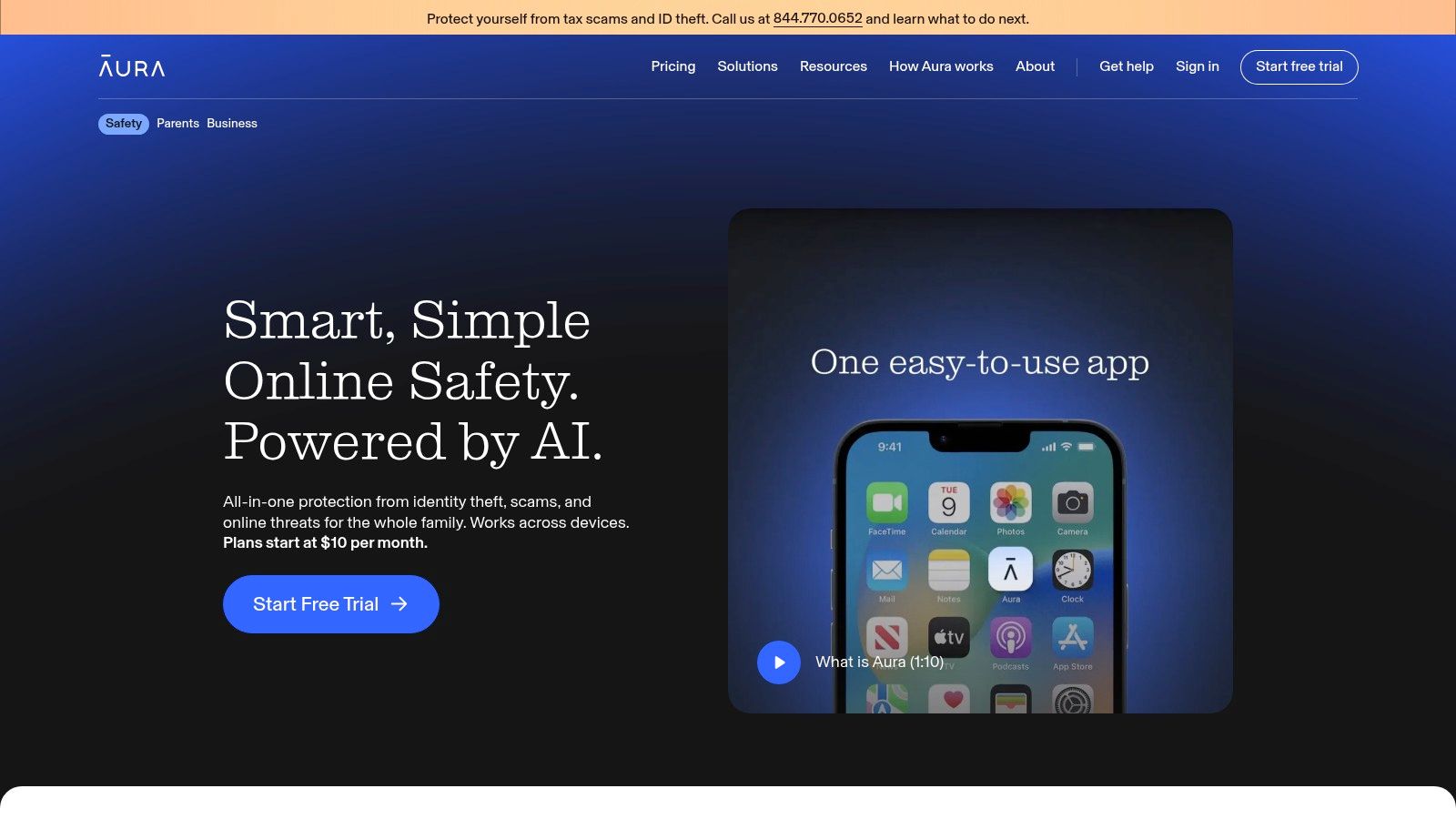
A common household problem looks like this. One parent wants credit monitoring, the other wants help after a data breach, and nobody wants to manage five separate security apps. Aura is one of the few services I tested that reduces that sprawl instead of adding to it.
Its appeal is consolidation. Aura combines identity monitoring with a VPN, antivirus, password manager, and privacy features in one app, so setup feels closer to deploying a family security bundle than buying a single-purpose identity product. That matters in practice because fewer moving parts usually means better adoption across a household.
What Aura gets right
Aura works best for families and busy users who want one subscription to cover several jobs well enough.
During setup, the experience is cleaner than what I saw from several competitors. The account flow pushes you to add monitoring details first, then install device protection, then invite family members. That order makes sense. It reduces the chance that someone pays for a family tier and never enrolls the rest of the household.
A setup that avoids headaches usually looks like this:
- Create the account and choose billing carefully: Aura often promotes discounted first-term pricing. Check the renewal price before you finish checkout.
- Add only the identity details you want monitored: Overfilling profiles can create noisy alerts and more cleanup later.
- Install device tools on high-risk devices first: Start with the phone and primary laptop that handle email, banking, and password resets.
- Invite family members early: Household protection loses value fast if a spouse or child never completes enrollment.
- Review alert settings after onboarding: The default configuration is reasonable, but it is still worth checking what will trigger notifications.
Family usability is a key differentiator here. Aura feels built for households from the start, not like an individual plan with family access added later. If your concern includes your spouse's accounts, your kids' personal data, and the usual pile of reused passwords and old devices, that design choice matters.
Aura makes the strongest case for buyers who want fewer subscriptions, one dashboard, and a setup process that nontechnical family members will finish.
The trade-offs you should know
The all-in-one model is convenient, but it can overlap with tools you already pay for.
If you already trust a separate password manager, VPN, or antivirus product, Aura may replace some of that stack without clearly beating it. I tell people to decide whether they want consolidation or best-of-breed tools first. Aura is a strong consolidation play. It is less convincing if you only want identity monitoring and already have the rest covered.
Alerting and recovery support are also more important than feature count. Aura did well in my testing because the service was easy to configure and the household workflow was smoother than average, but the long-term value still depends on whether you will use the bundled protections consistently.
That wider shift matters because identity theft now overlaps with account takeover, synthetic fraud, and misuse of exposed personal data. Our analysis of how AI is changing identity data security risks explains why credit alerts alone no longer cover the full problem.
My verdict is straightforward. Aura is one of the best identity theft protection services for households that want convenience, broad coverage, and less manual work. It is a weaker fit for buyers who already maintain a carefully chosen security stack and only need basic identity monitoring.
2. Norton LifeLock
A common buyer story goes like this. Someone gets a breach notice, checks a few bank transactions, then realizes they have no clear way to monitor identity misuse across credit, devices, and personal data exposure. Norton LifeLock appeals to that buyer because the brand is familiar, the setup is straightforward, and the plan ladder gives them an obvious starting point.
That familiarity is not just marketing gloss. In my testing, Norton LifeLock was easier to recommend to first-time buyers than stripped-down competitors because the purchase flow, dashboard language, and upgrade paths were easier to follow. People who are already using Norton security products will also find the ecosystem easier to manage than stitching together identity monitoring from one vendor and device protection from another.
Where LifeLock is strongest
LifeLock works best for buyers who want choice and expect their needs to change.
You can start with a lower-tier identity plan, then move to plans with broader credit monitoring and stronger restoration support if your situation changes. That matters for households dealing with a new mortgage, a teenager approaching adulthood, or an older parent who wants more hands-on recovery help after an alert.
I also found Norton LifeLock more practical than some identity-only services for users whose risk extends beyond credit files. Account takeover often starts with weak device hygiene, reused passwords, or poor privacy settings on phones and tablets. For that group, a broader approach to protecting your online privacy across devices and accounts can matter as much as the identity monitoring itself.
What to watch before you subscribe
The main drawback is plan complexity, especially once the first-term price disappears and renewal pricing takes over.
This is one of those services where the cheapest plan can look attractive, the premium plan can look safer, and neither may be the right fit. During hands-on review, the practical difference was not the number of features listed on the sales page. It was whether the extra credit coverage, reimbursement terms, and recovery support matched a real need. Buyers who upgrade out of anxiety often end up paying for extras they never use.
Check four things before you buy:
- Match the plan to the credit coverage you want: Bureau coverage differs by tier.
- Review how much overlap you already have: If you already pay for strong antivirus, a VPN, or other Norton tools, the bundle may or may not save money.
- Read the family plan details carefully: The lineup is flexible, but it is also easy to buy broader coverage than your household needs.
- Verify renewal pricing before checkout: Hidden long-term cost is one of the biggest practical trade-offs with LifeLock.
Norton LifeLock is still a strong option for buyers who want a mature platform, broad upgrade paths, and the comfort of a well-known security brand. It is a weaker fit for anyone who wants simple pricing, a narrow identity-only product, or a cleaner comparison between plans.
3. IdentityForce (a TransUnion brand)
You get a credit alert, log in, and want one answer fast. Is this a minor account change, or the start of a real identity problem? IdentityForce is built for that kind of buyer. It puts credit monitoring and restoration support at the center instead of surrounding them with a big security bundle.
After setting it up and testing the user flow, the appeal was clear. IdentityForce feels closer to a traditional monitoring service than a consumer security app. The dashboard is more functional than polished, but that trade-off works in its favor if you care more about seeing account activity quickly than browsing extra tools you may never use.
Where IdentityForce stands out
IdentityForce fits people who want a tighter focus on credit-related monitoring and a cleaner buying decision than some rivals offer.
That matters more than it sounds. In this category, a lot of frustration starts during signup. Some providers bury bureau differences, split recovery features across tiers, or push upgrades before you understand what the base plan covers. IdentityForce is easier to read. During review, that reduced one of the most common mistakes I see. Buyers paying for a higher tier before confirming they even need broader coverage.
It also suits users who want recovery help without paying for a full device-security package. If you already have antivirus, a password manager, or a VPN you trust, adding another all-in-one suite can create overlap instead of value. In that case, a dedicated identity product is often the smarter purchase. For readers who do want to add network privacy to their setup, a separate tool like NordVPN for secure online privacy makes more sense than forcing that decision through an identity bundle.
Trade-offs to understand before you subscribe
Price is the first one.
IdentityForce usually sits above budget entry plans, so it is harder to recommend to anyone shopping on monthly cost alone. You are paying for a more credit-centered service and the TransUnion connection, not for the lowest barrier to entry.
The second trade-off is presentation. The service works, but it is not the slickest platform in this roundup. Some buyers will like that because it feels more serious and less promotional. Others will prefer a smoother app experience, more family-oriented packaging, or broader non-credit monitoring under one subscription.
IdentityForce is a strong fit if these points match your priorities:
- Credit monitoring is the main reason you are buying: You want alerts and account visibility to be the core product.
- You already own other security tools: A narrower identity service avoids paying twice for the same extras.
- You prefer simpler plan decisions: The lineup is easier to compare than many heavily upsold competitors.
IdentityForce earns its place here because it stays focused. In hands-on use, that focus was both its advantage and its limitation. It is a good choice for credit-conscious buyers who want a practical monitoring service with recovery support. It is a weaker choice for bargain shoppers, buyers who want a polished family platform, or anyone expecting a broad security bundle under the same subscription.
4. Allstate Identity Protection (InfoArmor)
Allstate Identity Protection is the service I point people toward when they need broad family enrollment and they do not want a complicated buying flow.
That sounds small. It is not. Many identity services say they support families, then make household setup feel like an afterthought. Allstate is more practical. It is one of the more flexible picks if you need to cover a larger group under one plan and want support options that feel built for mainstream users, not only security enthusiasts.
The practical advantage
This service works well for big households and for buyers who care about restoration support as much as detection.
Its lineup is easier to understand than many competitors. That alone reduces purchase mistakes. You can generally tell whether you are buying recovery-only help or a more complete monitoring package without decoding marketing jargon.
I also like that it includes privacy-oriented tooling rather than pretending identity theft is only about credit files. Reducing your digital footprint matters. Exposure often starts long before fraud does. If that is part of your threat model, pairing an identity plan with stronger network privacy habits makes sense, and a tool like NordVPN for secure online privacy fits naturally beside this kind of service.
Family plans are only useful if adding people is easy. Allstate handles that better than many rivals.
The catch
The biggest trap with Allstate Identity Protection is assuming every plan includes proactive monitoring.
That is not always the case. Some buyers click into a recovery-oriented tier and think they are paying for help after something goes wrong. You need to choose the protection tier intentionally.
A few buying notes matter here:
- Check whether the plan is monitoring or restoration only: The names can sound broader than they are.
- Review state-specific coverage details: Insurance and coverage language can vary.
- Map your household before signup: If you need to add many people, confirm who is covered and how enrollment works.
- Do not overbuy cyber extras: Stick to the tier that matches your real exposure.
Allstate Identity Protection is one of the best identity theft protection services for large families and buyers who want a straightforward, support-heavy experience. It is weaker for solo users who only need lean, low-cost monitoring.
5. Experian IdentityWorks
Your card issuer flags a suspicious charge at breakfast. By lunch, you are checking your credit file, trying to freeze access, and figuring out whether the problem is a stolen number or the start of a larger identity mess. That is the situation where Experian IdentityWorks makes immediate sense. It is built for buyers who want identity monitoring tied closely to a major credit bureau, not wrapped in a broader family-security bundle.
That bureau connection is the main selling point. In my testing, setup felt more straightforward than with services that ask for the same sensitive details but have no direct credit-bureau relationship behind the login. If you already use Experian for credit reports, scores, or freezes, IdentityWorks feels familiar from the first screen.
It is also priced like a credit-first product, not a budget pick. The practical trade-off is simple. You pay more for bureau-native convenience, and you still need to watch the renewal terms closely if you start on a promotional or trial offer.
Why some users should start here
IdentityWorks fits people who care more about credit-file visibility than device security extras or household-wide bundles.
That focus can be a strength. The dashboard and alerts are easier to understand if your priority is spotting credit-related trouble fast and taking action through a service tied to the same ecosystem. For users who get overwhelmed by feature-heavy identity platforms, that narrower approach is often easier to stick with.
I also found it easier to recommend to people who already know their weak point is account hygiene around banks, cards, and loan portals. Identity monitoring helps after suspicious activity starts. Better credential habits reduce the chance of getting there in the first place. If that is an issue in your setup, review these password manager features many people still ignore alongside any identity plan.
The trade-offs to watch
The signup flow is convenient, and that is exactly why buyers should slow down for a minute.
Experian makes enrollment easy, but easy enrollment and easy renewal are not the same thing. I always tell clients to check what happens after the intro period, confirm the full recurring price, and set a calendar reminder before they finish checkout. That small step prevents a lot of avoidable frustration.
A few practical rules help here:
- Choose IdentityWorks for bureau-linked monitoring: That is the clearest reason to pay for it.
- Review the renewal terms before entering payment details: Trial pricing can hide the actual ongoing cost.
- Skip it if price is your main filter: Better-value services exist if direct Experian integration does not matter to you.
Experian IdentityWorks is one of the best identity theft protection services for credit-focused users who want familiar bureau tools and a cleaner path to credit monitoring. It is a weaker fit for budget shoppers, larger households, or anyone who wants broader digital protection in the same subscription.
6. IDShield (by LegalShield/PPLSI)
IDShield stands apart because it sells human-led restoration more aggressively than sleek app experiences.
This is a genuine distinction. Some buyers care most about detection dashboards. Others care about what happens on the worst day, when a fraud alert becomes a pile of calls, account freezes, disputes, and documentation. IDShield is aimed at the second group.
Who should choose IDShield
Use IDShield if your main fear is not “Will I get an alert?” but “Who helps me clean this up?”
Its restoration model is the strongest part of the pitch. That gives the service a more old-school feel than app-first competitors, but in this category that is not a weakness. Identity theft recovery is still messy. You do not solve it with a nicer homepage.
I also like that its month-to-month structure tends to feel simpler than teaser-heavy competitors. That makes budgeting easier and reduces the usual first-year-versus-renewal frustration.
Where it is less competitive
IDShield is not the cleanest option for buyers who want dense credit-report features or highly polished consumer dashboards.
Its device-security add-ons are useful, but they are not the reason to buy it. If your goal is broad digital household protection, Aura or Norton-style bundles make more intuitive sense. If your goal is credit-heavy monitoring, other products are more specialized there too.
Consider these points:
- Best fit: People who value hands-on recovery support.
- Less ideal: Users chasing the slickest app or deepest credit extras.
- Worth checking: Buyers who hate teaser discounts and prefer simpler monthly billing.
In identity protection, good restoration support is not a bonus feature. It is often the only part you remember when something goes wrong.
IDShield earns its place among the best identity theft protection services because it focuses on the ugly part of the problem instead of only the easy-to-market part.
7. IdentityIQ
You sign up after a card fraud scare, enable alerts, and want one answer fast. Will this service catch the next problem quickly enough to matter without locking you into a premium bill? IdentityIQ is built for that buyer.
In testing, IdentityIQ made the most sense as a lower-cost on-ramp for people who want identity monitoring before they commit to a bigger family bundle or a heavier security suite. The setup is straightforward, the plan ladder is easy to understand, and the service does not feel stripped to the point of being useless. That last part matters. Some budget plans in this category exist mainly to upsell you.
Where IdentityIQ makes sense
IdentityIQ works best for buyers who want basic identity monitoring, dark web alerts, and the option to add more coverage later. I see the appeal for someone who has never paid for identity protection before and wants to test whether alerts, credit features, and restoration help are worth an ongoing subscription.
Its pricing structure also creates a practical advantage. You can start lower, see how often the alerts are useful, and decide whether broader credit monitoring or family coverage justifies the jump. That is a real trade-off, not a flaw. Plenty of people do not need an expensive all-in-one plan on day one.
Alert speed is part of the pitch here, and in a service like this, speed matters more than marketing labels. During setup and trial use, the bigger question was not whether the dashboard looked polished. It was whether the service surfaced meaningful events quickly and gave a clear next step when it did.
The trade-off
IdentityIQ is less convincing if your top priority is premium support experience, cancellation confidence, or the cleanest app in the category.
That does not rule it out. It means I would treat it as a practical monthly subscription first, then decide whether it has earned a longer commitment after a billing cycle or two. That approach helps avoid the hidden cost problem that shows up across this category, where an attractive intro rate can look very different at renewal.
A few buyers will find that approach especially sensible:
- Lower-cost entry point: Useful for testing whether paid monitoring fits your habits.
- Upgrade path: You can start lean and add broader coverage later.
- Family options: Available if your needs expand beyond one person.
- Optional extras: Helpful if you want flexibility instead of paying for a larger bundle upfront.
IdentityIQ earns its spot on this list because it covers the basics well enough to be worth considering, especially for value-focused buyers. I would skip it if you want the strongest white-glove support or the most polished overall experience from the start.
Top 7 Identity Theft Protection Services Comparison
| Service | Implementation complexity | Resource requirements | Expected outcomes | Ideal use cases | Key advantages |
|---|---|---|---|---|---|
| Aura | Moderate – app setup plus device security installs | Paid subscription; Family tier covers up to 5 adults & unlimited kids; includes VPN/AV/password manager | Near real-time alerts, 3-bureau credit monitoring (Experian), data-broker removal, identity insurance (listed $1M/adult; family aggregate noted) | Households wanting an all-in-one digital safety + device protection bundle | Extensive bundle for families, strong device/privacy features |
| Norton LifeLock | Moderate – choose tier and optional Norton 360 bundle | Paid tiered plans; higher tiers enable tri-bureau monitoring; optional malware suite | Tiered alerts & monitoring, up to $3M insurance on top plan, broad monitoring types (title, phone takeover) | Users who want granular plan options and optional integrated device security | Granular plans, strong brand recognition, broad coverage |
| IdentityForce (TransUnion) | Moderate – standard account setup for frequent reporting | Higher starting price; daily TransUnion reports and tri-bureau options on select plans | Deep credit monitoring cadence, frequent credit visibility, full restoration, $1M-$2M insurance | Users needing enterprise-grade credit monitoring and frequent updates | Strong credit depth and monitoring cadence; transparent trials |
| Allstate Identity Protection (InfoArmor) | Simple – straightforward enrollment and family adds | Paid monthly tiers; supports many additional family members (large family capacity) | Monitoring, alerts, Digital Footprint privacy tool, US-based 24/7 restoration/support | Large families seeking straightforward pricing and US-based support | Competitive family pricing, clear plan lineup, US support |
| Experian IdentityWorks | Simple – integrates directly with Experian tools and credit lock | Paid plans with Experian bureau features; 7-day free trial (card required) | Experian credit locks, alerts, tri-bureau options on select plans, up to $1M insurance | Users who want direct credit-bureau integration and credit lock control | Smooth Experian integration and clear post-trial pricing |
| IDShield (LegalShield) | Moderate – select bureau level, enable restoration access | Month-to-month pricing; optional device security add-ons; licensed PI restoration | Hands-on restoration by licensed private investigators, 1- or 3-bureau monitoring, up to $3M reimbursement | Users prioritizing human-led remediation and predictable pricing | Licensed PI restoration, transparent pricing, strong reimbursement caps |
| IdentityIQ | Easy – budget onboarding with optional add-ons | Low starting price (best with annual billing); optional VPN/AV bundles; family plans available | Dark web & application monitoring, IQ Alerts, identity theft insurance up to $1M, stolen funds reimbursement on higher tiers | Cost-sensitive users wanting basic monitoring and optional device protection | Affordable entry pricing, flexible add-ons, family options |
Final Thoughts
A useful identity theft service earns its keep on the day something goes wrong. You get a new-account alert at dinner, your card issuer starts texting fraud warnings, and you need to know whether the service will surface the issue fast, show you what to do next, and put a real person behind the recovery process. That is the lens that matters more than a long feature grid.
After setting these services up and testing how they handle monitoring, alerts, pricing, and renewal, the pattern was clear. They solve different problems, and the trade-offs show up quickly once you move past the sales page.
Aura fits households that want identity monitoring bundled with broader digital safety tools in one place. Norton LifeLock offers the widest menu of plans, but that also means more time spent comparing tiers and watching renewal pricing. IdentityForce and Experian IdentityWorks are strongest for people who care most about credit visibility. Allstate Identity Protection is a practical pick for larger families. IDShield is the one I would shortlist first if hands-on restoration support matters more than interface polish. IdentityIQ keeps costs down, but the best value depends on which extras you need and what the renewal price looks like after the intro period.
Paid protection is not mandatory for everyone.
Free tools still cover a lot of ground if you are disciplined. Credit freezes, account alerts, strong unique passwords, an authenticator app, and regular credit-report checks can reduce risk without adding another subscription. For organized users who will maintain that routine, a paid service can be optional.
The value of a paid plan shows up in convenience, consistency, and recovery help. It makes more sense if you are protecting multiple people, want one dashboard for alerts, know you will not monitor free tools consistently, or want an experienced restoration team ready if fraud turns into a long cleanup job. That last point matters. In real cases, the stressful part is often not spotting the problem. It is handling calls, affidavits, freezes, bureau disputes, and account recovery without losing days to the process.
Cost is still the biggest filter for a lot of buyers, which matches what I see in practice. Plenty of people want monitoring. Fewer want another annual bill unless the setup is smooth, the alerts are useful, and the support team proves its value during an incident.
Choose based on your habits and your risk profile.
Start with Aura if you want broad digital protection in one app. Pick Norton LifeLock if you want more plan flexibility from a familiar brand. Choose IdentityForce or Experian IdentityWorks if credit-focused monitoring is the priority. Put IDShield near the top of your list if recovery support is the deciding factor. Start with IdentityIQ if budget comes first. Give Allstate Identity Protection a close look if you are covering a larger family and want straightforward administration.
The best service is the one you will fully set up, keep active, and respond to when an alert comes in.
Tech Verdict helps readers cut through security marketing and choose tools that fit real-world risks, budgets, and workflows. If you want more practical comparisons on privacy software, cybersecurity tools, and AI-driven consumer tech, visit Tech Verdict.