Americans lose an estimated $119 billion annually to online scams, a figure far above what official complaint systems capture, according to the Consumer Federation of America’s scam loss analysis. That gap matters because it shows how often scams succeed unnoticed, inside inboxes, social apps, fake storefronts, and urgent-looking messages that never make it into a formal report.
If you want to know how to avoid online scams, the most effective approach isn’t one magic app or one perfect security setting. It’s a set of habits. Small business owners need one version of that playbook. Families need another. The overlap is large, but the pressure points are different. A business might get hit with a fake vendor invoice or an AI voice call. A household might get trapped by a fake delivery text, a bogus shopping site, or an over-permissioned smart home app leaking useful personal data.
Table of Contents
- The Sobering Reality of Online Scams in 2026
- Know Your Enemy Recognizing Common Online Scams
- Building Your Digital Fortress Proactive Defense Measures
- Advanced Threats and Tailored Advice
- You Have Been Scammed Now What
- Frequently Asked Questions About Online Scams
The Sobering Reality of Online Scams in 2026
Americans are estimated to lose $119 billion a year to online scams, far above the losses that ever make it into official complaint systems. The gap matters for one practical reason. If you judge risk only by reported cases, you will underestimate how often ordinary texts, DMs, marketplace chats, and account alerts are being used to start fraud.

This data reveals two key points: scams are routine, not rare, and attackers prefer the same channels people trust for daily communication. That changes how families and small businesses should defend themselves.
For a small business owner, the danger is often a believable message that arrives in the middle of normal work. A bookkeeper gets a note from a “vendor” asking to update bank details. A manager receives a voice note that sounds like the owner and asks for gift cards before a client meeting. A customer service rep clicks a fake shared document because the request matches the pace of a busy day. None of these look like the old cartoon version of spam.
For a family, the attack surface is different, but the pattern is the same. The scam is mixed into everyday life: a delivery text, a school app message, a Facebook Marketplace exchange, a smart doorbell notification, or a call that sounds like a relative in trouble. Homes now run on connected devices, shared accounts, and constant notifications. That gives criminals more openings than a single email inbox ever did.
Practical rule: Treat unsolicited urgency as hostile until you verify it through a separate, trusted channel.
I tell clients to stop asking whether a message looks real. That test fails too often. The better question is whether the request follows a process you already trust. If your bank needs action, open the official app or call the number on your card. If a staff member requests a payment change, confirm it through your existing approval process. If a smart home app sends an alert asking you to log in from a link, go to the app directly instead.
AI is raising the difficulty level. Voice cloning, deepfake video, polished scam copy, and fake identity documents let criminals impersonate people with far less effort than before. AI makes impersonation easier and worsens the identity problem. AI-driven identity breakdowns deserve more attention. Good security in 2026 depends on verification habits that still work when the fake message sounds convincing, looks clean, and arrives through a channel you use every day.
Know Your Enemy Recognizing Common Online Scams
Scam defense starts with pattern recognition. Not technical skill. Pattern recognition. Once you learn what the attacker wants, the message becomes easier to read.
The broad goal is usually one of four things: steal credentials, steal money, trick you into authorizing payment, or plant software that gives the attacker another way in. According to Statista’s overview of online fraud in the United States, phishing remained the most common cybercrime with nearly 299,000 reports in the US in 2023, business email compromise caused $2.94 billion in losses, and imposter scams were the most reported fraud type initiated online.
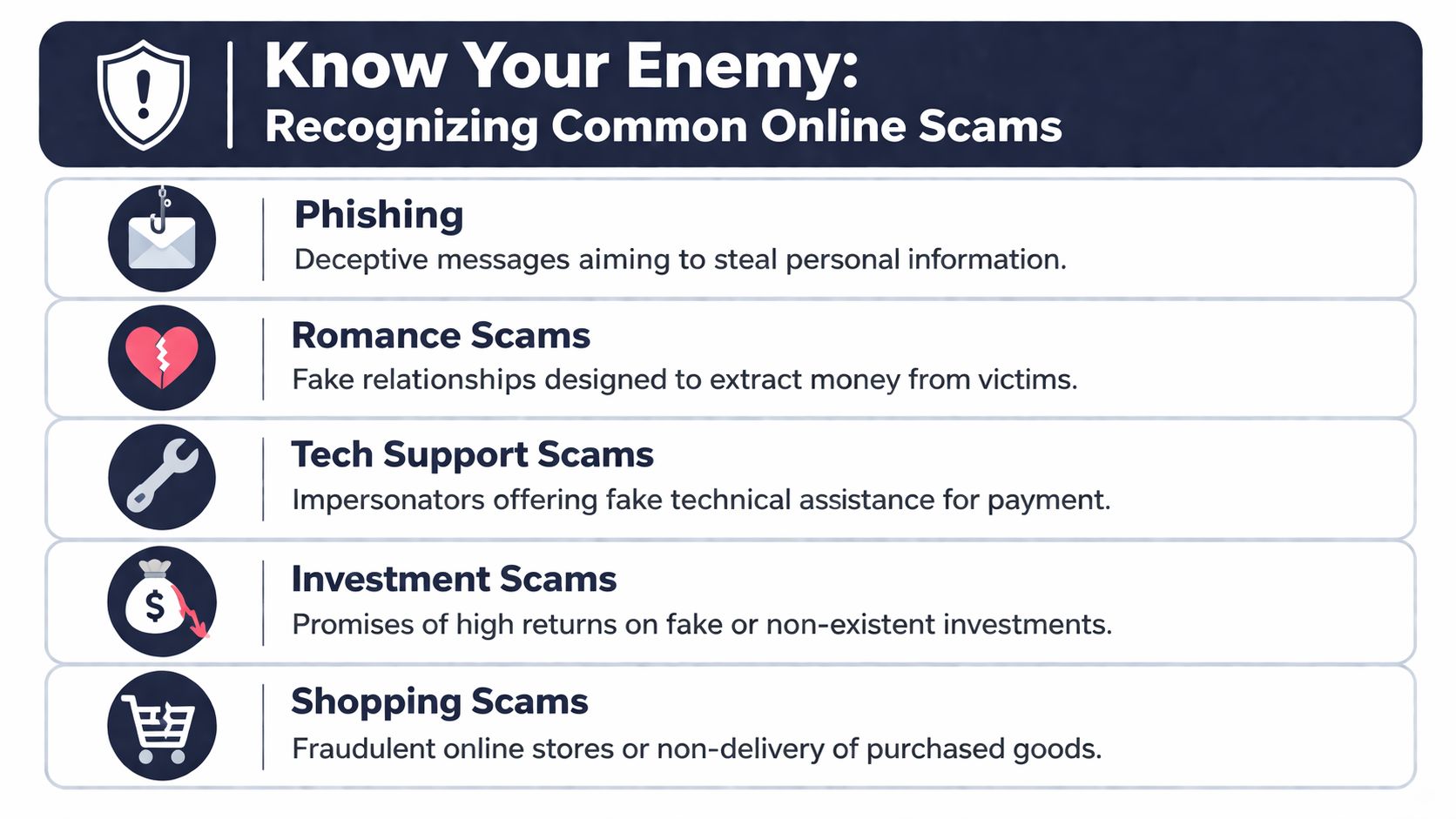
Phishing and smishing still dominate
Phishing is any deceptive message meant to get you to click, log in, send money, or reveal sensitive information. If it lands by text message, people often call it smishing. The delivery-service text wave is a classic example. “Your package is delayed.” “Pay a small fee.” “Confirm your address.” The amount looks harmless, so people drop their guard.
The scammer’s objective isn’t always the small payment. Often, it’s your card number, account credentials, or identity details.
Common red flags include:
- Mismatch between message and context: You weren’t expecting a package, invoice, tax notice, or account warning.
- Pressure to act fast: “Today only,” “account suspended,” “final reminder,” or “payment failed.”
- Login links in a message: A real company may alert you, but you should open the app or type the address yourself.
Never fix an account problem from a link inside a text or email. Go to the service directly.
Impersonation works because it feels familiar
Impersonation is broader than phishing. The attacker pretends to be someone you already trust. That could be your bank, your accountant, a government office, your boss, or your child messaging from a “new number.”
Small businesses get hit hard here because normal operations rely on quick approvals. A scammer watches your website, LinkedIn posts, invoices, or social media presence, then contacts the right person with just enough context to sound legitimate. They don’t need a perfect script. They need a believable reason for you to skip verification.
Watch for these warning signs:
- Changes to payment instructions: A vendor suddenly wants funds sent to a different account.
- Emotion plus urgency: “I’m in a meeting, can’t talk, send this now.”
- Off-channel communication: A finance request arrives through text, personal email, or social DM instead of your normal workflow.
Business email compromise takes on a dangerous dimension. The message can be grammatically clean, professionally timed, and tied to a real event like payroll, a shipment, or quarter-end payments.
Fake shops and fake checkout pages
Shopping fraud catches smart people because it often looks like a normal bargain, not a scam. The fake site may have a polished logo, product photos, shipping policies, and even fake customer service chat.
What gives it away is usually the buying experience. The site pushes payment methods that leave you with little recourse. Product descriptions look copied. Contact details are vague. The return policy exists, but doesn’t tell you who runs the store or where the business is based.
Here’s a quick field guide:
| Scam Type | Primary Channel | Key Red Flag |
|---|---|---|
| Phishing | Login or payment link tied to urgency | |
| Smishing | Text message | Short warning message with a tracking or verification link |
| Business impersonation | Email or phone | Sudden change in payment instructions |
| Shopping scam | Fake storefront | Prices look attractive but business details are thin |
| Tech support scam | Pop-up or call | Claims your device is infected and demands immediate action |
| Romance scam | Social or dating platform | Fast emotional escalation followed by money requests |
When you shop online, slow down before checkout. Search for the company outside the ad. Check whether the store has a real support path and whether the product pages look like they were copied in bulk.
Malware and fake security tools
Some scams don’t ask for money first. They want access. That may come through a fake browser update, a bogus document share, a malicious attachment, or a fake antivirus app that claims to clean your phone while doing the opposite. We’ve already seen how fake antivirus apps can deliver Android malware, and the same tactic keeps resurfacing under new names.
Malware scams often rely on fear. “Your phone is infected.” “Your storage is corrupted.” “You must install this security fix.” The software may ask for excessive permissions, accessibility access, notification access, or device admin rights.
A practical checklist helps:
- Install software only from trusted stores or the vendor’s official site
- Read permission prompts like they matter, because they do
- Don’t open attachments you weren’t expecting, even if they appear to come from someone you know
- If a browser page says your device is infected, close the page. Don’t call the number on the screen
A real security warning tells you what happened and what action the product itself recommends. A scam warning pushes panic and immediate contact.
Building Your Digital Fortress Proactive Defense Measures
Recognition is useful. Systems are better. The people who avoid online scams most consistently are the ones who remove as many risky decisions as possible from their daily routine.
Start with passwords and MFA
Password reuse still causes damage far beyond the first breached account. If one shopping site gets compromised and you reused that same password for email, banking, or cloud storage, the attacker has a map to your digital life.
Use a password manager like Bitwarden or 1Password to generate unique passwords for every account. For shared business access, use vaults instead of emailing credentials or keeping them in spreadsheets.
Then enable multi-factor authentication on your highest-value accounts first. Email, banking, payroll, password manager, cloud storage, domain registrar, and remote access tools come before everything else. According to guidance on MFA and scam prevention, MFA blocks over 99.9% of automated account compromise attacks, but the same guidance warns that app-based authenticators or hardware keys are better choices than SMS because SIM-swapping remains a serious risk.
Use this path where possible:
-
Open the account’s security settings
Look for Settings > Security > Two-Factor Authentication or a similar menu. -
Choose an authenticator app or hardware key
Google Authenticator, Authy, and hardware keys such as YubiKey are stronger options than text-message codes. -
Store backup codes safely
Put them in your password manager or another secure offline location. -
Test recovery before you need it
Log out and make sure you can get back in without improvising.
For small businesses, email deserves special attention. If an attacker gets into one employee mailbox, they can monitor conversations, alter invoices, and launch convincing internal fraud.
Tighten browsing and software habits
Most scam prevention advice gets vague here. “Be careful online” isn’t a plan. You need repeatable rules.
Adopt these habits:
- Type important site addresses yourself: Banking, payroll, tax portals, and admin dashboards should never be accessed from random links in messages.
- Update devices promptly: Phones, laptops, routers, browsers, and business software should all stay current.
- Reduce your app footprint: Remove software you no longer use, especially browser extensions and mobile utilities with broad permissions.
- Separate admin and daily use when possible: Use a standard user account for routine work and keep administrator privileges for actual maintenance.
For households, browser hygiene matters more than commonly assumed. Coupon extensions, PDF tools, video downloaders, and “free utility” apps are common doors for tracking, ad fraud, and credential theft. For businesses, the issue is often shared convenience. One person installs a helper tool, everyone starts using it, and nobody checks what it can access.
A good privacy posture also cuts down your exposure to scams. The less personal data you leak through browsing, public Wi-Fi, and over-shared apps, the harder it is for attackers to tailor believable lures. That’s one reason online privacy tools and VPN habits matter even if your immediate goal is scam prevention.
Here’s a short explainer worth watching before you lock in your setup:
Use payment methods with leverage
Not every payment method gives you the same protection after a scam. That trade-off matters.
Cards generally give consumers more options to dispute fraudulent charges than bank transfers, gift cards, crypto transfers, or peer-to-peer payments sent to a scammer under false pretenses. For businesses, approval controls matter just as much as payment method. If one person can create a vendor, change bank details, and approve the payment alone, your process is too trusting.
Build friction where money moves:
- For families: Prefer credit cards for online purchases, avoid paying strangers through irreversible methods, and save receipts and screenshots.
- For small businesses: Require a callback or second approval for vendor detail changes, invoice reroutes, and urgent payment requests.
- For everyone: Treat any request to use gift cards, crypto, or unusual payment apps as a major warning sign.
The safest payment is the one you can stop, dispute, or verify before it settles.
Secure the network your life runs on
Your accounts live on devices, but your daily risk often runs through the network. Home Wi-Fi, coffee shop access, guest devices, cheap smart gadgets, and old routers all widen the attack surface.
For a home setup, start simple. Change the default router password. Use current encryption options if your hardware supports them. Put guests on a guest network. If your router allows it, separate smart home devices from laptops and phones.
For a small office, be stricter:
- Put work systems on their own network
- Keep IoT devices off the same segment as laptops handling finance or customer data
- Disable remote management unless you actively need it
- Review who has access to shared drives, printers, and cloud dashboards
VPNs help most when you travel, work remotely, or regularly use networks you don’t control. They don’t make scam decisions for you, but they reduce passive exposure and protect traffic from snooping on untrusted connections. Used with strong MFA, software updates, and sane permissions, they add another solid layer.
Advanced Threats and Tailored Advice
Scammers have moved well past clumsy phishing emails. The attacks causing the biggest losses now use context, stolen routine data, cloned voices, and convincing fake video to push people into quick decisions.

I see one mistake in both homes and small companies. People assume a message is safe because it sounds familiar. In 2026, familiarity can be faked.
For small businesses facing AI impersonation
Small businesses are exposed in a different way than consumers. A family usually loses access to one account or one payment method. A business can lose payroll funds, vendor payments, customer records, and trust in a single incident.
AI impersonation works because it targets normal habits. The owner sends quick voice notes. The office manager approves a rush invoice. A supplier asks for updated bank details before close of business. None of that looks strange on its own. The attacker only needs one believable moment.
What works is a process that survives pressure:
- Use a verification code for high-risk requests: Keep it simple and rotate it occasionally. If someone asks to move money, change banking details, release tax documents, or buy gift cards, they must provide the code through an approved channel.
- Call back using a saved number: Never rely on the number in the email, text, or voicemail that made the request.
- Separate request, approval, and release: One person can receive the request, another can approve it, and a third can send the payment or data.
- Set rules for after-hours requests: If a request arrives late, the default answer is wait until verification is complete.
- Train for voice and video fraud: Staff should know that hearing the owner’s voice or seeing a face on camera no longer proves identity.
A two-person company can still do this. I have helped small firms use a simple checklist taped near the desk where payments are approved. It slows down urgent requests by two minutes. That is usually enough to stop the scam.
If your business stores customer data, combine anti-scam controls with a documented breach response plan. This small business data breach response guide is a good starting point for deciding who checks logs, who contacts vendors, and who handles customer communication.
For families using smart home devices
Homes face a different problem. Smart devices collect fragments of daily life. Doorbell alerts, garage access, speaker commands, location sharing, and app permissions can reveal when you are home, when you travel, and which services you use.
That information helps scammers write messages that feel personal. A fake delivery text is more convincing if it mentions the brand of camera at your front door. A fake utility warning lands harder if a scammer knows which smart thermostat app you use. A criminal does not need full identity theft data to cause damage. A few accurate details can be enough.
Focus on reducing how much your devices and apps expose:
- Check permissions on every smart home app: Camera, microphone, contacts, location, Bluetooth, and background access should each have a clear reason.
- Remove devices that no longer get updates: Old cameras, plugs, and hubs become long-term weak points.
- Limit who can access household systems: Avoid permanent shared logins. Give each person their own account if the platform supports it.
- Review linked services: Smart speakers, doorbells, and home hubs often connect to shopping accounts, calendars, and cloud storage.
- Watch for reused passwords on companion apps: A low-cost gadget account can become a path into email or shopping accounts if credentials are reused.
Families should also treat children and older relatives as part of the security plan. I have seen scammers call grandparents using an AI-cloned voice that sounds like a grandchild in trouble. I have also seen fake smart-home support calls convince people to install remote access tools on a laptop. The defense is the same each time. Stop. Verify through a separate channel. Do not let urgency make the decision.
What generic scam advice misses
Generic guidance usually tells people to look for bad spelling, strange links, or obvious red flags. Those signs still help, but they are no longer enough.
Modern scams succeed because the attacker has details. For a business, that means the strongest defense is a payment and approval system that does not trust any single message, call, or video clip. For a household, it means cutting down unnecessary app permissions, shared access, and always-on data collection that gives criminals material for more convincing lures.
Convenience has a cost. Auto-saved cards, broad smart-home permissions, shared family logins, and casual approval habits save a little time today and create easier openings later.
If your protection only works when you are calm, alert, and impossible to rush, it will fail at the worst moment. Build checks that still hold up on a busy day.
You Have Been Scammed Now What
Panic causes second mistakes. The goal in the first hours is to stop the damage from spreading, preserve evidence, and regain control of your accounts and money movement.
The first hour matters most
-
Secure the account or device that was exposed
If you clicked a phishing link and logged in, change that password immediately from a clean device. If the same password was reused anywhere else, change those accounts too. If you installed suspicious software, disconnect the device from the internet until you can assess it. -
Lock down your email first
Email is usually the recovery hub for everything else. If an attacker controls your mailbox, they may reset passwords for banking, shopping, payroll, or cloud accounts. Review forwarding rules, recovery addresses, and sign-in activity. -
Turn on stronger authentication where it’s missing
Add app-based MFA or a hardware key to the most sensitive accounts as you recover them. Don’t wait until next week. -
Call your bank, card issuer, or payment service
Tell them clearly that you believe you’ve been scammed, identify the transaction, and ask what can still be stopped or disputed. If this affected a business account, ask whether recent changes to beneficiaries, payment instructions, or account access can be reviewed. -
Report the scam to the platform where it happened
If it started on social media, messaging, marketplace chat, or email, submit the report through that service. It may not solve your case, but it can help cut off the account before it reaches someone else. -
Document everything
Save screenshots, message headers if available, transaction records, usernames, phone numbers, email addresses, timestamps, and the sequence of events. Clear records make bank disputes, law enforcement reports, and internal remediation easier. -
File official reports
Report scams to the FTC and, when appropriate, to the FBI’s IC3. If your business was targeted, keep internal notes for accounting, legal, and insurer review as well.
If the incident includes broader account exposure, identity theft risk, or leaked personal information, this recovery checklist on what to do after a data breach is a useful companion.
Act fast, but don’t start clicking random “recovery” links. Go directly to your providers through official apps and websites.
What to say when you call your bank or provider
People often lose time because they describe the incident vaguely. Be direct.
Use language like this:
- “I authorized this because I was deceived by a scammer impersonating a legitimate party.”
- “I believe my account credentials were entered on a fraudulent page.”
- “I need to review recent transactions and lock down any additional access.”
- “Please note this as fraud or scam activity and advise what recovery options are still open.”
For a business, add whether vendor details changed, whether employee email was compromised, and whether any invoices or approvals may have been altered. Then audit internal workflows. If one person could approve too much too quickly, fix that before normal operations resume.
Frequently Asked Questions About Online Scams
Can I get my money back after being scammed
Sometimes. It depends heavily on how you paid, how quickly you acted, and whether the provider can still stop or dispute the transfer.
Card payments often offer better chances of recovery than direct bank transfers, gift cards, crypto, or peer-to-peer payments sent under false pretenses. That doesn’t mean recovery is guaranteed. It means your odds are usually better when the payment system supports disputes and fraud review. The practical rule is simple. Contact the provider immediately, preserve evidence, and explain the scam clearly.
Are password managers actually safe to use
For many, yes. More important, they’re usually much safer than the alternative.
For most households and small businesses, a key risk isn’t “putting all eggs in one basket.” It’s reusing the same weak or slightly modified passwords across many accounts. A good password manager helps you generate unique passwords, store them securely, and stop relying on memory or reused patterns. The master password still matters a lot, and you should protect the manager itself with strong MFA.
If you’re comparing services, this guide to identity theft protection tools and related security services can help you think through the trade-offs.
How can I quickly tell if a shopping website is fake
Use a fast three-part check before you buy.
- Check the path in, not just the page: If you arrived through a social ad, random DM, or search ad for a deal that seems unusually attractive, slow down.
- Check business identity: Look for a real contact page, consistent branding, clear return terms, and signs that a real company stands behind the site.
- Check payment behavior: Be cautious if the site pushes unusual payment methods, creates unusual urgency, or makes checkout feel evasive.
You don’t need to prove a store is fake with certainty. If the site gives you enough doubt, that’s enough reason to leave.
A final point on how to avoid online scams. The people who do best aren’t the ones who “know every scam.” They’re the ones who verify before acting, use stronger defaults, and make high-risk actions slightly harder.
Tech changes quickly, and scam tactics change with it. Tech Verdict tracks the tools, privacy products, AI risks, and cybersecurity developments that shape those decisions, so if you want practical guidance without the marketing fluff, it’s worth keeping an eye on the site. Which type of online scam worries you most right now, fake shopping sites, phishing texts, or AI impersonation?