Tuesday, June 9, 2026
techverdict
  • Home
  • Artificial Intelligence
    • ChatGPT
    • Claude
    • Gemini
    • Perplexity
  • Cybersecurity
    • Antivirus & Malware Protection
    • Network and Firewall Security
    • Password Managers
    • VPN
    • Identity & Data Protection
  • Smart home
    • Alexa
    • Google Home
    • Matter
  • Technology
    • Desktop
    • Laptop
    • Smartwatches
    • Phones
  • Review
    • VPN
No Result
View All Result
SAVED POSTS
techverdict
  • Home
  • Artificial Intelligence
    • ChatGPT
    • Claude
    • Gemini
    • Perplexity
  • Cybersecurity
    • Antivirus & Malware Protection
    • Network and Firewall Security
    • Password Managers
    • VPN
    • Identity & Data Protection
  • Smart home
    • Alexa
    • Google Home
    • Matter
  • Technology
    • Desktop
    • Laptop
    • Smartwatches
    • Phones
  • Review
    • VPN
No Result
View All Result
techverdict
No Result
View All Result

How to connect your IKEA smart home gadgets to Amazon Alexa

in Artificial Intelligence
Reading Time: 3 mins read
A A
0
How to connect your IKEA smart home gadgets to Amazon Alexa
289
SHARES
1.6k
VIEWS
Share to XShare to LinkedinShare to Pinterest

How to connect your IKEA smart home gadgets to Amazon Alexa

IKEA smart home gadgets are everywhere at the moment, meaning they’re often sold out on IKEA’s website. Still, if you’ve managed to get your hands on one or two, you’re probably ready to start adding them to your wider smart home setup.

If you’ve been here before, you’ll know my smart home is built around Amazon Alexa, so a lot of my guides focus on getting new devices working smoothly with Amazon’s best smart speakers. 

1. Open up the Amazon Alex app

This first step can vary depending on the brand – sometimes you need to use the manufacturer’s app, other times the Alexa app itself. For IKEA devices, the set up process takes place in the Amazon Alexa app.

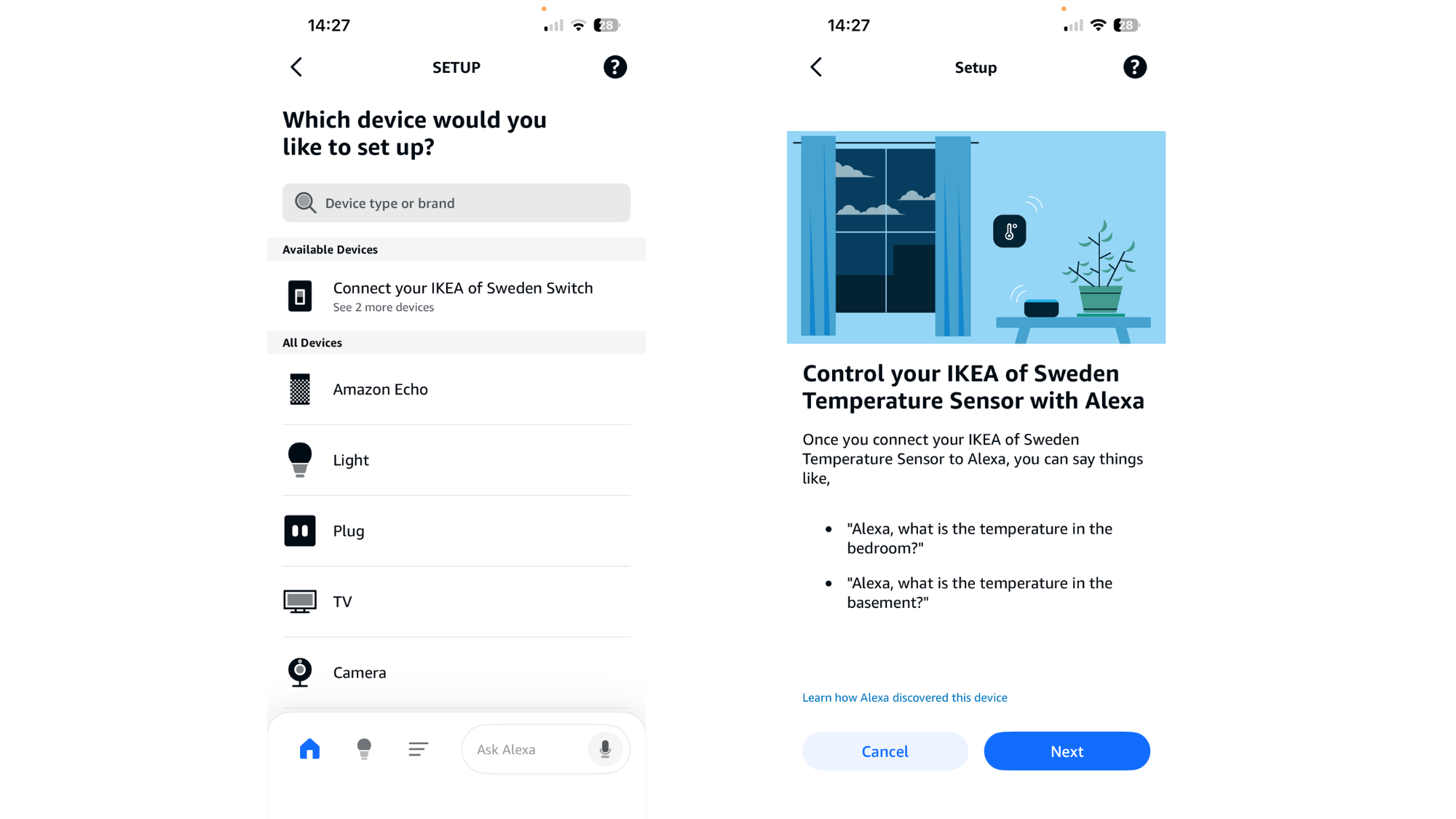
Tap the + icon in the top right corner. Your device may already appear here automatically. In my case, Alexa picked up a few gadgets I’d set up previously, even though they weren’t powered on at the time.

If your device doesn’t show up, you can search for IKEA manually and select the device you want to connect.IKEA device set up
(Image credit: Lizzie Wilmot / T3)

2. Connect your device

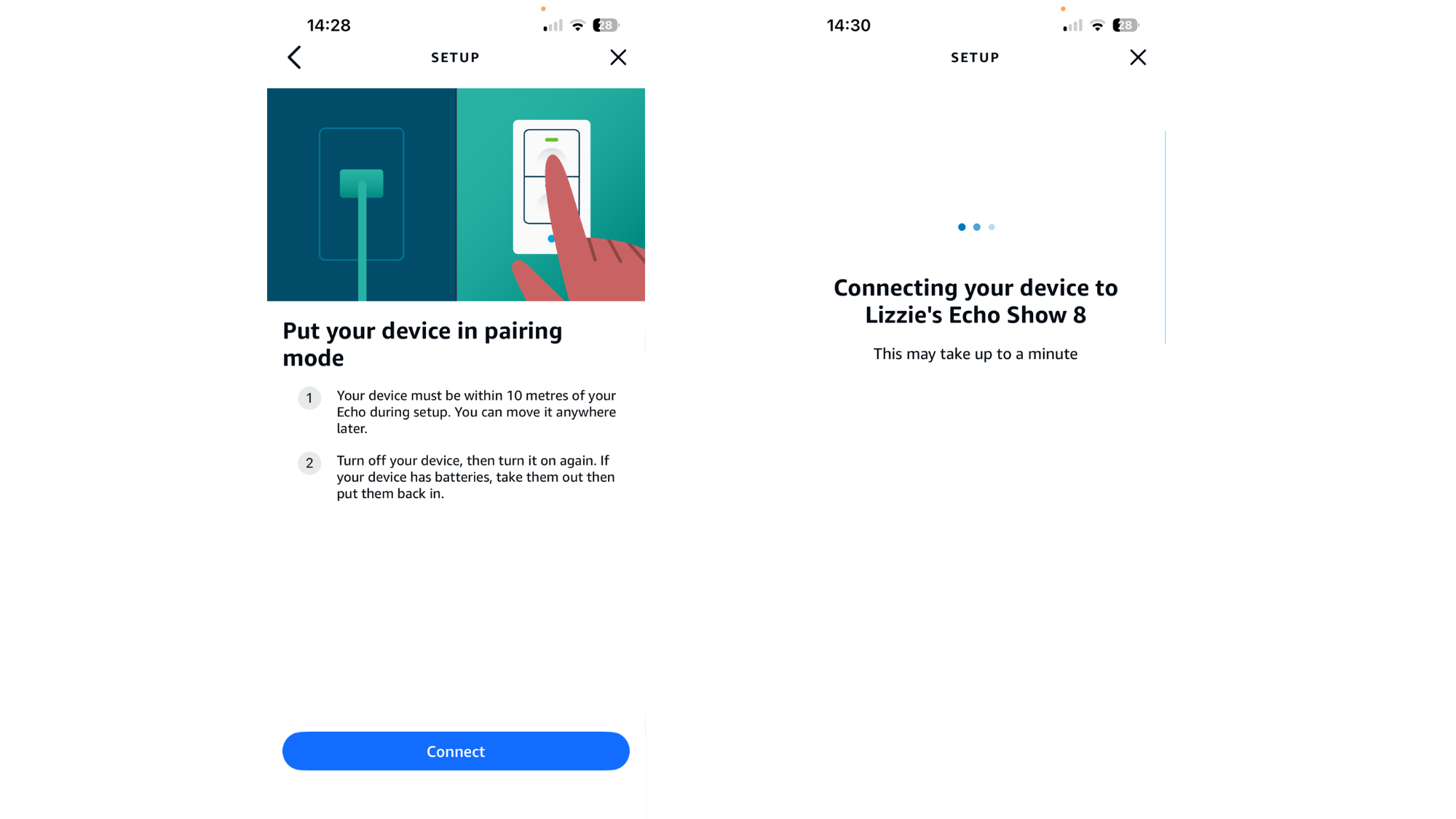
Once you’ve selected the device, just follow the on-screen prompts. This usually involves scanning the QR code on the back of the device and putting it into pairing mode. For most IKEA devices, that means removing the batteries and popping them back in again, unless there’s a physical on/off button you can press instead.

Get all the latest news, reviews, deals and buying guides on gorgeous tech, home and active products from the T3 experts

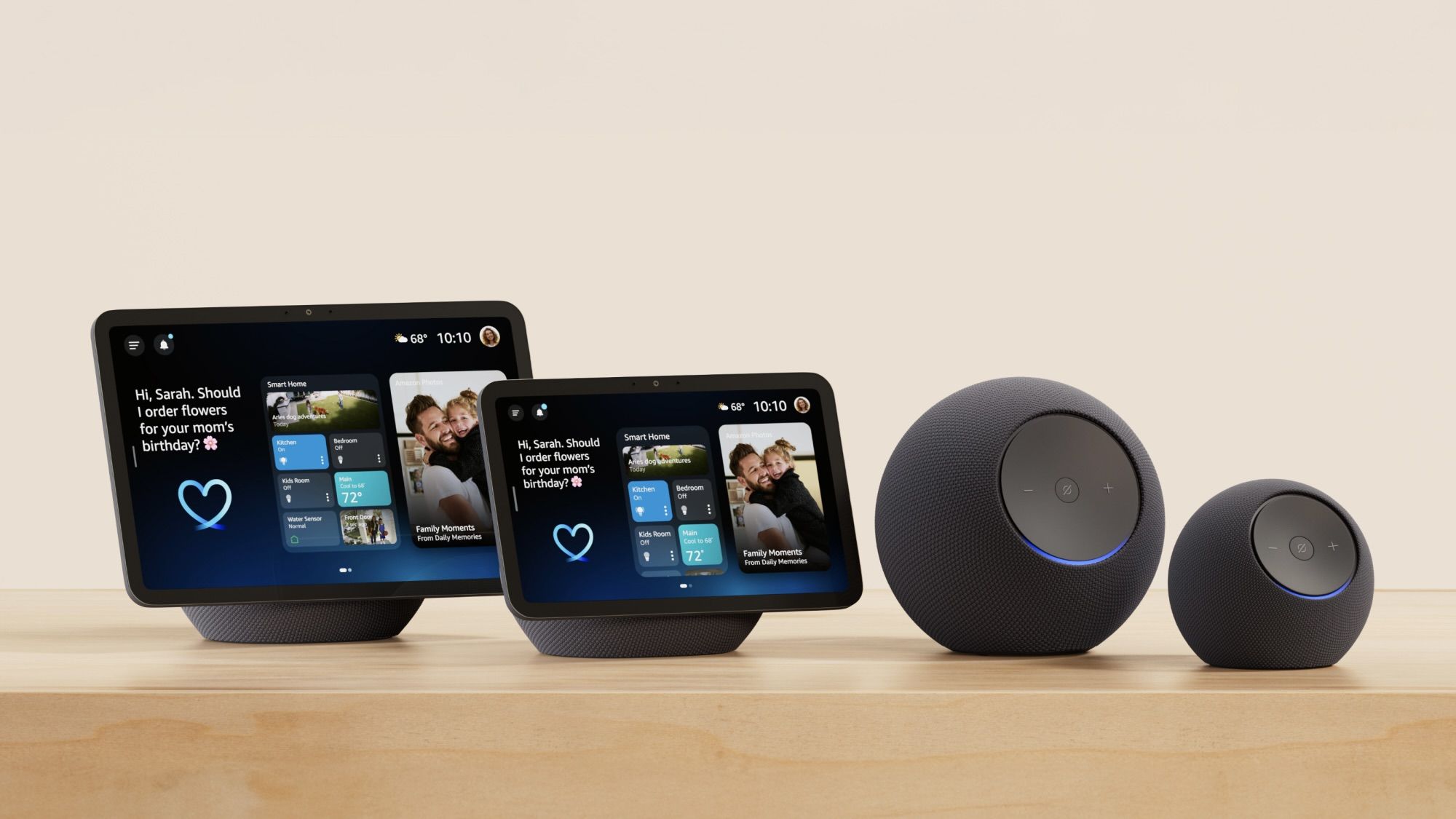
You’ll also be asked which Echo speaker you want to connect it to. I’ve got a few around the house, so I chose my Echo Show 8 in the kitchen. From here, Alexa should confirm that the device is connecting to your smart home setup.

This bit is important – if you’re prompted to enter a Thread Network Key, restart your Amazon Alexa speaker and try the process again. Sometimes the connection can drop and trigger this message, but it isn’t necessary as IKEA devices are Matter-compatible, so everything should reconnect automatically once the speaker restarts.IKEA device set up
(Image credit: Lizzie Wilmot / T3)

3. Enjoy!

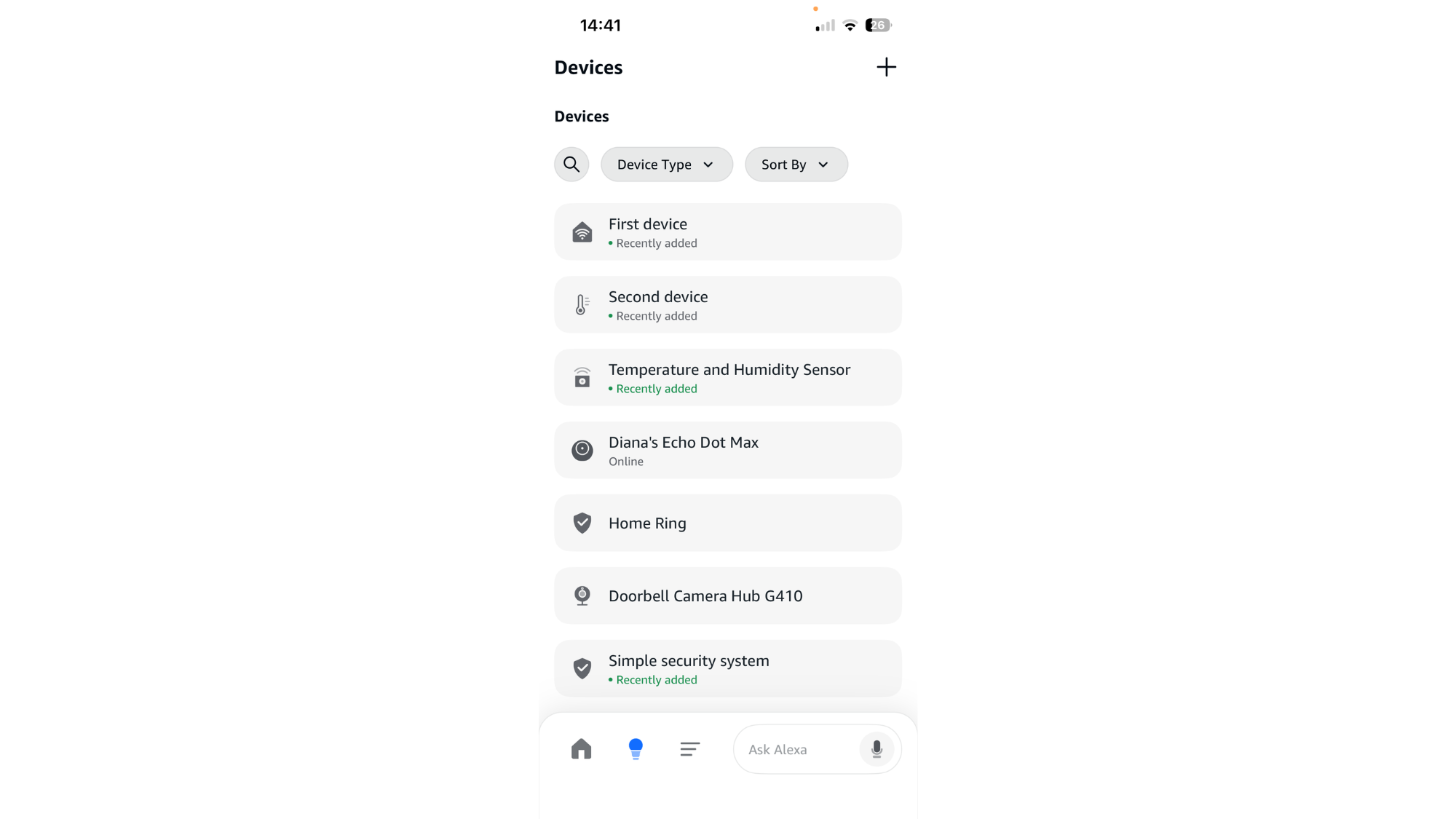
You should now be fully connected, and you can use the device however suits you best. For the TIMMERFLOTTE sensor, I’ve added it to my Echo’s smart home widget so I can see the temperature at all times. That said, a lot of people will probably prefer to just ask Alexa what the temperature or humidity is in the room where the sensor lives – it’s completely up to you!IKEA device set up
(Image credit: Lizzie Wilmot / T3)


Read the full article at the source

Tags: Alexa
Tweet72Share20Pin26
Stefan Hartvig

Stefan Hartvig

Related Stories

How Much Power Are Smart Bulbs “Really” Using?

How Much Power Are Smart Bulbs “Really” Using?

by Stefan Hartvig

Do Smart Bulbs Use More Electricity Than Regular Light Bulbs? Thinking about dipping your toes into the world of smart home technology? Upgrading to the best smart light...

ChatGPT vs Claude vs Gemini: The 2026 AI Champion

ChatGPT vs Claude vs Gemini: The 2026 AI Champion

by TechVerdict

ChatGPT is no longer the default winner by momentum alone. Its traffic share fell from 86.7% to 64.5% in the 12 months leading into 2026, a 22.2 percentage...

The Harsh Realities Behind the Smart Speaker’s Charm

by Stefan Hartvig

4 awkward realities concerning Google Home Google Home stands out as a prominent figure in the intelligent home landscape, delivering multi-platform support for a vast collection of gadgets...

Unlock Effortless Home Upgrades: Your Guide to a Seamless Smart Switch Transformation

Unlock Effortless Home Upgrades: Your Guide to a Seamless Smart Switch Transformation

by Stefan Hartvig

The Smart Switch System That Quietly Transforms Your Home Tired of those bland, forgettable light switches? The Merten Schalterprogramm from Schneider Electric reimagines them as both a design...

Next Post
Google Dwelling prepares seen Dwelling Briefs with image-led recaps

Google Dwelling prepares seen Dwelling Briefs with image-led recaps

Recommended

ASUS Launches ProArt GoPro Edition (PX13) in the Nordics

ASUS Launches ProArt GoPro Edition (PX13) in the Nordics

Navigate the Web: Take Charge with Voice-Controlled AI Browsing

Navigate the Web: Take Charge with Voice-Controlled AI Browsing

Popular Story

  • ExpressVPN Review

    ExpressVPN Review: Everything You Need to Know Before Signing Up

    303 shares
    Share 121 Tweet 76
  • NordVPN Review: Secure Your Online Privacy with This Leading VPN

    299 shares
    Share 120 Tweet 75
  • Unlocking the Smart Speaker Secret: Simple Guide to Choosing the Right One (2026)

    296 shares
    Share 118 Tweet 74
  • Unlocking the Galaxy S26 Price Mystery: What You’ll *Actually* Pay

    292 shares
    Share 117 Tweet 73
  • Unlock Lyria 3: Simple Steps to Powerful Results

    291 shares
    Share 116 Tweet 73
The Lates Tech and AI News, Tests and Reviews | Tech Verdict

© 2026 | Techverdict

Navigation

  • About Us
  • Cookie Policy
  • Contact
  • Disclaimer
  • Privacy Policy

Follow Us

Welcome Back!

Login to your account below

Forgotten Password?

Retrieve your password

Please enter your username or email address to reset your password.

Log In
No Result
View All Result
  • Artificial Intelligence
    • ChatGPT
    • Claude ai
    • Gemini
    • Perplexity
  • Cybersecurity
    • Antivirus & Malware Protection
    • Identity & Data Protection
    • Network and Firewall Security
    • Password Managers
    • VPN
  • Review
    • VPN
  • Smart Home
    • Alexa
    • Google Home
    • Matter
  • Technology
    • Desktop
    • Laptop
    • Phones
    • Smartwatches

© 2026 | Techverdict