Buying a student laptop used to be simpler. Pick a known brand, choose the one on sale, and hope it lasts through lectures, essays, and a few late-night streaming sessions.
That doesn’t work anymore.
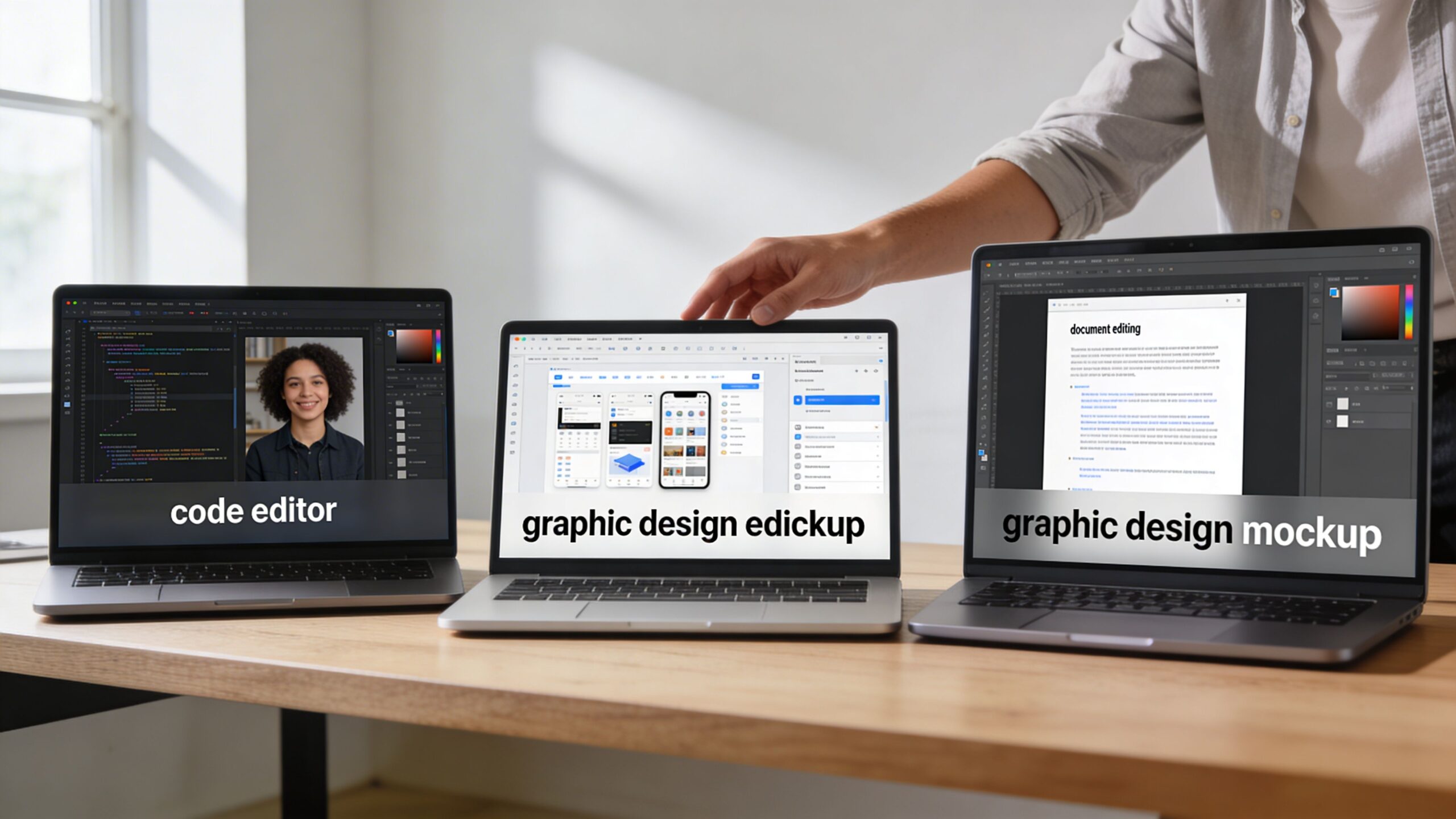
A student in humanities, a business major, and an an engineering student can all spend similar money and end up with wildly different results. One gets a quiet, light machine that lasts all day. Another gets a bargain laptop with a poor keyboard and weak webcam that becomes frustrating by mid-semester. A third buys something thin and stylish, then discovers it can’t handle CAD, simulation work, or sustained compile loads.
Parents feel this too. You’re buying more than a laptop. You’re buying the device that will handle notes, research, video calls, group projects, cloud apps, and often part-time creative or freelance work. The problem is that store pages bury the practical stuff under processor names, AI branding, and spec-sheet noise. If you’ve been bouncing between tabs and comparing models that all sound vaguely similar, that confusion is normal.
The best way through it is to stop shopping by marketing tier and start shopping by workload, portability, and how long the machine needs to stay useful. That’s the lens I use when reviewing the latest laptop coverage, and it’s the same lens that makes the best laptops for students much easier to identify.
This guide is built around trade-offs. Which features matter for campus life, which corners you can cut safely, and which mistakes usually cost more later.
Table of Contents
- Navigating the Maze of Student Laptops
- Decoding Student Laptop Specs in 2026
- The 2026 Student Laptop Market Overview
- Top Laptop Picks for Every Budget
- Best Laptops by College Major
- Smart Buying Strategies for Students
- Frequently Asked Questions About Student Laptops
Navigating the Maze of Student Laptops
Walk into any electronics store, or open five retailer tabs at once, and the same pattern appears. Every laptop claims to be perfect for students. Nearly all of them promise speed, battery life, portability, AI features, and value.
The trouble is that those claims don’t carry equal weight in use.
A student carrying a laptop across campus all day will notice weight before benchmark scores. Someone writing essays for hours will care more about keyboard comfort than flashy marketing around graphics. A design student will spot a mediocre display quickly. An engineering student will hit the limits of a thin consumer laptop fast if coursework includes CAD or simulation tools.
That’s why the best laptops for students aren’t one single product category. They’re a set of better fits.
Practical rule: Buy for the hardest task you’ll do every week, not the easiest task you’ll do every day.
That one rule avoids a lot of expensive mistakes. It stops arts students from buying dim, low-quality screens. It stops general students from overspending on workstation hardware they’ll never use. It also stops parents from assuming a cheaper laptop is always the smarter buy when poor battery life, weak build quality, and noisy fans can make daily use miserable.
The goal isn’t to chase the highest specs. It’s to find the laptop that matches the student’s major, budget, and routine. A dorm-to-library commuter needs something different from a student who mostly works at a desk. A cloud-first workflow needs something different from heavy local software.
Good buying decisions start when you separate what looks impressive online from what holds up in week ten of the semester.
Decoding Student Laptop Specs in 2026
A student writing a paper at midnight, joining a morning seminar on Zoom, then heading to the library without a charger will notice a laptop’s weaknesses fast. Specs matter because they show up in those moments. The right chip, enough memory, a readable screen, and a decent webcam affect daily school life far more than a flashy headline feature.
Dell’s guide to choosing a college laptop makes a useful point. Student needs now center on battery life, keyboard quality, video call performance, fast wireless connectivity, and displays that are easier on the eyes during long sessions (Dell’s college laptop guide). That lines up with what holds up in use. A laptop that feels quick at 9 a.m. but loud, hot, and dim by 3 p.m. is not a good student machine.
The specs that matter most in daily student life
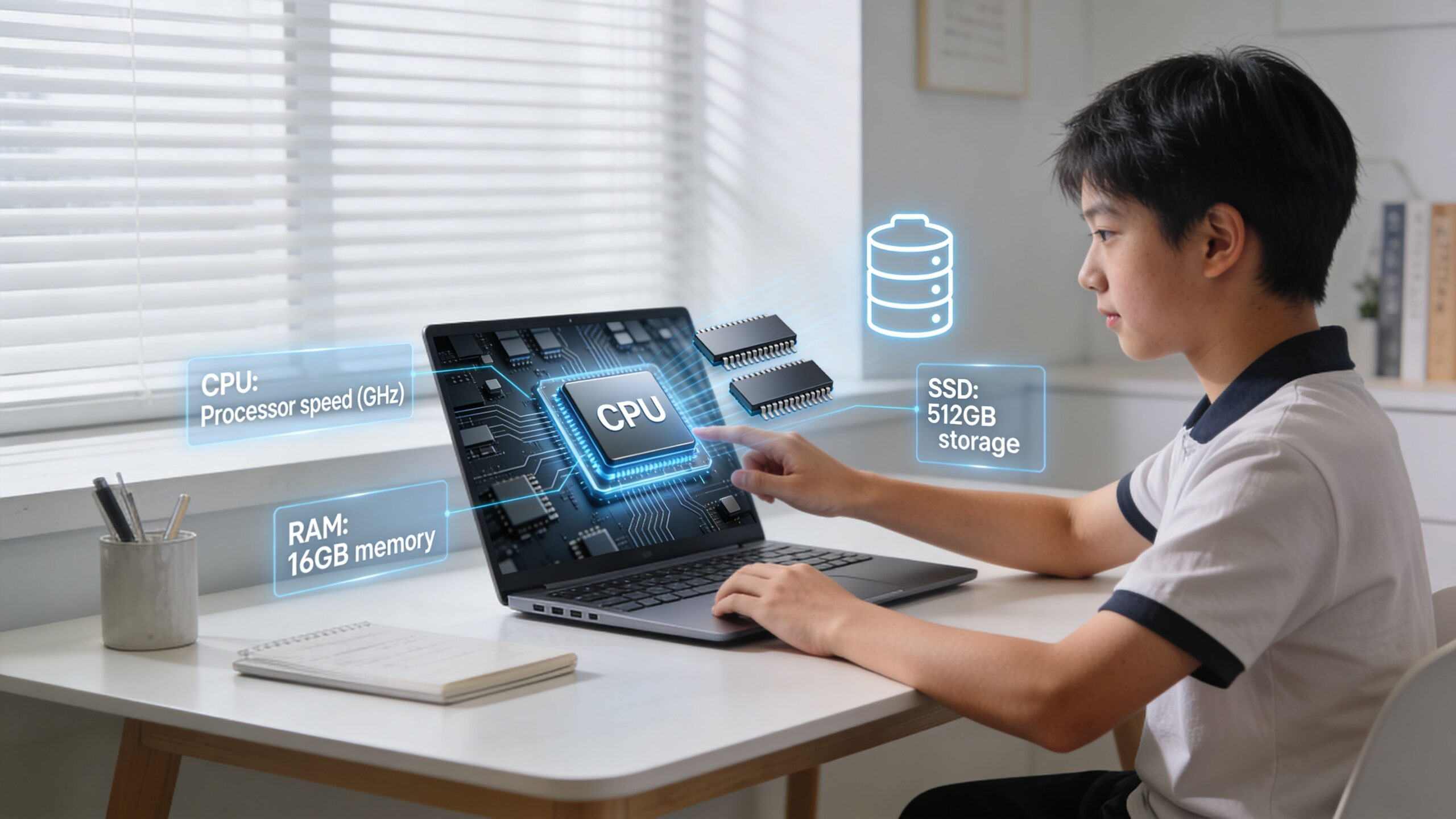
Processor choice sets the tone, but context matters. A humanities student working in Chrome, Word, Notion, and Spotify needs efficiency and consistency. A computer science or engineering student may need more sustained performance for compiling code, running virtual machines, or working with technical software. Paying for high-end silicon only makes sense if coursework will use it.
RAM is the spec I would protect first on a student budget. Too little memory causes the annoying problems students notice every day. Tabs reload, video calls stutter, and apps hesitate when several things are open at once. For light workloads, 8GB can still function. For a laptop meant to last through several years of college, 16GB is the safer target.
Storage is less complicated. Fast SSD storage is standard now, and that matters more than raw capacity for most students. A key consideration is how local the workflow will be. Students storing media projects, design files, coding environments, or downloaded lecture libraries need more space than students who live in Google Drive or OneDrive.
Use this checklist:
- Processor fit: Buy for the hardest regular workload, not the most impressive chip name.
- RAM headroom: Prioritize enough memory for multitasking over small gains in processor tier.
- SSD storage: Fast storage improves everyday responsiveness. Capacity depends on how much work stays local.
- Battery life: Long endurance usually matters more than peak performance in a classroom, library, or lecture hall.
- Thermals and fan noise: Thin laptops can benchmark well and still become irritating in quiet study spaces.
Students trying to compare current model families can also track newer releases and category shifts through Tech Verdict's laptop coverage.
AI-ready hardware matters, but only for the right buyer
AI features are now part of the buying conversation, especially on newer Windows laptops. Some of that is marketing. Some of it has practical value.
On-device AI can help with live captions, voice cleanup, background blur, transcription, image generation, and certain study tools without relying as heavily on the cloud. Significantly, many of the laptops built for these features also use newer, more power-efficient chip designs. That can improve battery life and responsiveness, which students will notice even if they never open an AI app.
The trade-off is simple. AI support is worth paying attention to if the laptop is already a strong choice for screen quality, battery life, keyboard, and performance. It is not a reason to overlook weak basics. Students buying on a tight budget should still favor a well-built conventional laptop over a mediocre machine sold on AI branding alone.
Display, keyboard, and webcam quality decide whether a laptop feels good to use
These are the parts students interact with every hour.
Keyboard quality matters during finals week. Display quality matters during long reading sessions, spreadsheet work, and late-night study blocks. Webcam and microphone quality matter for online classes, group projects, office-hour calls, and internship interviews. Parents often focus on processor and storage. Students usually end up caring more about the screen, keys, battery, and weight.
OLED screens have also become easier to find outside the premium tier, which is good news for students in creative majors and for anyone who stares at text all day. Still, display type alone is not enough. Brightness, glare control, and panel calibration matter too. A glossy OLED in a sunny common area can be less pleasant than a good matte IPS panel.
Here’s the practical breakdown:
| Feature | Why it matters for students | What goes wrong when it’s poor |
|---|---|---|
| Keyboard | Better comfort for essays, notes, and long study sessions | Fatigue, typos, frustrating travel |
| Display | Easier reading, better media, better creative work | Eye strain, weak color, dim panels |
| Webcam and mics | Clearer classes, interviews, and group calls | Grainy video, muffled audio |
| Weight and charger size | Easier campus carry | Backpack fatigue, charger anxiety |
| Ports | Fewer dongles and easier desk setup | Constant adapters and clutter |
A spec sheet can look strong and still hide a bad fit. For students, the best laptop is the one that matches the major, survives the daily commute, and still feels pleasant to use halfway through the semester.
The 2026 Student Laptop Market Overview
A student buying in 2026 is not choosing from one market. They are choosing between several different kinds of machines that solve different problems.
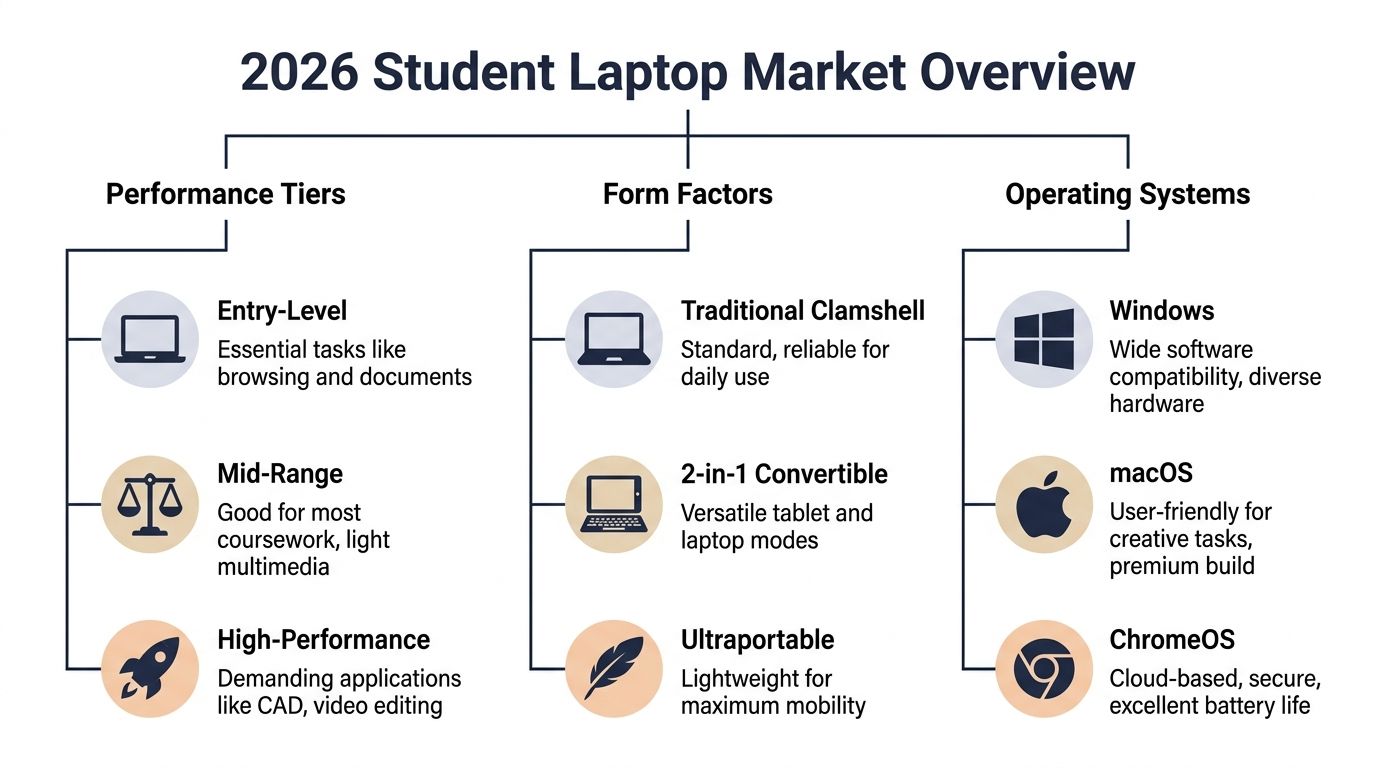
The biggest shift is not brand. It is the widening gap between basic school laptops, all-round mid-range systems, premium ultraportables, and heavier performance models built for technical work. AI features are now part of that split too. Many new laptops promise on-device assistants, background transcription, image tools, or battery-saving workload management. For students, those extras matter far less than whether the laptop runs the required software, lasts through a day of classes, and stays comfortable to carry.
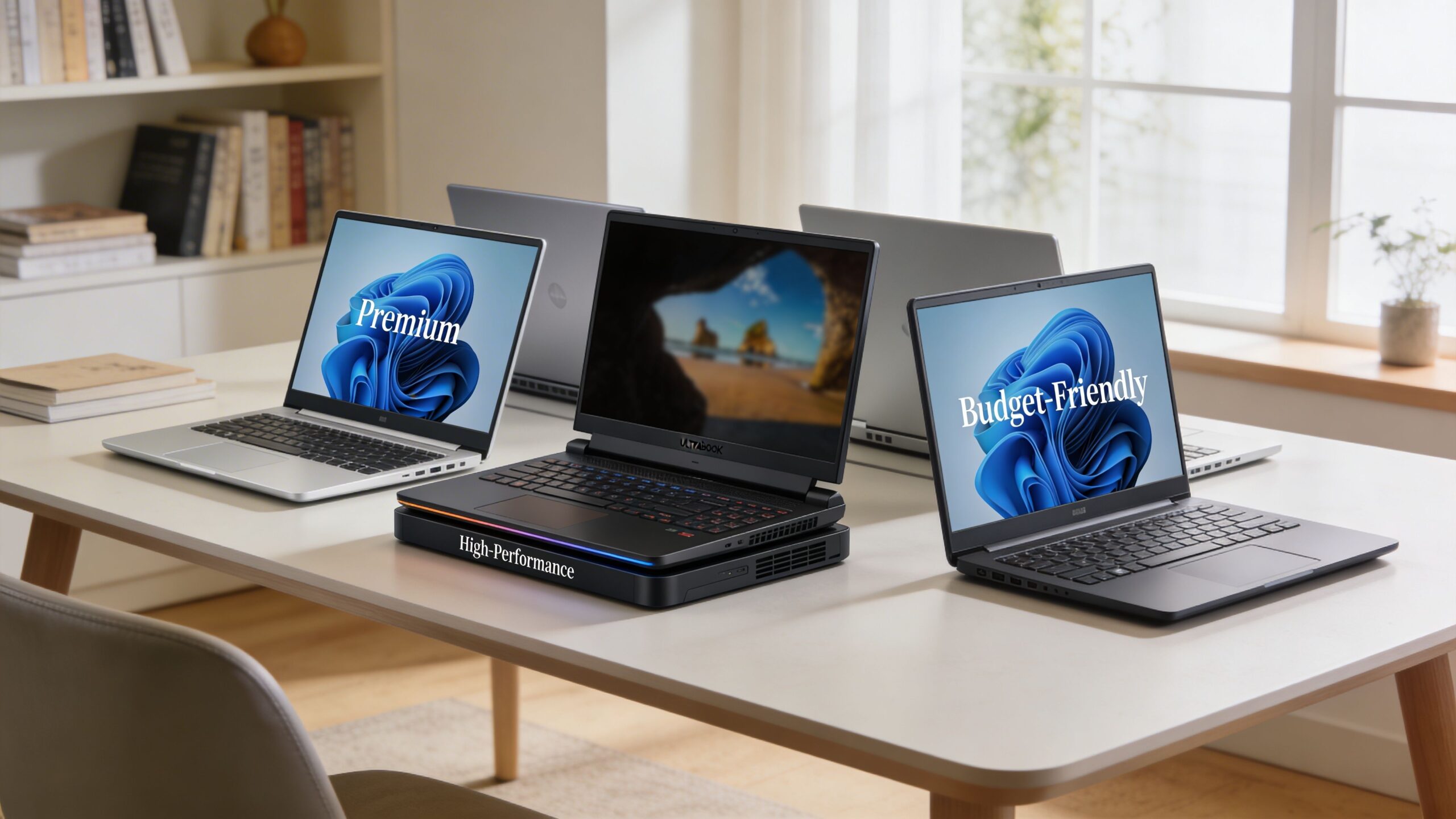
Price still sets the first boundary. Budget systems exist for web-based coursework and tight family spending limits. Mid-range models cover the broad middle of college life. Premium laptops ask for more money up front, but they often make sense for students who will use the same machine heavily for four or five years. Workstation-class models sit in a separate bucket for engineering, 3D work, data science, and other demanding majors where a thin-and-light machine can become a bottleneck.
For quick context on model releases and category shifts, the broader laptop buying coverage at Tech Verdict is a useful reference.
Quick comparison table
| Tier | Typical buyer | Strengths | Trade-offs | Best fit |
|---|---|---|---|---|
| Budget | Cost-conscious students, lighter coursework | Lowest upfront cost, simple everyday use | Dimmer screens, weaker keyboards, shorter support life, limited headroom | Writing, research, streaming lectures, cloud apps |
| Mid-range | Most college students | Better balance of battery life, speed, build quality, and comfort | Can still fall short for advanced creative or technical workloads | Business, humanities, social sciences, general campus use |
| Premium | Students planning long ownership or constant travel | Better displays, lower weight, quieter operation, stronger battery life | Higher purchase price, repairs can cost more | Frequent commuters, creative students, buyers keeping one laptop for years |
| Workstation class | Students with heavy software needs | More CPU and GPU power, better cooling under load | Bulkier, louder, shorter battery life, much higher cost | Engineering, architecture, CAD, simulation, advanced media work |
Budget tier
Budget laptops work best when the student already knows the workload will stay light. That usually means browser-based assignments, note-taking, documents, presentations, and video calls.
The risk is not that these machines are unusable. The risk is that they leave very little room for change. A first-year student may start with online coursework and later need desktop statistics tools, coding environments, Adobe apps, or exam software with stricter requirements. Cheap laptops can handle college. They just have less margin for a major change, a busier multitasking load, or four years of daily wear.
Mid-range tier
Most families should start here.
Mid-range laptops usually hit the best balance between cost and day-to-day quality. They tend to give students enough speed for multitasking, a screen that is pleasant for long reading sessions, and battery life that does not force constant charger planning. They also avoid the common trap of overspending on power that a student will never use.
A good mid-range Windows laptop is often the safest recommendation for undecided students. It keeps software options open, handles normal college workloads well, and does not carry the price premium of the nicest ultraportables.
Premium tier
Premium laptops earn their place through long-term ownership, not bragging rights. Students notice the difference in the third hour of class, during a week of commuting, or in year three when the laptop still feels fast and the battery has held up better than cheaper alternatives.
That does not make premium the automatic best choice. If the workload is writing, browsing, research, and light editing, the value comes from lower weight, better battery life, a nicer screen, and a better keyboard. Families should decide whether those benefits are worth paying for. For many students, they are. For others, that money is better kept for software, accessories, or a monitor at the dorm desk.
Workstation and performance tier
This part of the market gets a lot of attention and a lot of overbuying.
A performance laptop makes sense when the course list includes CAD, local AI models, code compiling, 3D rendering, simulation, or heavy video work. In those cases, extra CPU and GPU headroom saves time and frustration. It also helps when assignments run for long periods, because stronger cooling matters more than a thin chassis.
For everyone else, the trade-off is hard to justify. These systems are heavier, louder, and usually weaker on battery life. Carrying one across campus every day for occasional bursts of power is often the wrong compromise.
Which operating system makes sense
Operating system choice still shapes the buying decision, especially now that AI tools and app support differ by platform.
Windows remains the broadest fit. It offers the widest hardware range and the fewest surprises with specialized academic software. Students in technical majors, undecided programs, or schools with scattered software requirements are usually safest here.
macOS works well for students who want strong battery life, quiet operation, and a polished ultraportable. It is a very good fit for general college use and many creative programs, as long as the department does not rely on Windows-only tools.
ChromeOS still has a place, but it is a narrower one. It suits students whose work is almost entirely browser-based and cloud-based. It is a poor fit for buyers who may later need local professional software, advanced coding tools, or niche campus applications.
The best 2026 student laptop is the one that matches the major, the budget, and the way that student lives. AI features may influence the marketing. Daily workload, campus mobility, and software needs should drive the purchase.
Top Laptop Picks for Every Budget
A student starts the year thinking any decent laptop will do. Six weeks later, the true test emerges. The battery dies halfway through lectures, the machine stutters with too many tabs open, or a required app will not run on the operating system they picked to save money. The right buy is not the one with the flashiest spec sheet. It is the one that fits the course, the budget, and how that student works.
Best overall for most students
The Apple MacBook Air 13 (M4, 2025) is still the safest all-round recommendation for general student use. RTINGS ranks it among the best college laptops because it pairs long battery life with strong everyday performance in a chassis students will want to carry all day (RTINGS college laptop picks).
That matters more than benchmark bragging rights. In practice, this is the laptop that handles lecture notes, research, browser-heavy study sessions, presentations, and light creative work without turning into a burden by week three. The fanless design also helps in quiet classrooms and libraries, where even good Windows laptops can become distracting under load.
The catch is software compatibility. Students who may need Windows-only exam software, niche business apps, or department-specific programs should verify requirements before buying. Parents often miss this step. It matters more than the processor generation.
Pros & Cons
| Pros | Cons |
|---|---|
| Long battery life for real campus use | Only two USB-C ports |
| Silent in libraries and lecture halls | Can be a poor fit for Windows-only software |
| Fast enough for mainstream student workloads | Costs more than entry-level Windows laptops |
| Easy to live with for four years | Not built for sustained engineering-class workloads |
Closest competitor: Microsoft Surface Laptop 7.
Why the MacBook Air gets the nod: it is the easier long-term pick for general use, especially if battery life, low noise, and low maintenance matter more than ports.
Who should buy it?
Students in humanities, business, education, communications, and other majors built around writing, research, presentations, and web-based coursework.
Best budget choice
Budget buying gets tricky fast. The cheapest laptop is only a good value if it still fits the student a year from now.
For students whose work lives almost entirely in a browser, a Chromebook remains the clearest low-cost option. It works well for Google Docs, web research, learning platforms, email, and video calls. It also tends to be simpler to maintain, which matters for families buying a first college laptop and trying to avoid support headaches.
The trade-off is growth. A Chromebook can save money up front, then force an early replacement if the student changes majors, starts coding, needs local software, or runs into campus tools that expect Windows or macOS. A low-cost Windows laptop usually gives more flexibility, but many cheap models cut corners on screens, keyboards, and battery life. That is the core budget decision. Lower cost today versus fewer limits later.
Pros & Cons
| Pros | Cons |
|---|---|
| Lowest-cost path for basic schoolwork | Limited software support outside browser-based tasks |
| Usually simple to set up and maintain | Less headroom if course demands change |
| Good fit for writing, research, and online classes | Quality varies sharply at the low end |
| Often solid battery life for the price | Weak choice for technical or creative software |
Closest competitor: a low-cost Windows clamshell.
Why a Chromebook still makes sense: it is often the cleaner choice for students with clearly defined, web-first needs and a tight budget.
Who should buy it?
Students with basic coursework, families minimizing upfront cost, and buyers who know the laptop does not need to cover specialized software later.
Best premium option
Some families shop one tier up because they want fewer compromises over four years. That is a reasonable approach, as long as the premium goes toward daily usability rather than specs the student will never use.
The MacBook Air 13 (M4, 2025) is also the best premium buy for a large share of students. At this level, the value comes from consistency. Strong battery life. Quiet operation. Low carry weight. Fast wake-from-sleep behavior. A chassis and trackpad that still feel good after constant use. Those things matter more in college than an extra burst of performance on a benchmark chart.
A premium Windows laptop can still be the better buy for students who need more ports, touch support, or a Windows-first setup. But if the workload is mainstream student work with some light editing on the side, the MacBook Air is the premium machine with the fewest downsides.
A good premium student laptop should reduce friction every day. It should not ask the student to trade portability for power they rarely use.
Best for engineering and heavy technical work
Engineering, architecture, and some computer science tracks change the buying equation. Here, stability under load, certified software support, and sustained performance matter more than thinness.
The Lenovo ThinkPad P16 Gen 3 is a serious workstation for students who know they will run CAD, simulation, 3D modeling, or other demanding technical tools. TechRadar highlights it as a leading engineering laptop because it offers high-end CPU and GPU options and supports the kind of professional workflows that expose the limits of mainstream ultraportables (TechRadar engineering laptop guide).
This is not the laptop I would suggest to an undecided freshman. It is the machine for students whose course software can punish a weak thermal design or consumer-grade graphics setup. The price, weight, and shorter unplugged life are real compromises. For the right major, they are justified. For everyone else, they are expensive baggage.
Pros & Cons
| Pros | Cons |
|---|---|
| Built for CAD, simulation, and demanding technical software | Heavy for daily campus carry |
| Better sustained performance than thin consumer laptops | Expensive compared with mainstream student picks |
| Stronger fit for long, intensive assignments | Battery life usually trails ultraportables |
| More dependable for specialized professional apps | Overbuilt for writing, browsing, and routine coursework |
Students considering creator-focused alternatives should also watch the premium 13-inch and 14-inch performance class, especially as brands blur the line between creator laptops and compact workstations. Announcements like the ASUS ProArt GoPro Edition PX13 launch are useful signals if the workload mixes media production, AI-assisted apps, and portability.
A quick video overview can also help narrow the shortlist before you go deeper into individual reviews.
Best Laptops by College Major
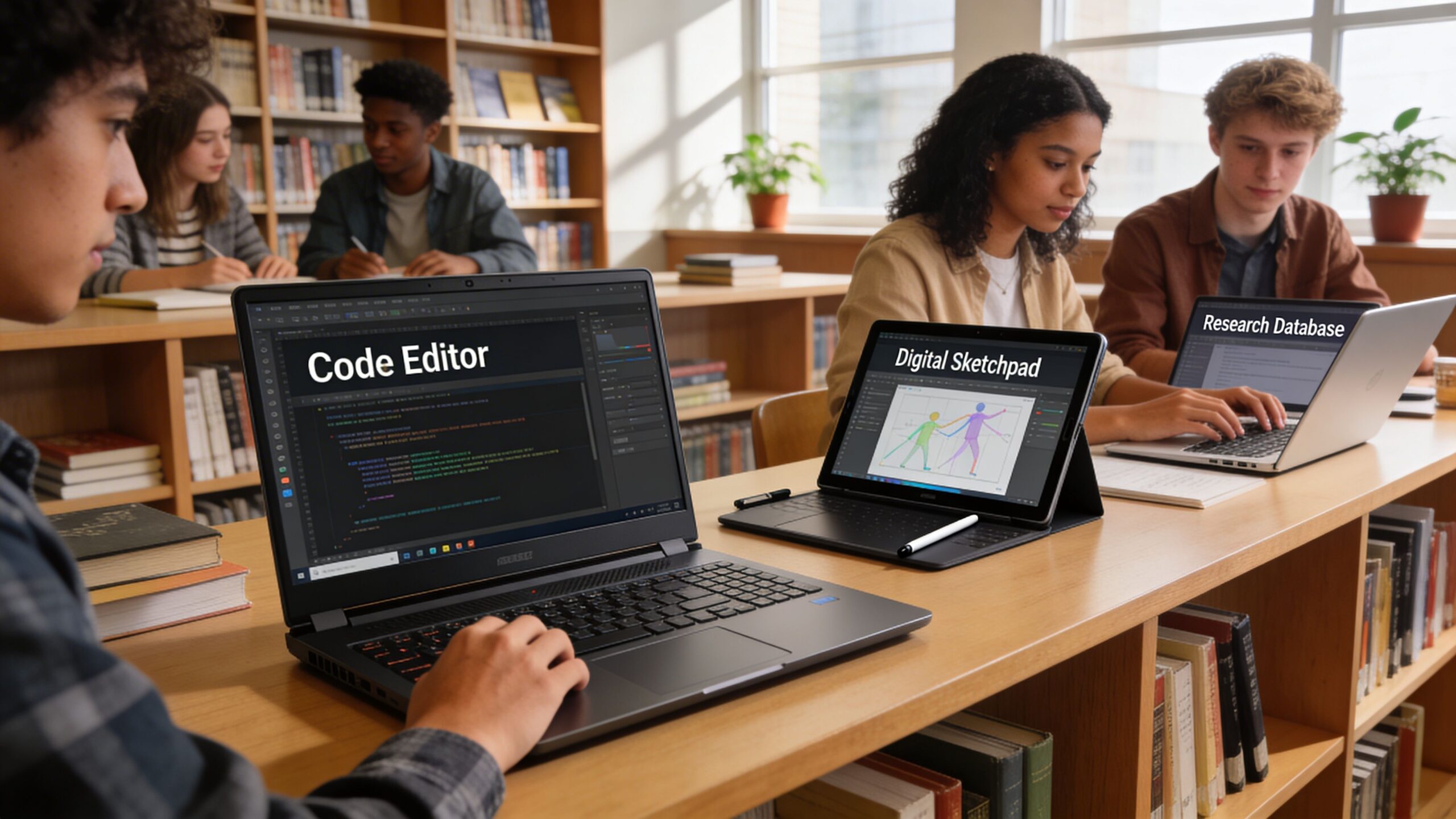
The best laptops for students change the moment you sort by major instead of price. Many generic buying guides fall apart here. They recommend one crowd-pleaser and ignore that a business student and an engineering student may need completely different things from the same budget.
Engineering and computer science
Engineering students should prioritize software compatibility, sustained performance, and thermal reliability before they worry about thinness.
The best recommendation here is the Lenovo ThinkPad P16 Gen 3. It’s the laptop for students who know they’ll be working with CAD, simulation, and heavy technical software. The value isn’t that it’s powerful alone. The value is that it’s designed for workloads where instability costs time and frustration.
For computer science students, the answer is a little broader. If the workload is coding, browser work, containers, and normal dev tools, a lighter premium laptop can make more sense. If the program leans into GPU-heavy computing, modeling, or engineering-adjacent applications, move closer to workstation territory.
Arts and design
Arts and design students should care about display quality, portability, and how the laptop behaves under creative software.
A premium MacBook Air can be a good fit for students focused on writing, presentation work, light editing, digital publishing, and general creative coursework. The appeal is simple. Good battery life, quiet operation, and a polished display experience matter more than many buyers realize until they’re editing late or carrying the device daily.
Students doing heavier visual production should be more cautious. If projects grow into more demanding media work, they may outgrow a lightweight generalist machine sooner than expected.
Color quality and screen comfort are not side issues for creative students. They shape the work every day.
Business and economics
Business students usually benefit from a different mix. Strong battery life, a comfortable keyboard, reliable webcam performance, and a professional design matter more than high-end graphics. Premium ultraportables and good mid-range Windows laptops shine here. Business coursework often means lots of spreadsheets, writing, presentation prep, research, messaging, and video calls. The laptop needs to disappear into the workflow, not demand constant compromises.
If internships, travel, presentations, and campus mobility are part of the routine, portability becomes one of the most valuable features on the whole device.
Humanities and liberal arts
Humanities students often don’t need expensive hardware, but they need a laptop that’s pleasant to use for hours at a time.
That means keyboard quality matters more than many retailer pages suggest. So does screen comfort. A machine used for reading, writing, annotation, research, and video calls should feel dependable and quiet, not flashy.
A Chromebook may be enough if the workflow stays browser-based. A mid-range Windows laptop is often the safer flexible option. A MacBook Air becomes attractive when the budget allows and long battery life, portability, and comfort matter more than squeezing every pound spent.
Here’s the practical major-based summary:
| Major | Prioritize | Good fit |
|---|---|---|
| Engineering | Sustained power, GPU capability, software certification | Lenovo ThinkPad P16 Gen 3 |
| Computer science | Portability or power depending on toolchain | Mid-range to high-performance Windows, or premium ultraportable for lighter dev work |
| Arts and design | Display quality, portability, creative app behavior | Premium ultraportable, stronger creator laptop if workload grows |
| Business | Keyboard, webcam, battery, polish | Mid-range Windows or MacBook Air |
| Humanities | Writing comfort, battery, value | Chromebook, mid-range Windows, or MacBook Air depending on budget |
The biggest mistake students make by major is copying someone else’s recommendation without copying their workload. The right laptop for your course is the one that handles your software and routine cleanly, not the one that happens to be popular in your dorm.
Smart Buying Strategies for Students
A good laptop choice can still turn into a bad purchase if you buy at the wrong time, from the wrong seller, or with the wrong expectations. Students usually don’t need the newest configuration the week it launches. They need the best combination of price, reliability, and support.
Where smart buyers save money
Start with a simple checklist before you buy:
- Check student pricing first. Many manufacturers and major retailers offer education pricing or bundles, and those discounts can change the value equation quickly.
- Compare direct and retail listings. Sometimes the manufacturer offers better configuration options. Other times a large retailer gives a better return window or a better bundle.
- Read the course requirements. This matters most for engineering, design, and specialist software courses. Buying first and checking later is how students end up replacing laptops too soon.
- Prioritize the long-use features. Better battery life, keyboard comfort, and display quality usually matter longer than chasing a slightly faster chip.
- Budget for accessories. A sleeve, backup drive, and maybe a USB-C hub can matter more than stepping up one spec tier.
One smart move for Chromebook buyers is to think beyond the laptop itself. If the device will be cloud-first and heavily web-based, it’s worth understanding the basics of protection and safe setup. A practical starting point is this guide to antivirus for Google Chromebook.
When refurbished makes sense
Refurbished can be a smart move, especially for premium laptops that still have years of useful life left.
The right refurbished laptop usually beats a brand-new cheap laptop when the seller is reputable, the condition grading is clear, and the return policy is solid. What you want is confidence around battery health, cosmetic condition, and warranty support.
Use this quick filter:
- Buy certified when possible: Manufacturer-refurbished units are often the safest route.
- Check return terms carefully: A generous return window matters more than a tiny upfront saving.
- Inspect the seller’s grading language: “Good” and “excellent” can mean very different things.
- Avoid wishful shopping: Don’t buy a used premium laptop that’s already too old for the software lifespan you need.
A four-year college purchase should be judged by total usefulness, not day-one price alone. That’s where careful buying usually beats bargain hunting.
Frequently Asked Questions About Student Laptops
Is a Chromebook enough for college
Sometimes, yes.
A Chromebook is enough when the student’s work happens mostly in a browser, with web apps, documents, research, email, and streaming classes. It becomes a poor fit when a degree requires specialized desktop software or when the student needs broader flexibility later.
If you’re leaning that way, it also helps to understand the basics of Chromebook security, especially for students storing coursework and account access in the browser.
How much RAM should a student target
Enough to keep the laptop smooth under the way the student works.
If the workload includes lots of browser tabs, video calls, documents, and multitasking, too little memory becomes annoying fast. For light, focused use, you can get by with less. For students who multitask heavily or want more breathing room over time, more memory is the safer call.
Should students buy warranty or insurance
It depends on risk.
A student commuting daily, living in shared housing, or carrying a laptop everywhere has a stronger case for extra protection than someone using the device mostly at a desk. Warranty coverage is most useful when repairs would be costly or inconvenient. Insurance matters more when damage or theft is a real concern.
What helps a laptop last through college
Choose well, then treat it like a long-term tool.
Keep storage from staying full. Use a sleeve. Don’t block vents on soft surfaces. Update the system regularly. Back up important coursework. If the laptop has replaceable components or expansion options, that can also help extend its useful life.
The best laptops for students last when the original buying decision matches the workload and the owner avoids the small habits that shorten lifespan.
If you’re still narrowing down your shortlist, Tech Verdict publishes practical laptop guides, tech reviews, and buying advice built around one question: what works in real use? Which laptop are you considering right now, and what’s your major?